75
VFO Scan
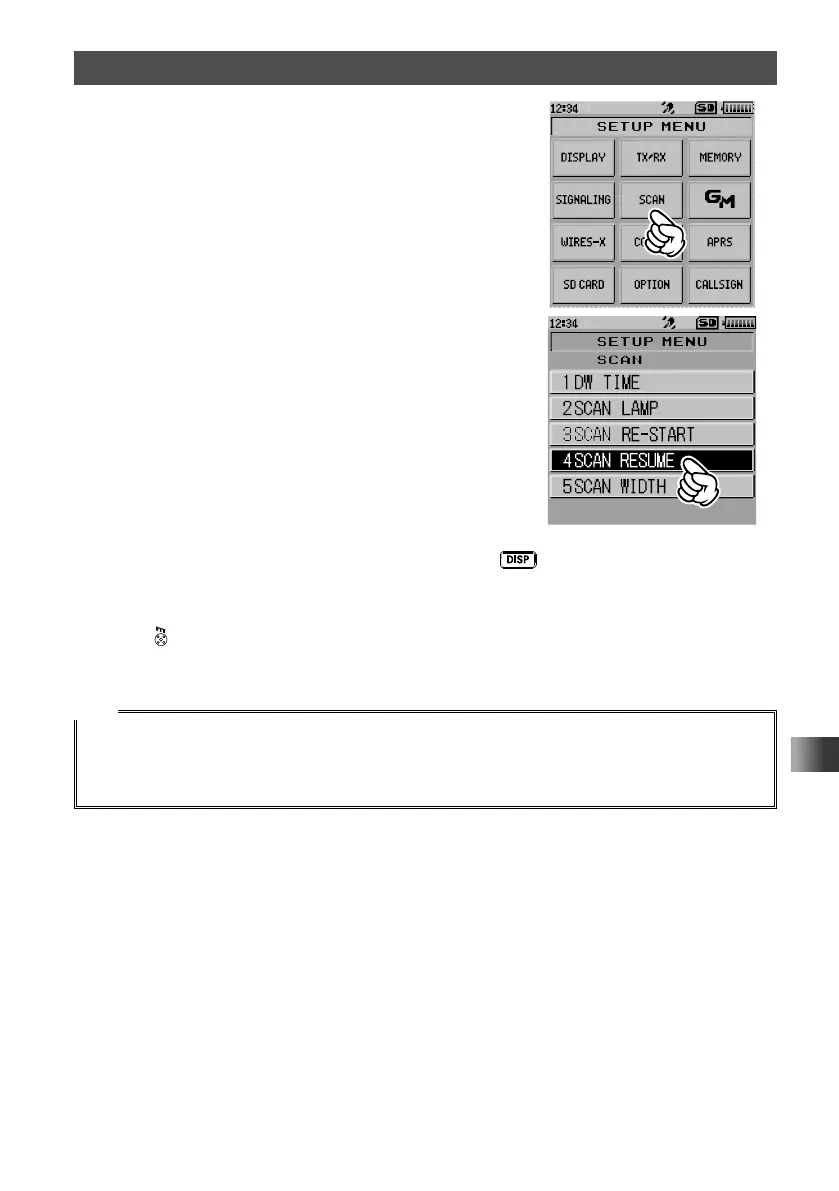
2 Touch [SCAN].
3 Touch [4 SCAN RESUME].
4 Rotate the DIAL to select [SCAN], then press the key.
5 Rotate the DIAL to select the desired reception method from [2 SEC TO 10 SEC
(0.5SEC STEP)], [BUSY] and [HOLD].
6 Press .
The reception method is set and the transceiver exits from Set mode.
Tips
• The reception method selected here is applied to [VFO Scanning], [Programmable Memory Channel
Scanning] and [Memory Channel Scanning].
• The scanning restart time after BUSY (duration of signal reception) can be changed by selecting the
Set mode option [SCAN] → [3 SCAN RE-START].



 To Next Page