Configuration
LITECOM, Commissioning and maintenance instructions 17.0 | 04.2024 | en 101
Note
If the image does not meet the specifications, a corresponding message
is displayed.
1. Adjust the image.
2. Upload the image again.
4. Tap the tick mark.
ÜThe Scenes view is displayed.
Overwriting an existing image
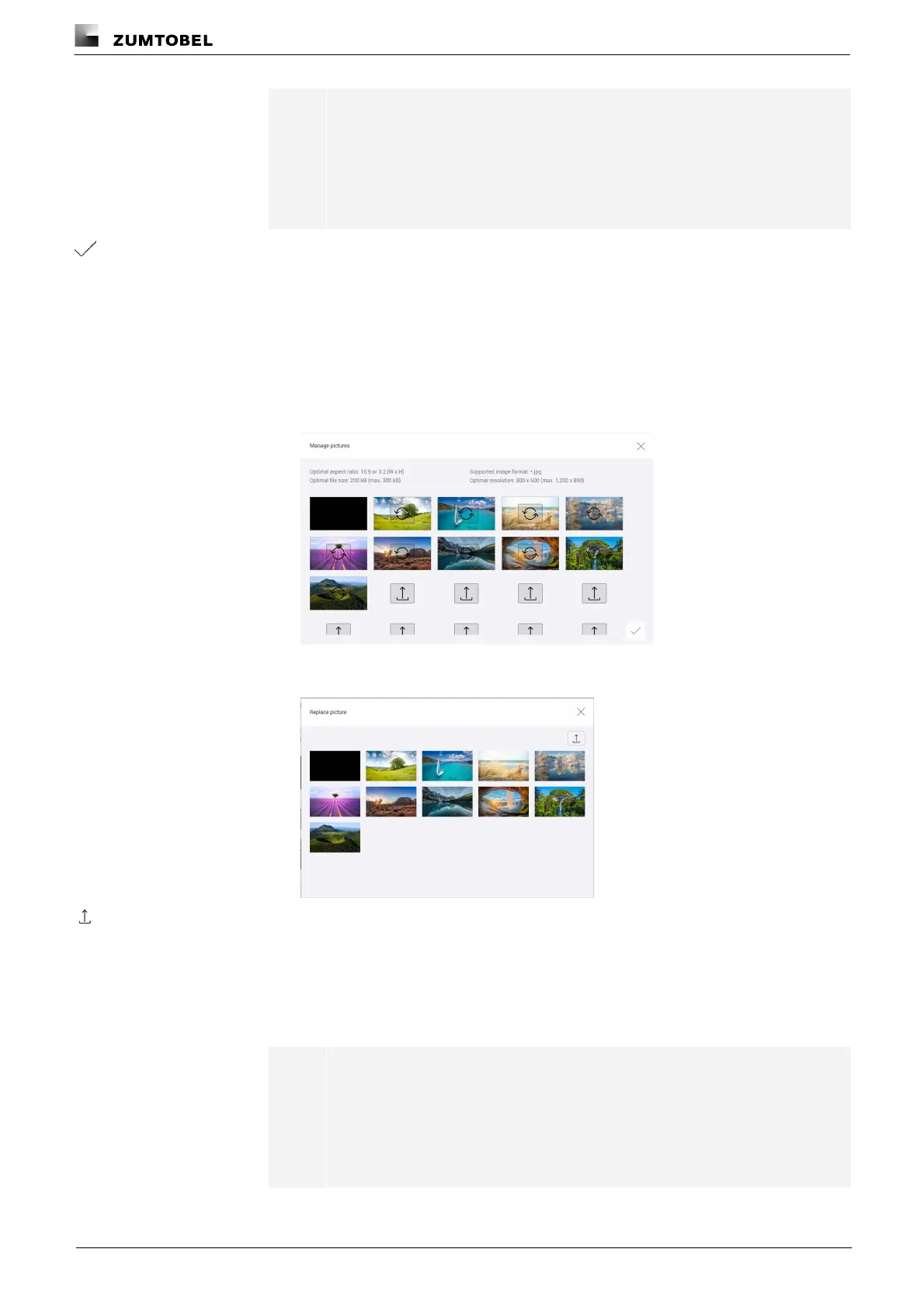
Path: App overview > Scenes > Manage pictures
1. Navigate to the path.
ÜThe Manage pictures view is displayed.
2. Tap the image to be replaced.
ÜThe Replace picture pop-up window appears.
3. Tap the icon.
ÜThe pop-up window for file selection opens.
4. Navigate to the save location of the image file and select the image file.
ÜA compatibility check is performed.
ÜIf the image meets the specifications, the file is uploaded.
Note
If the image does not meet the specifications, a corresponding message
is displayed.
1. Adjust the image.
2. Upload the image again.



 To Next Page