Configuration
LITECOM, Commissioning and maintenance instructions 17.0 | 04.2024 | en 106
A person enters the stairwell and operates a momentary-action switch, recalling a
presence scene and starting a run-on time. If no one presses a momentary-action
switch in this stairwell again during the run-on time, the absence scene is recalled again.
The scene can be recalled on an individual weekday or all weekdays. Date groups can
also be added as exceptions. You can also set a specific action timeframe in which the
scene recall takes place.
Note
For more information and an application example see Section Function:
stairwell
Table 59: Types of conditional scene recalls
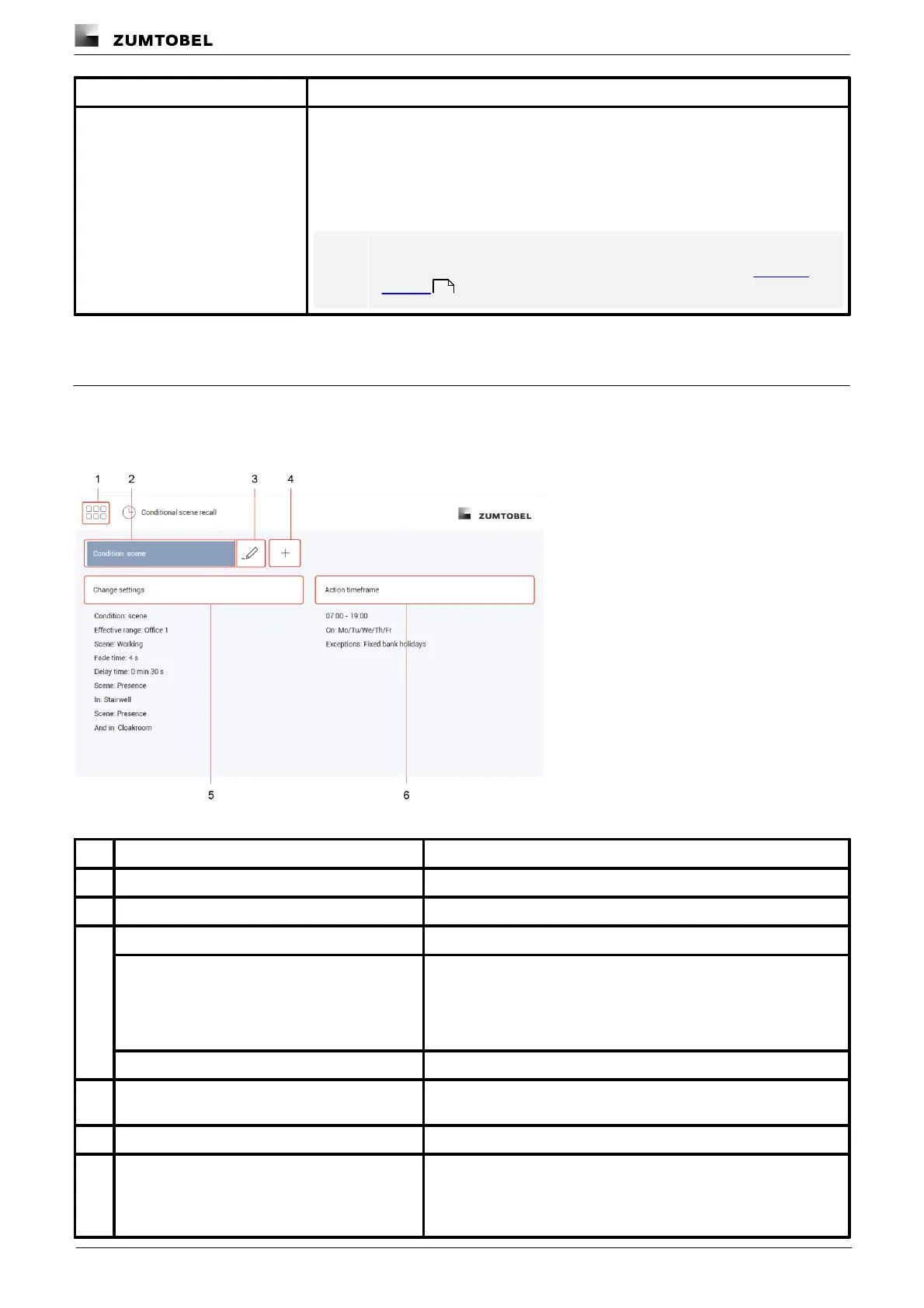
10.6.1 Overview of the “Conditional scene recall” app
The following contains an overview of the functions in the Conditional scene recall app.
Path: App overview > Conditional scene recall
Figure 27: “Conditional scene recall” app view
Tap this button to access the app overview.
Select conditional scene recall
Select an existing conditional scene recall to change it.
Rename conditional scene recall
Change the name of an existing conditional scene recall.
Copy conditional scene recall
To create a conditional scene recall that is only slightly different from
an existing conditional scene recall in this room, the existing
conditional scene recall can be copied. All settings are applied in
this case. The copied conditional scene recall can then be
configured.
Delete conditional scene recall
When a conditional scene recall is deleted all settings are deleted.
Create new conditional scene recall
Create a new conditional scene recall. Name the conditional scene
recall as required (e.g. start of work).
Change settings of conditional scene recall
Select the type of conditional scene recall and then configure it.
The action timeframe is a time in which the function is enabled.
115



 To Next Page