Configuration
LITECOM, Commissioning and maintenance instructions 17.0 | 04.2024 | en 99
10.4.3 Configuring scenes for zones
Scenes are created for specific requirements within a room. A zone is a unit comprising multiple rooms and/or
groups, created in order to be able to control the addressed devices it contains together.
The following steps must be completed in order to configure a zone:
· Step 1: create a zone.
Path: App overview > Zones
For more information see Section Zones
· Step 2: create one or more scenes for a zone.
Path: App overview > Scenes
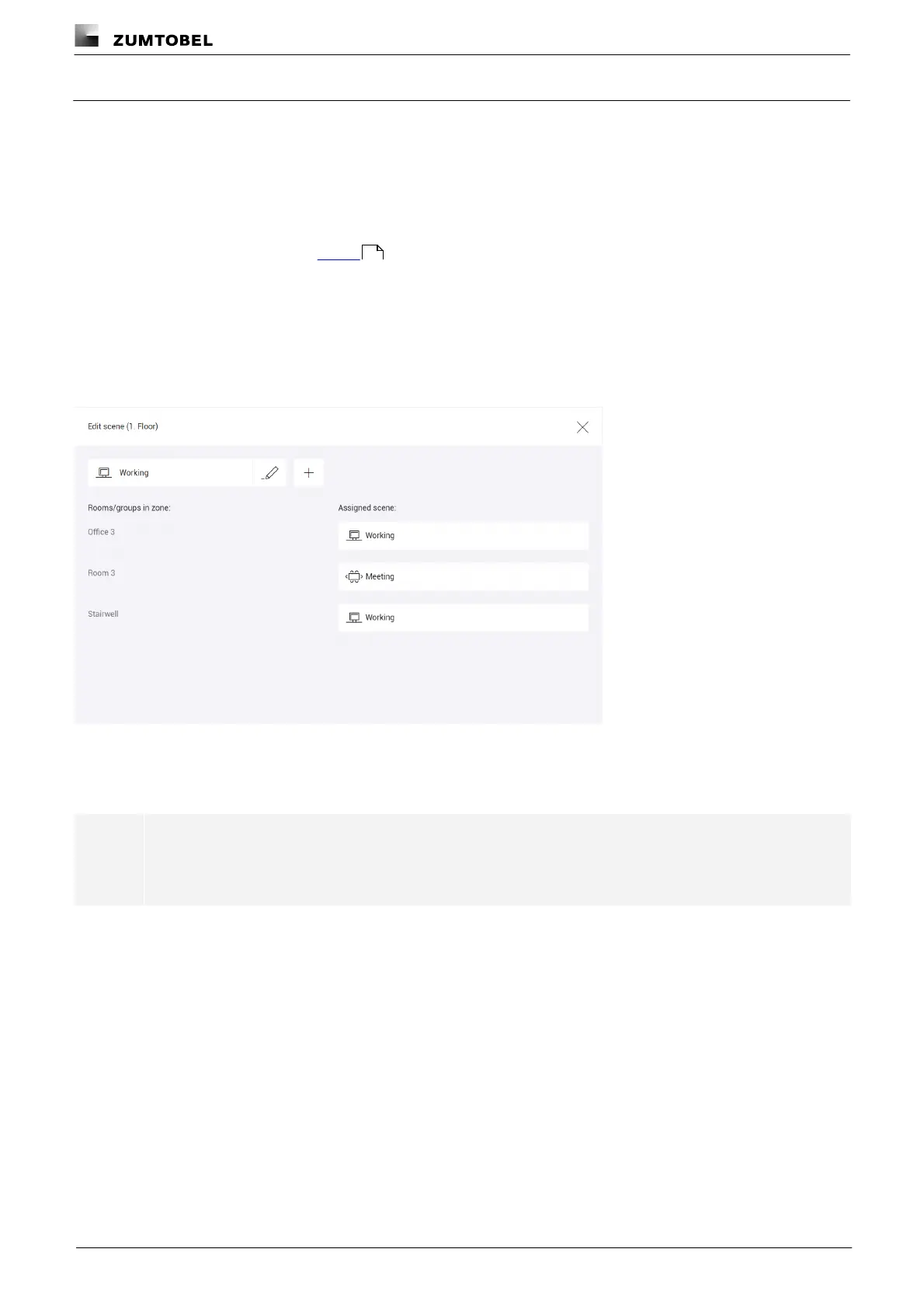
If the scene is being configured for a zone, one existing scene can be assigned for each room and each group of
the zone. The left column contains all rooms and groups in the zone. In the right column, an existing scene can be
assigned for each room and each group.
Figure 25: "Scenes" app view > effective range: zone
If no change is desired in a part of the zone (room/group) when a scene is recalled, select the No change when
scene is recalled option.
Note
A scene must be assigned for at least one room/one group of the zone, as otherwise unexpected
behaviour may result.
124



 To Next Page