Maintenance
LITECOM, Commissioning and maintenance instructions 17.0 | 04.2024 | en 165
11.4.2 LITECOM-Touchpanel TCI software update
You can also update the software of the LITECOM-Touchpanel TCI via a TFF file (Touchpanel Firmware File). As
the USB port of the LITECOM-Touchpanel TCI is installed in the wall, it has to be updated in two steps:
1. Load new TFF file via the LITECOM web application to the LITECOM CCD.
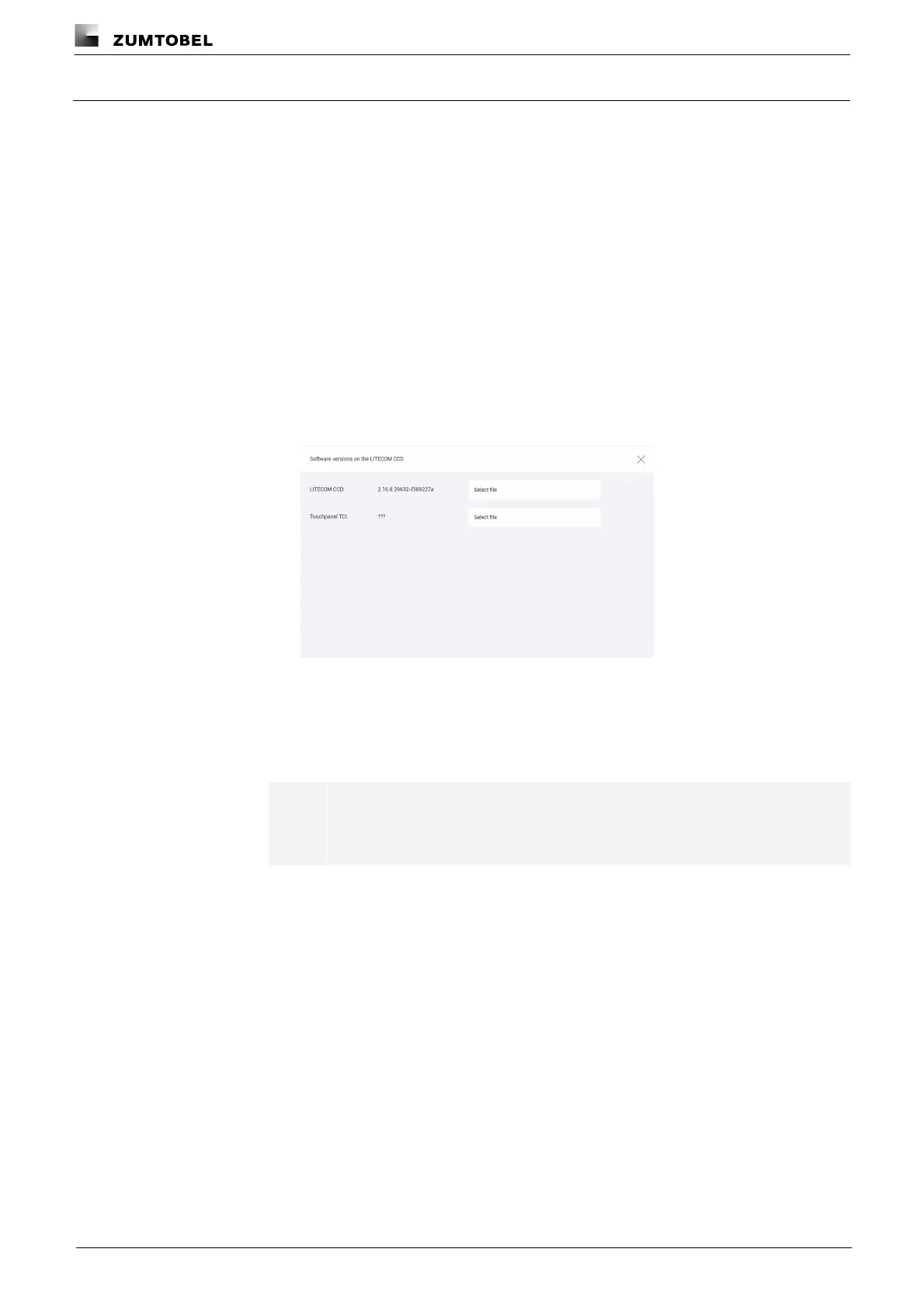
Path: App overview > Basic settings > Software versions
2. Update new TFF file on the LITECOM-Touchpanel TCI.
Loading new TFF file to the LITECOM CCD via the LITECOM web application
Requirement:
— LITECOM CCD control device and computer are connected via an Ethernet cable.
Path: App overview > Basic settings > Software versions
1. Navigate to the correct page as indicated in the path.
ÜSoftware versions on the LITECOM CCD view is displayed.
2. Tap Select file button.
3. Select TFF file and open it.
ÜA pop-up window with a progress bar appears.
ÜThe files for the software update are uploaded.
Note
This procedure may take several minutes.
ÜThe Software versions on the LITECOM CCD view appears.



 To Next Page