Configuration
LITECOM, Commissioning and maintenance instructions 17.0 | 04.2024 | en 90
10.4.1 Overview of the “Scenes” app
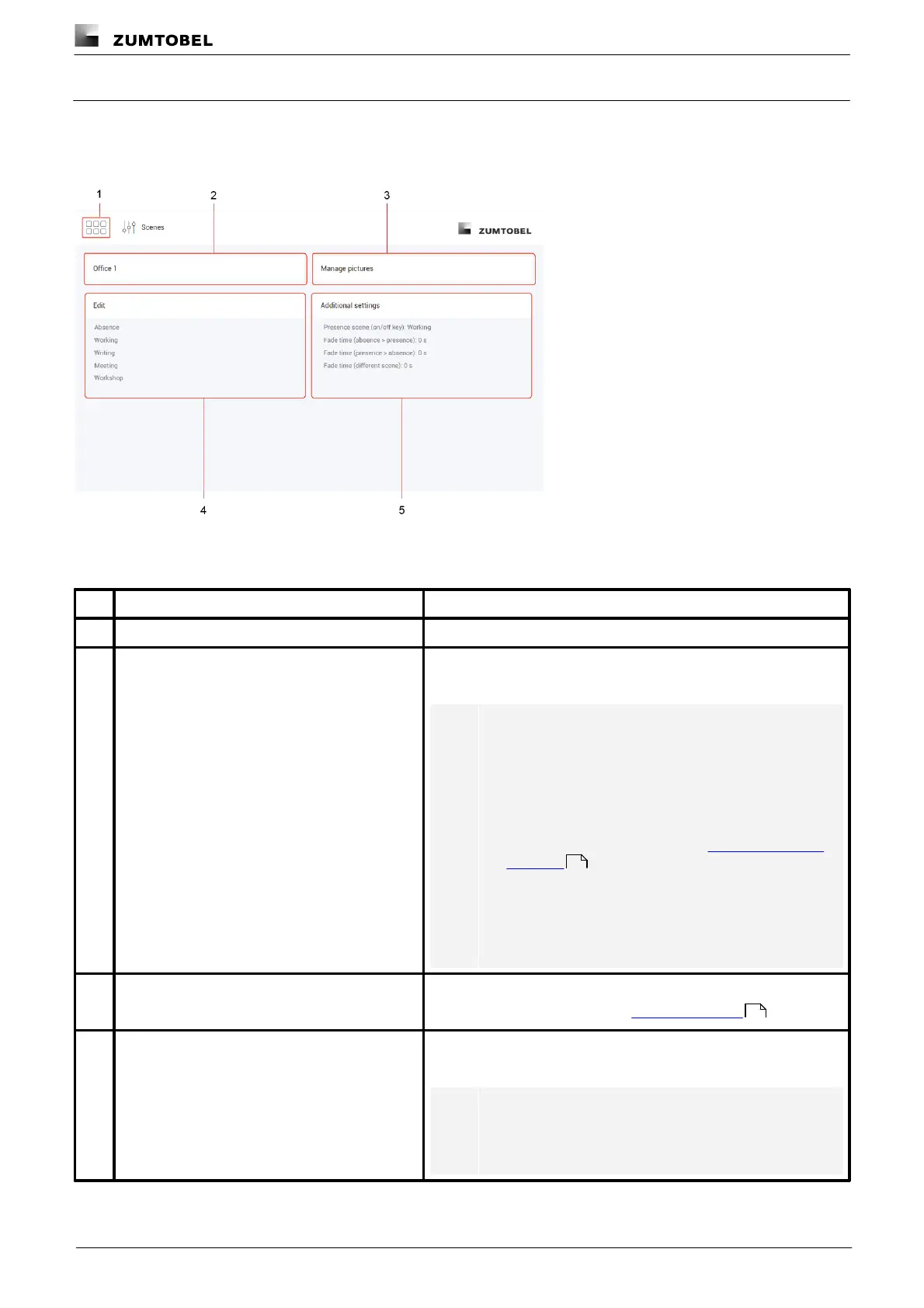
The following contains an overview of the general functions in the Scenes app.
Path: App overview > Scenes
Figure 13: “Scenes” app view
The app overview can be accessed via this button.
Selecting effective range
A scene is created for a specific effective range. Select the effective
range (room or zone) in which you want to create or change a scene.
Note
· The view in the Edit scene area differs depending on
whether a room or zone is selected as the effective
range.
· If a room is selected as the effective range, you can
define the scene at room, group and device level.
For more information see Section Configuring scenes
for rooms
· You can also select a group as the effective range. In
this case, however, you can only define the additional
settings related to this group; you cannot edit the
scene because this is defined for the room.
This button can be used to manage images.
For more information see Section Managing pictures
A scene can comprise different settings, depending on the devices
installed (e.g. intensity).
Note
A description of the Edit scene view can be found in the
next section.
93
100



 To Next Page