Maintenance
LITECOM, Commissioning and maintenance instructions 17.0 | 04.2024 | en 162
11.3 Installation test
You can start an installation test manually at any time. This is recommended when new devices have been
added, for example.
Path: App overview > Installation test
The scope of the installation test depends on the application:
· To test whether newly added devices have already been addressed, select the All devices button.
· After initial commissioning or during a system extension, select the Unaddressed devices only button.
Testing the installation
Path: App overview > Installation test
1. Navigate to the correct page as indicated in the path.
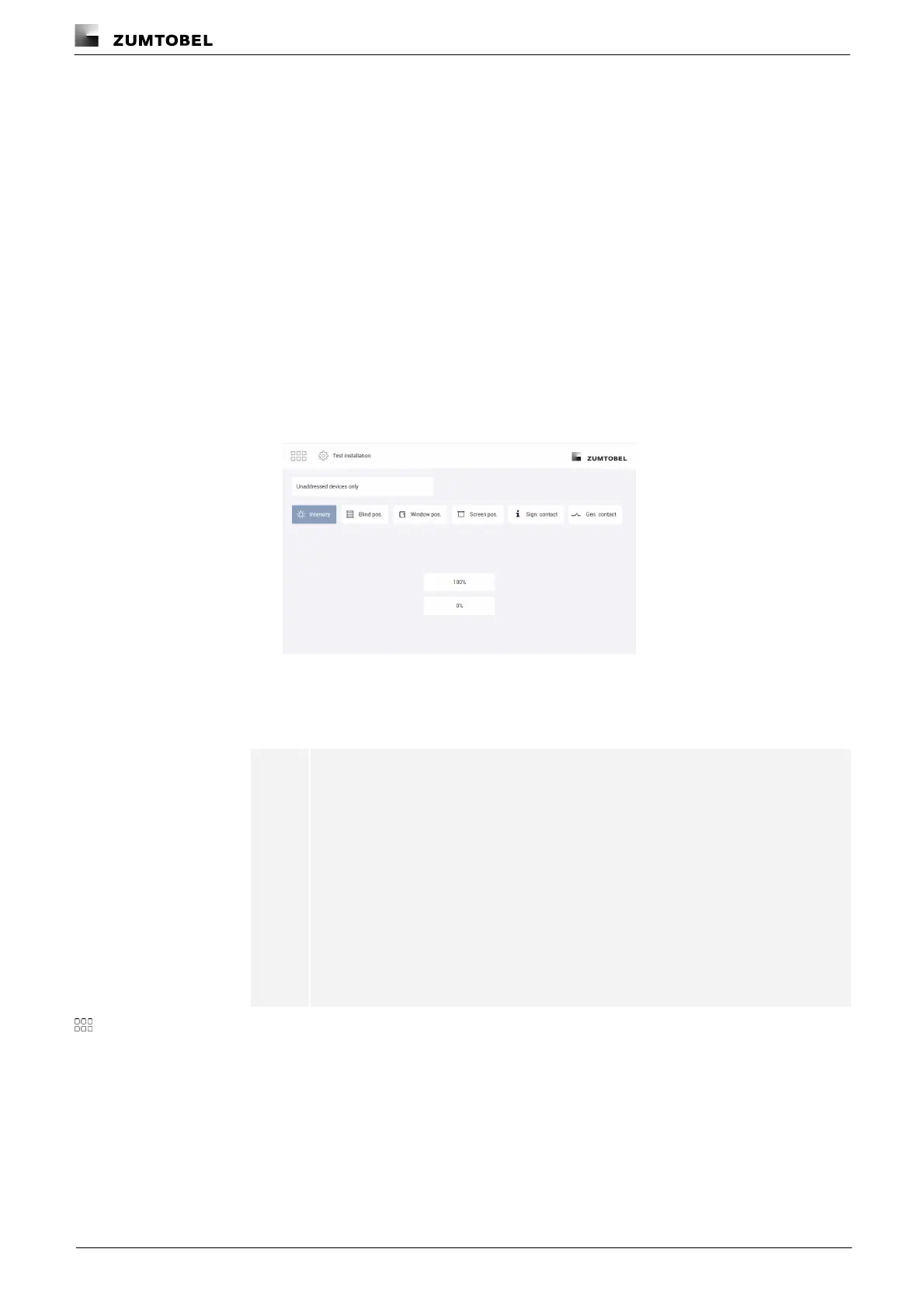
ÜThe Test installation view is displayed.
2. Select the scope of the installation test (All devices or Unaddressed devices only
button).
3. Test the installation.
Note
The following options are available:
· Intensity: 100%, 0%
· Blind position: Up, Stop, Down
· Window position: Open, Stop, Close
· Screen position: Up, Stop, Down
· Signalling contact: I (contact closed), 0 (contact opened)
· General contact: I (contact closed), 0 (contact opened)
4. Tap this button to access the app overview.
ÜThe devices switch back to the value they were at before the installation test.



 To Next Page