EasyManua.ls Logo

Zumtobel LITECOM - Icons

Zumtobel LITECOM
186 pages
Print Icon
To Next Page IconTo Next Page
To Previous Page IconTo Previous Page
Loading...
Appendix
LITECOM, Commissioning and maintenance instructions 17.0 | 04.2024 | en 178
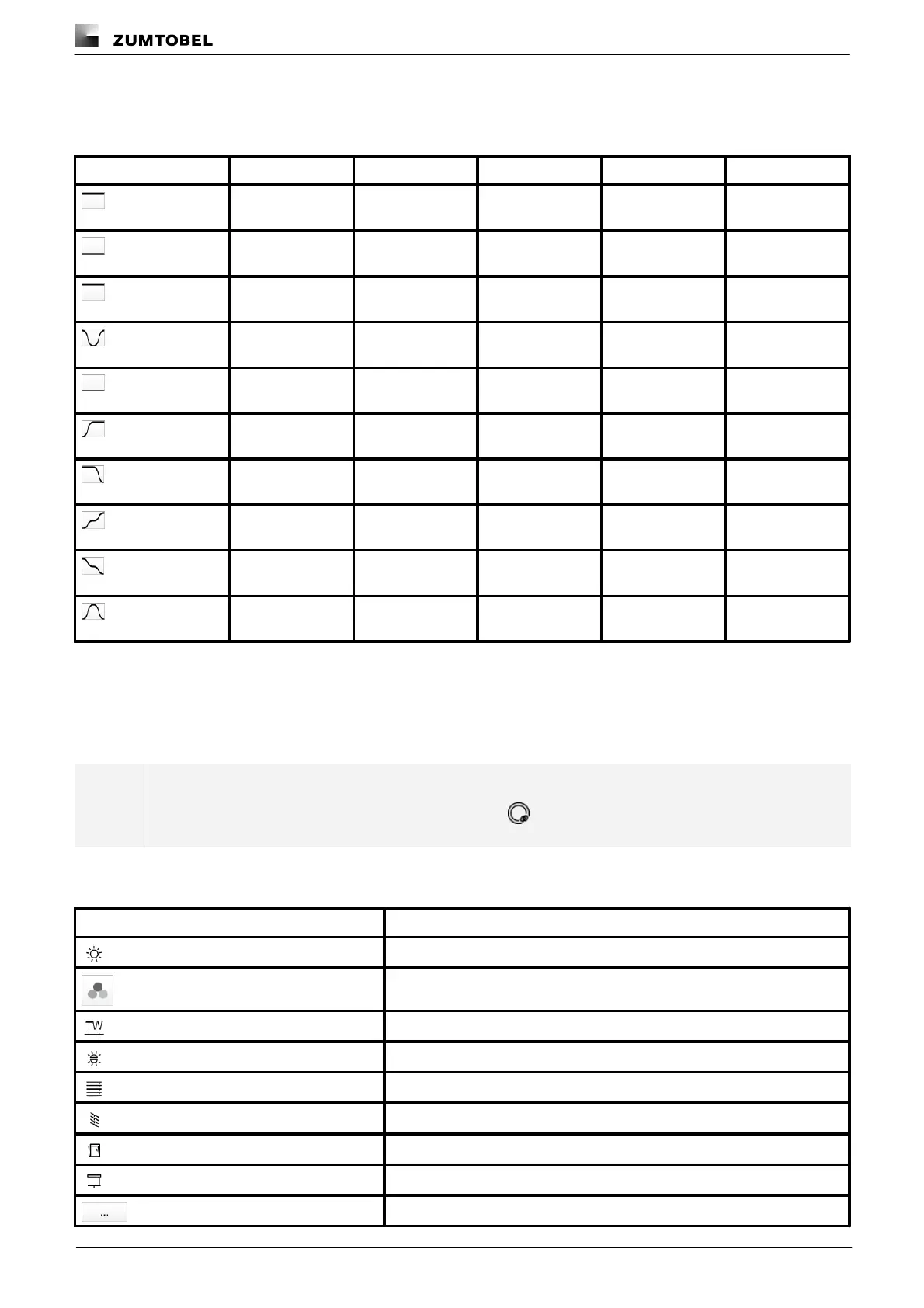
Standard pattern
The following values are stored for the 10 standard patterns.
Pattern
Left
Centre
Right
Indirect
Curve
All off
0%
0%
0%
0%
Direct light
100 %
100 %
100 %
0%
Wave-like
Informal meeting
0%
0%
0%
100 %
Wave-like
Conference
0%
100 %
0%
100 %
Wave-like
Concentrated work
100 %
100 %
100 %
100 %
Wave-like
Orientation left
100 %
0%
0%
0%
Wave-like
Orientation right
0%
0%
100 %
0%
Wave-like
Presentation left
100 %
50%
0%
0%
Wave-like
Presentation right
0%
50%
100 %
0%
Wave-like
Tablet PC
100 %
0%
100 %
100 %
Wave-like
Table 80: Standard patterns and their default values
12.2 Icons
This section contains an overview of all icons shown on the web application.
i
Note
Linked devices are marked with a linking icon, e.g.
“Scenes” app
Icon
Description
Intensity
Colour
Tunable White
Light balance
Blind position
Slat position
Window position
Screen position
Different settings are stored for this setting at room, group and device level

Table of Contents