Configuration
LITECOM, Commissioning and maintenance instructions 17.0 | 04.2024 | en 65
10.1.5 Settings for standard scenes
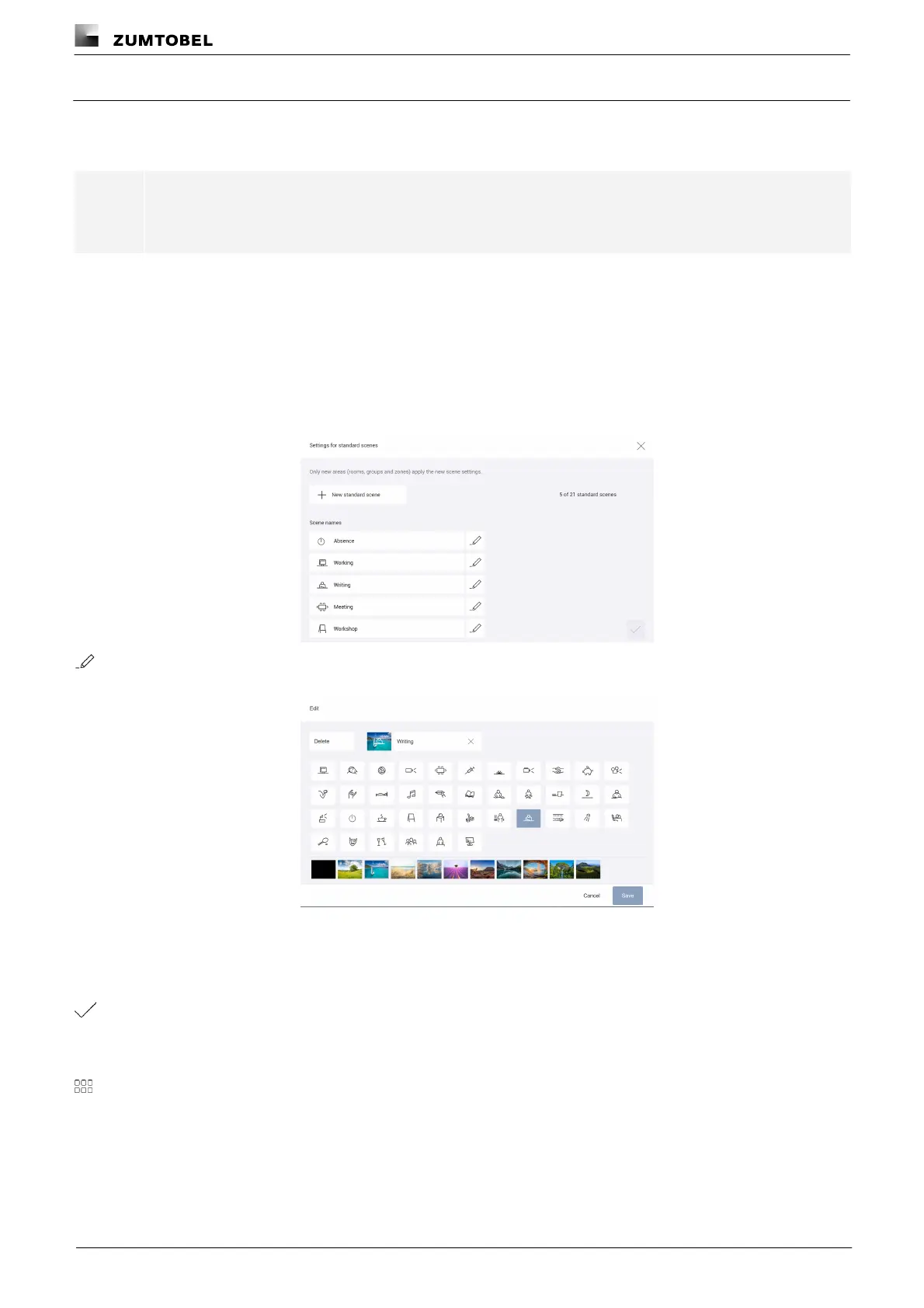
In version 3.0.0 or higher, you have the option of editing or deleting the five preset standard scenes (Absence,
Working, Writing, Meeting and Workshop) and defining additional standard scenes.
Note
The new standard scenes are only applied to new areas (rooms, groups and zones).
Path: App overview > Basic settings > Settings for standard scenes
Editing standard scenes
Path: App overview > Basic settings > Settings for standard scenes
1. Navigate to the path.
ÜThe Settings for standard scenes view is displayed.
2. Tap the button.
ÜThe Edit view is displayed.
3. Change the scene name, scene icon and scene image.
4. Tap the Save button.
ÜThe Settings for standard scenes view is displayed.
5. Tap the tick mark.
ÜThe Basic settings view is displayed.
ÜThe settings for the standard scene are saved.
6. Tap this button to access the app overview.



 To Next Page