Configuration
LITECOM, Commissioning and maintenance instructions 17.0 | 04.2024 | en 64
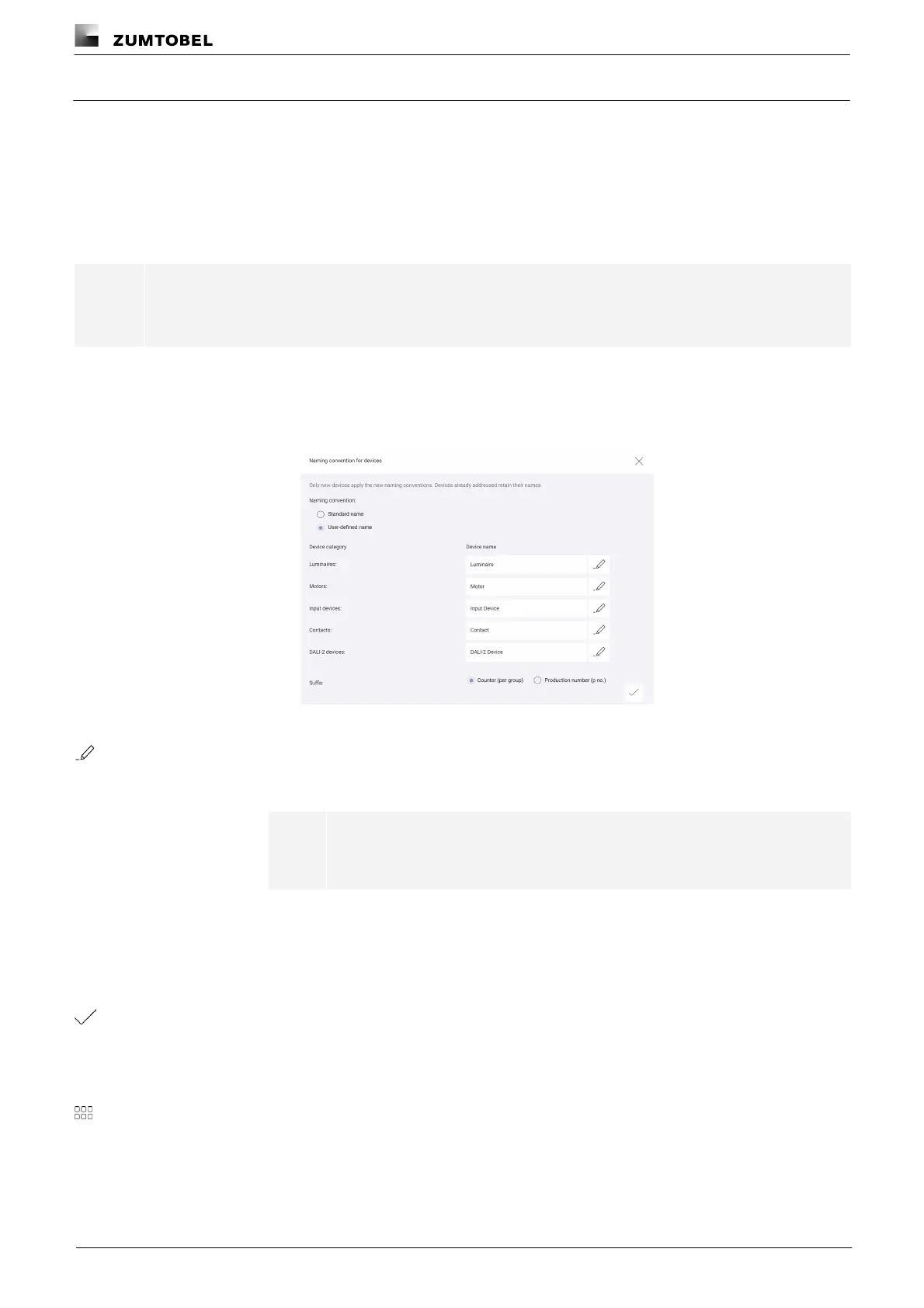
10.1.4 Naming convention for devices
Set names are suggested by default for all devices during addressing. These names are created by combining the
identifier (module ID), channel identification and production number. The convention for assigning names can be
customised for the different device categories in version 3.0.0 or higher. In the settings for the naming convention,
you can now set device names to be created from a user-defined name and a suffix (counter or production
number). The naming convention is applied to suggestions for all devices being newly addressed and can be
changed in the course of addressing if desired. Devices that have already been addressed retain their previously
assigned names.
Note
User-defined names cannot be used to import devices already addressed.
Path: App overview > Basic settings > Naming convention for devices
1. Navigate to the path.
ÜThe Naming convention for devices view is displayed.
2. Enable the User-defined name option.
3. Tap the pencil icon next to the device category for which you wish to define a
user-defined name.
ÜThe Edit the user-defined name for [xy] view is displayed.
Note
[xy] stands for a device category, e.g. luminaires or contacts.
4. Enter a new user-defined name.
5. Tap the Submit button.
ÜThe Naming convention for devices view is displayed.
6. Select the Counter (per group) or Production number suffix.
7. Tap the tick mark.
ÜThe new naming convention is defined for the selected device category and is
applied to suggestions for all devices of this category being newly addressed.
ÜThe Basic settings view is displayed.
8. Tap this button to access the app overview.



 To Next Page