Interface description
LITECOM, Commissioning and maintenance instructions 17.0 | 04.2024 | en 16
6 Interface description
This section contains a description of the interface:
· Start page
· Pix start page
· Detail control
· App overview
· Navigation principles
6.1 Start page
All devices in an effective range (room or zone) can be controlled from the start page.
Note
If only luminaires (including TW luminaires) are controlled, an alternative start page with a simplified
operating concept and limited functional scope is available with Pix.
For more information see Section Pix start page
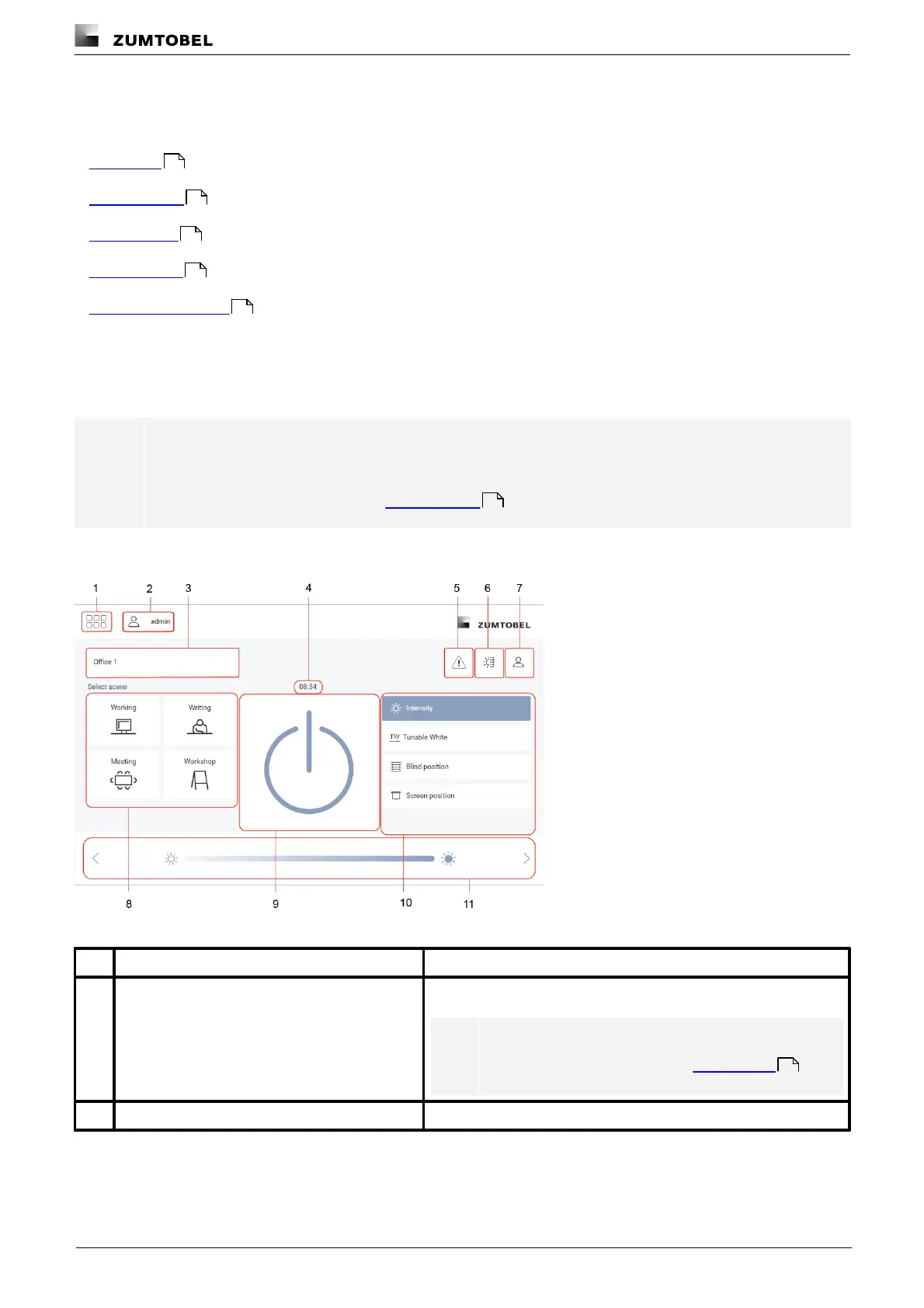
The following contains an overview of the functions on the start page.
Figure 3:“Start page” view
Tap this button to access the app overview.
Note
For more information see Section App overview
The user currently logged in is displayed.
16
19
21
23
25
19
16



 To Next Page