Interface description
LITECOM, Commissioning and maintenance instructions 17.0 | 04.2024 | en 19
6.2 Pix start page
Pix is an alternative start page with a simplified graphical interface and limited functional scope. All luminaires in an
effective range (room or zone) can be controlled from Pix.
The following contains an overview of the differences between the two start pages.
Display scene with user-defined
background image
Display scene with pictogram
Control other connected devices (e.g.
blinds)
Table 9: Overview of differences between the two start pages
Note
Use the default start page to operate other connected devices in addition to luminaires.
For more information see Section Start page
Note
Pix cannot be used with LITECOM infinity.
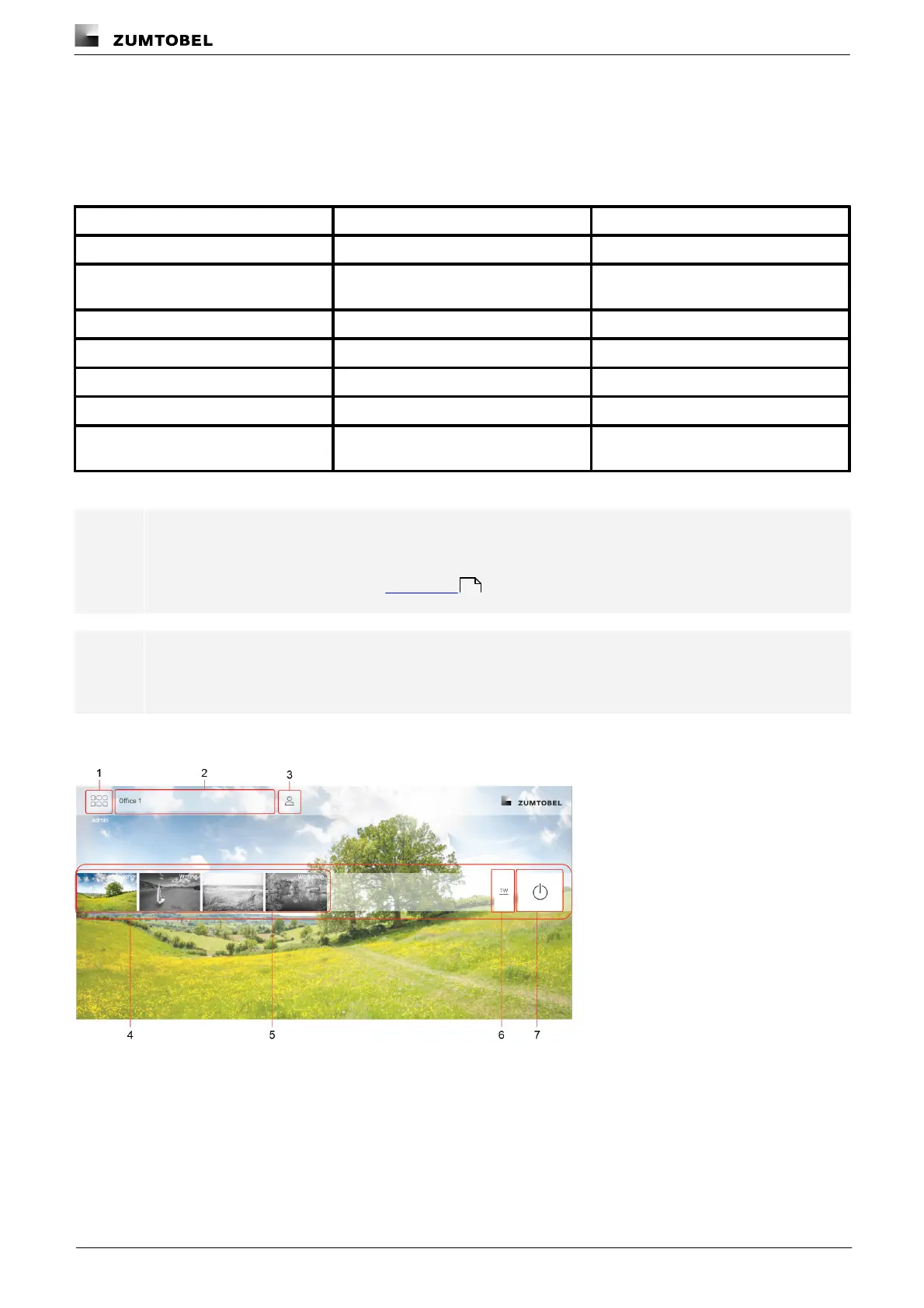
The following contains an overview of the functions in Pix.
Figure 4: “Pix” view
16



 To Next Page