Commissioning
LITECOM, Commissioning and maintenance instructions 17.0 | 04.2024 | en 38
9.2 Installation test
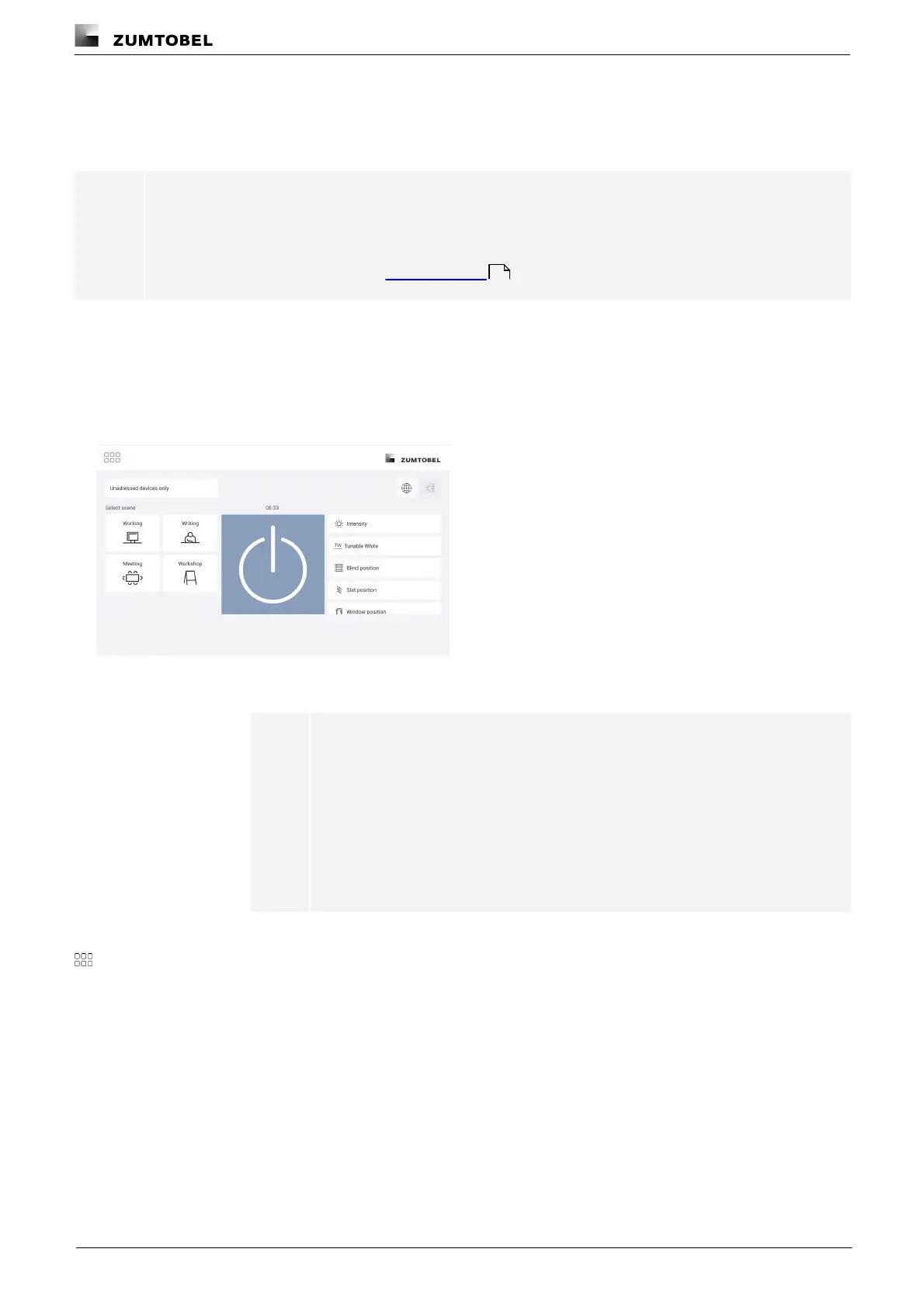
Test the electrical installation of the LITECOM system. The installation test starts automatically on the start page
the first time a connection is established, if no devices have been addressed beforehand.
Note
You can start an installation test manually at any time. This is recommended when devices are
replaced or new devices are added, for example.
Path: App overview > Installation test
For more information see Section Installation test
The installation test affects all unaddressed devices.
Testing the installation
Requirement:
— The start page appears.
1. Test the installation.
Note
· To test whether all devices are connected, tap the on/off key. As soon as
the on/off key is tapped, the system alternates between recalling the
absence scene and recalling the last selected scene.
· To test whether the connected devices have been wired correctly, tap a
setting (e.g. Blind position ). A control element (such as a slider) appears
below. This control element can be used to temporarily change the
setting.
2. Correct the installation faults.
3. To stop the installation test, tap the app overview button.
ÜPage 1 of the app overview appears.
162



 To Next Page