Configuration
LITECOM, Commissioning and maintenance instructions 17.0 | 04.2024 | en 58
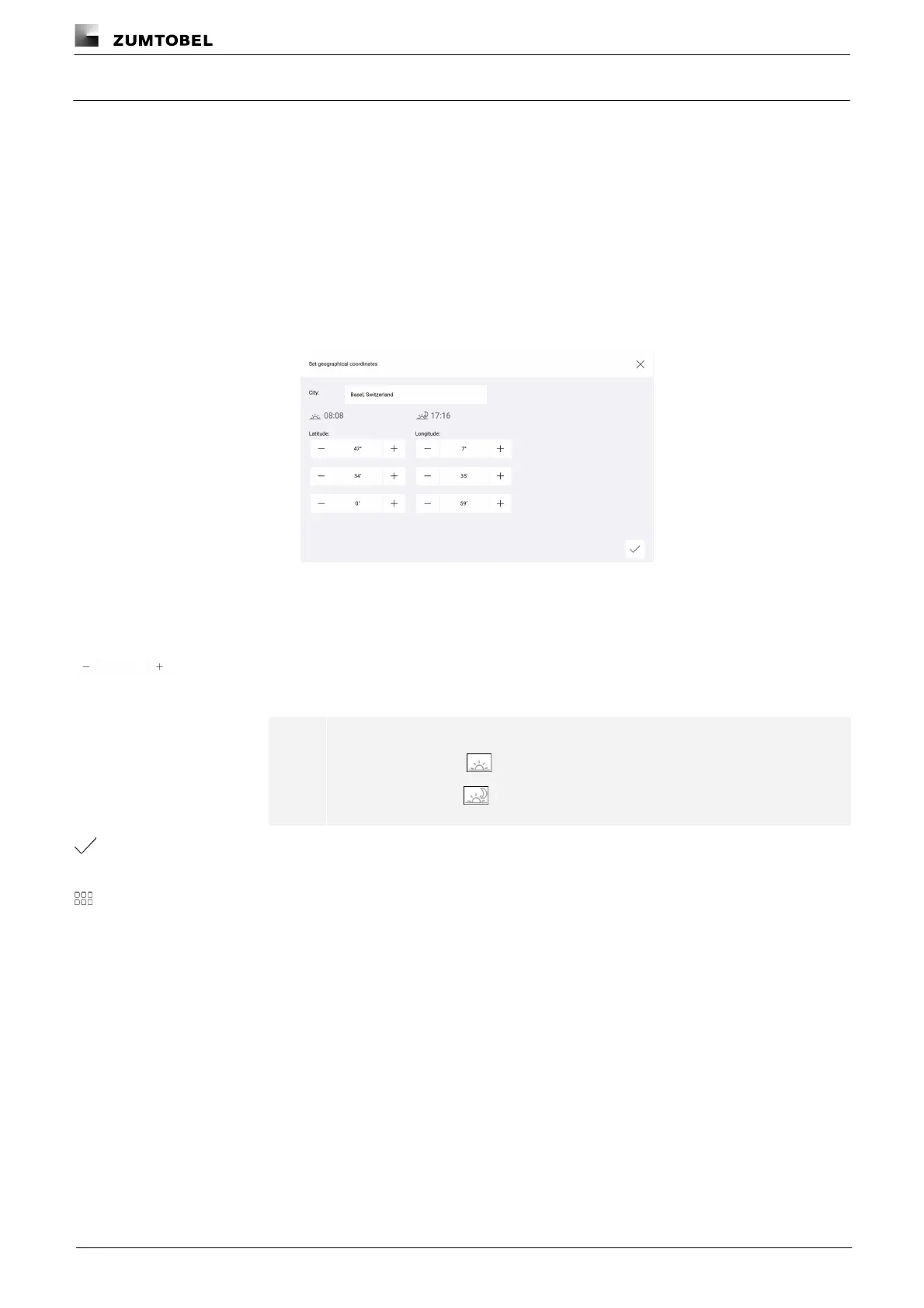
10.1.2 Geographical coordinates
The LITECOM CCD control device uses geographical coordinates to determine the time of the sunrise and sunset
at that specific location.These times are a requirement to configure day/night shows and use the Sunrise/sunset
condition for the conditional scene recall.
Path: App overview > Basic settings > Geo. coordinates
Changing geographical coordinates
Path: App overview > Basic settings > Geo. coordinates
1. Navigate to the path.
ÜThe Set geographical coordinates view is displayed.
2. To select a previously defined location, tap the button in the header and then
select the desired location.
– or –
2. Set the desired value.
ÜThe times for the sunrise and sunset are updated.
Note
· Icon for sunrise:
· Icon for sunset:
3. Tap the tick mark.
ÜThe Basic settings view is displayed.
4. Tap this button to access the app overview.



 To Next Page