Configuration
LITECOM, Commissioning and maintenance instructions 17.0 | 04.2024 | en 116
10.7 Presence linking
Presence linking is a way of controlling luminaires, blinds, windows and/or screens whilst taking into account the
presence of people. Presence is detected by presence detectors.
Path: App overview > Presence linking
There are three types of presence linking:
· Presence: If the presence of people is detected, a specific scene is recalled.
· Absence: If the absence of people is detected, a specific scene is recalled.
· Presence/Absence: If the presence of people is detected, a specific scene is recalled; if the absence of people
is detected, another specific scene is recalled.
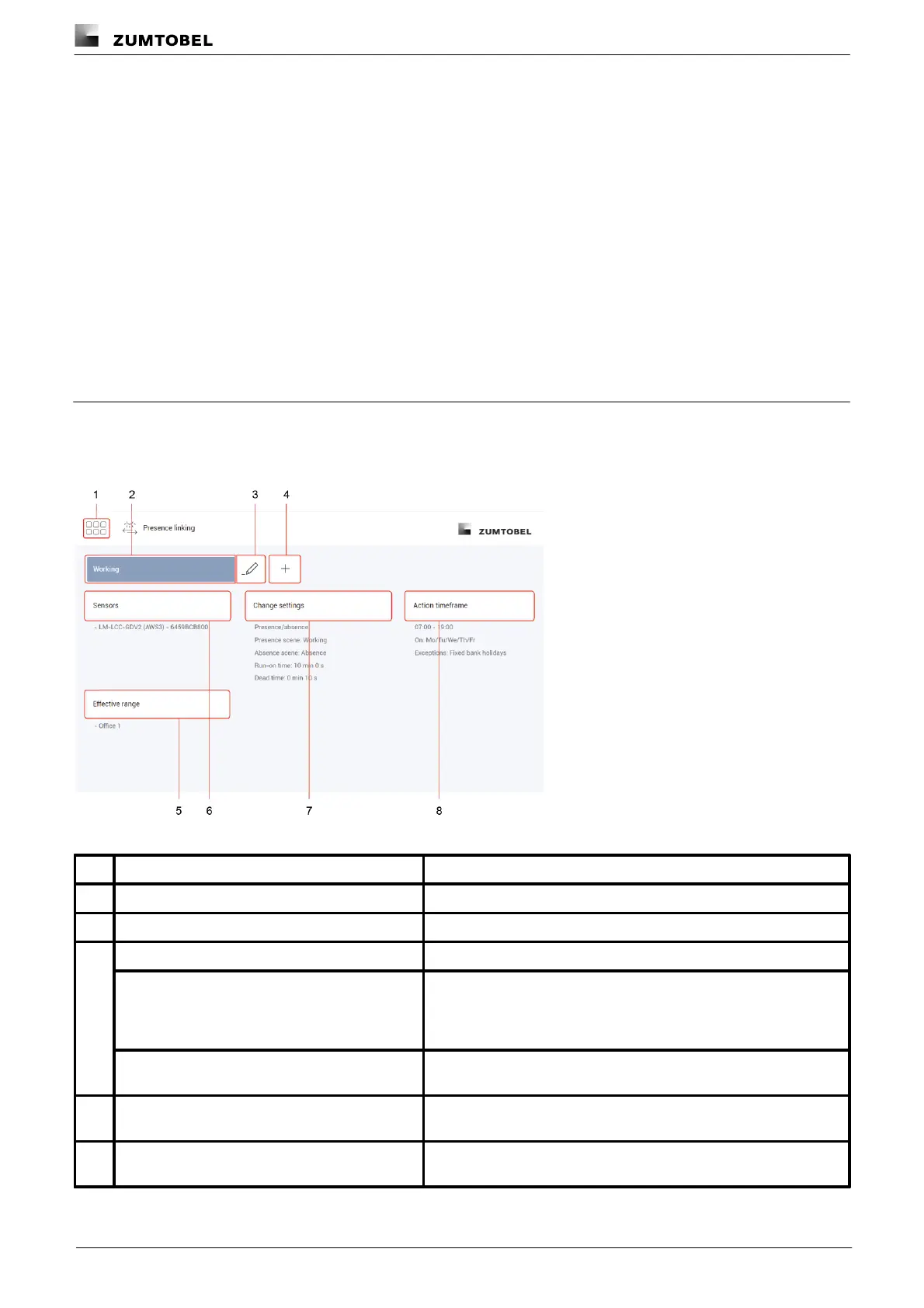
10.7.1 Overview of the “Presence linking” app
The following contains an overview of the functions in the Presence linking app.
Path: App overview > Presence linking
Figure 40: "Presence linking" app view
The app overview can be accessed via this button.
Select an existing presence linking configuration to change it.
Change the name of an existing presence linking configuration.
To create a presence linking configuration that is only slightly
different from an existing presence linking configuration, the existing
configuration can be copied. All settings are applied in this case. The
copied presence linking configuration can then be changed.
When a presence linking configuration is deleted all settings for the
configuration are deleted.
Create new presence linking
Create a new presence linking configuration. Name the presence
linking configuration as required (e.g. working hours).
Selecting effective range
Select an effective range (room or zone) where presence linking
should be enabled.



 To Next Page