Configuration
LITECOM, Commissioning and maintenance instructions 17.0 | 04.2024 | en 145
10.11.1 Overview of the “Control device linking” app
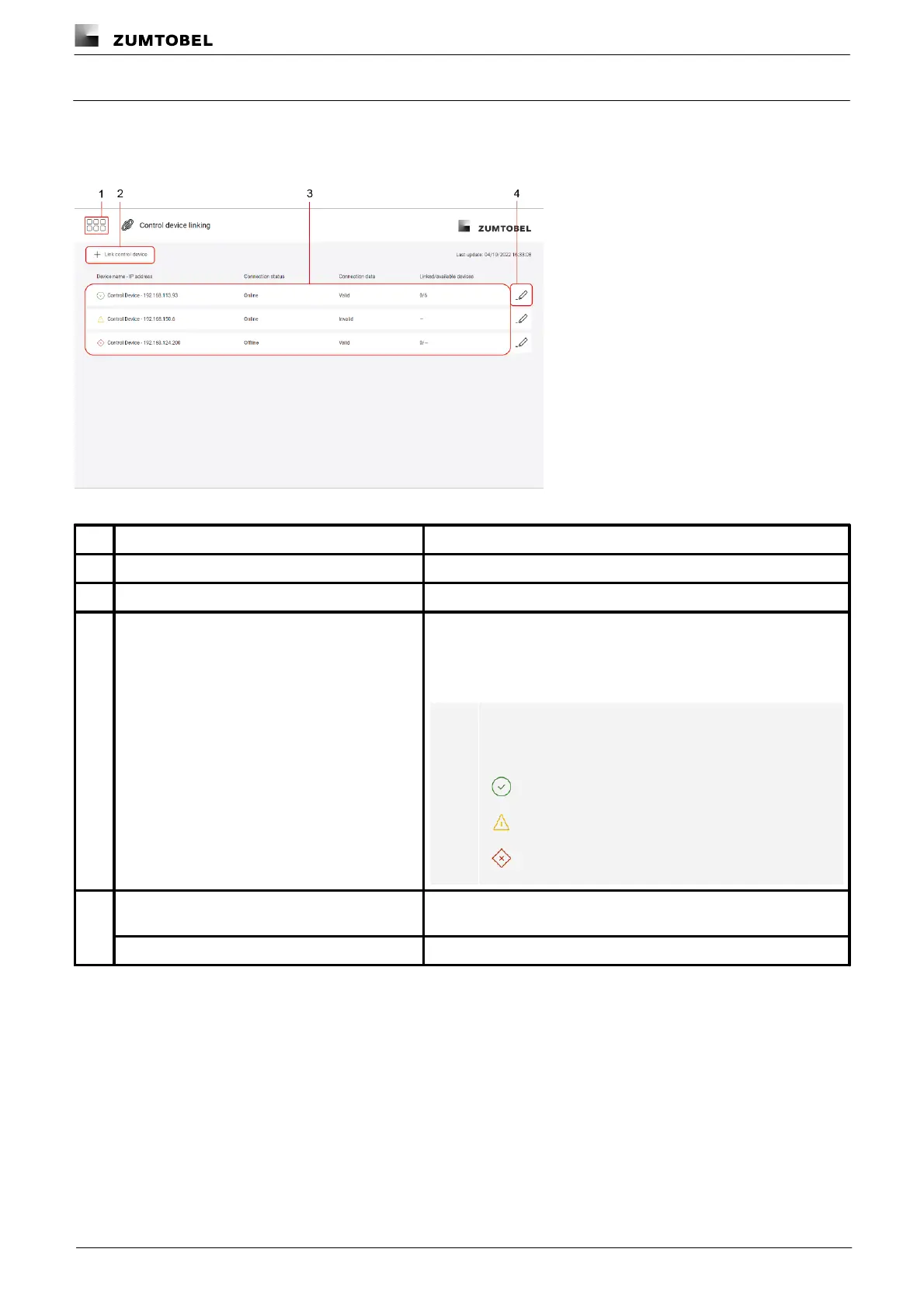
The following contains an overview of the functions in the Control device linking app.
Path: App overview > Control device linking
Figure 48:View of the “Control device linking” app
The app overview can be accessed via this button.
Link the LITECOM CCD control device
Tap this button to link a new LITECOM CCD control device.
The connection status, validity of the connection data and the
number of linked or available devices are displayed for
LITECOM CCDs already linked. Tap a LITECOM CCD to link its
devices or remove the LITECOM CCD control device from the link.
Note
The corresponding icon is displayed depending on the
connection status and validity of the connection data:
Online but connection data is invalid
Change the API consumer or API token for a LITECOM CCD already
linked.
Remove a LITECOM CCD from the link.
Table 75:Functions in the “Control device linking” app



 To Next Page