EasyManua.ls Logo

Zumtobel LITECOM - Appendix; Factory Settings

Zumtobel LITECOM
186 pages
Print Icon
To Next Page IconTo Next Page
To Previous Page IconTo Previous Page
Loading...
Appendix
LITECOM, Commissioning and maintenance instructions 17.0 | 04.2024 | en 177
12 Appendix
This section contains the following information:
· Factory settings
· Icons
· Glossary
12.1 Factory settings
Standard scenes
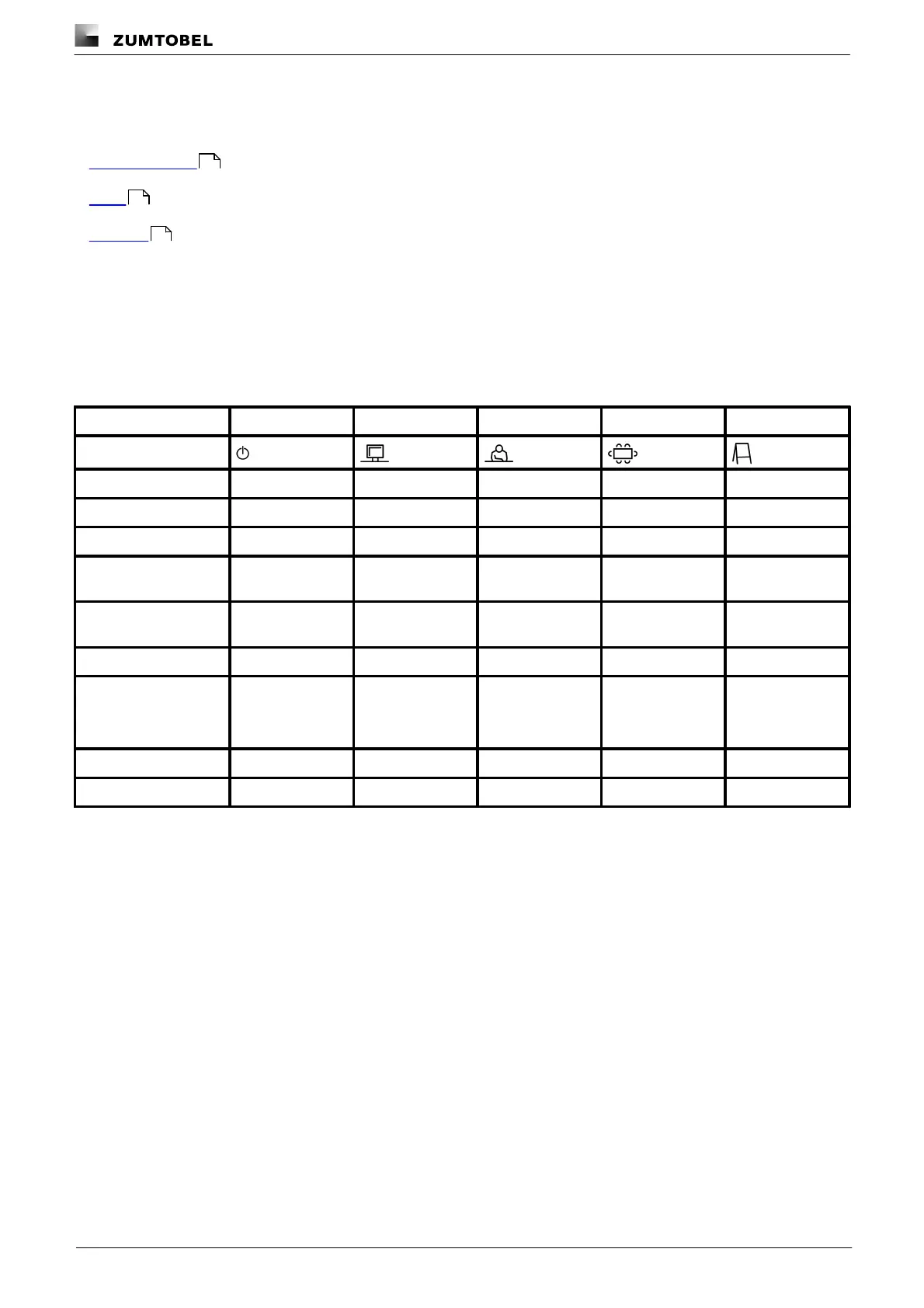
As soon as you create a room in your LITECOM system, five standard scenes are enabled in the room. The
following table contains the defaults for these scenes.
Scene
Absence
Working
Writing
Meeting
Workshop
Icon
Intensity
0%
100%
40%
16%
7%
Tunable White
3000 K
3000 K
3000 K
3000 K
3000 K
Colour
White
White
White
White
White
Pattern (SEQUENCE
infinity)
Light balance
(direct/indirect)
50:50
50:50
50:50
50:50
50:50
Blind position
0%
0%
0%
0%
0%
Slat position
0%
0%
0%
0%
0%
Window position
100%
100%
100%
100%
100%
Screen position
0%
0%
0%
0%
0%
Table 79: Standard scenes and their defaults
177
178
181

Table of Contents