Maintenance
LITECOM, Commissioning and maintenance instructions 17.0 | 04.2024 | en 176
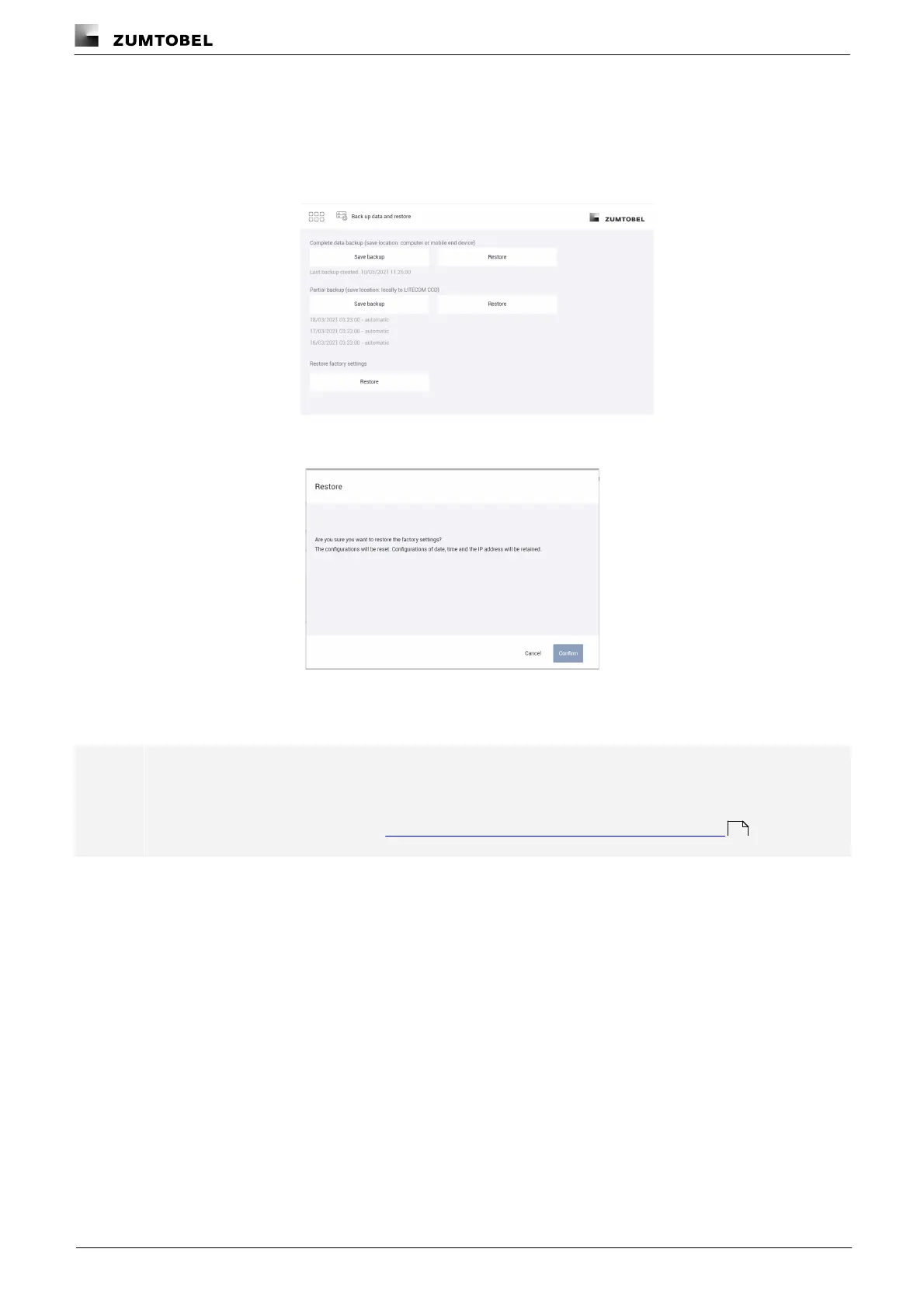
Restoring the factory settings
Path: App overview > Data backup
1. Navigate to the path.
ÜThe Back up data and restore view is displayed.
2. In Section Restoring the factory settings, tap the Restore button.
ÜThe Restore view is displayed.
3. Tap the Confirm button.
ÜThis procedure may take several minutes.
Note
Once the factory settings have been restored, the administrator and control device have to undergo
initial configuration again.
For more information see Section Connecting to the LITECOM CCD for the first time
30



 To Next Page