Interface description
LITECOM, Commissioning and maintenance instructions 17.0 | 04.2024 | en 21
6.3 Detail control
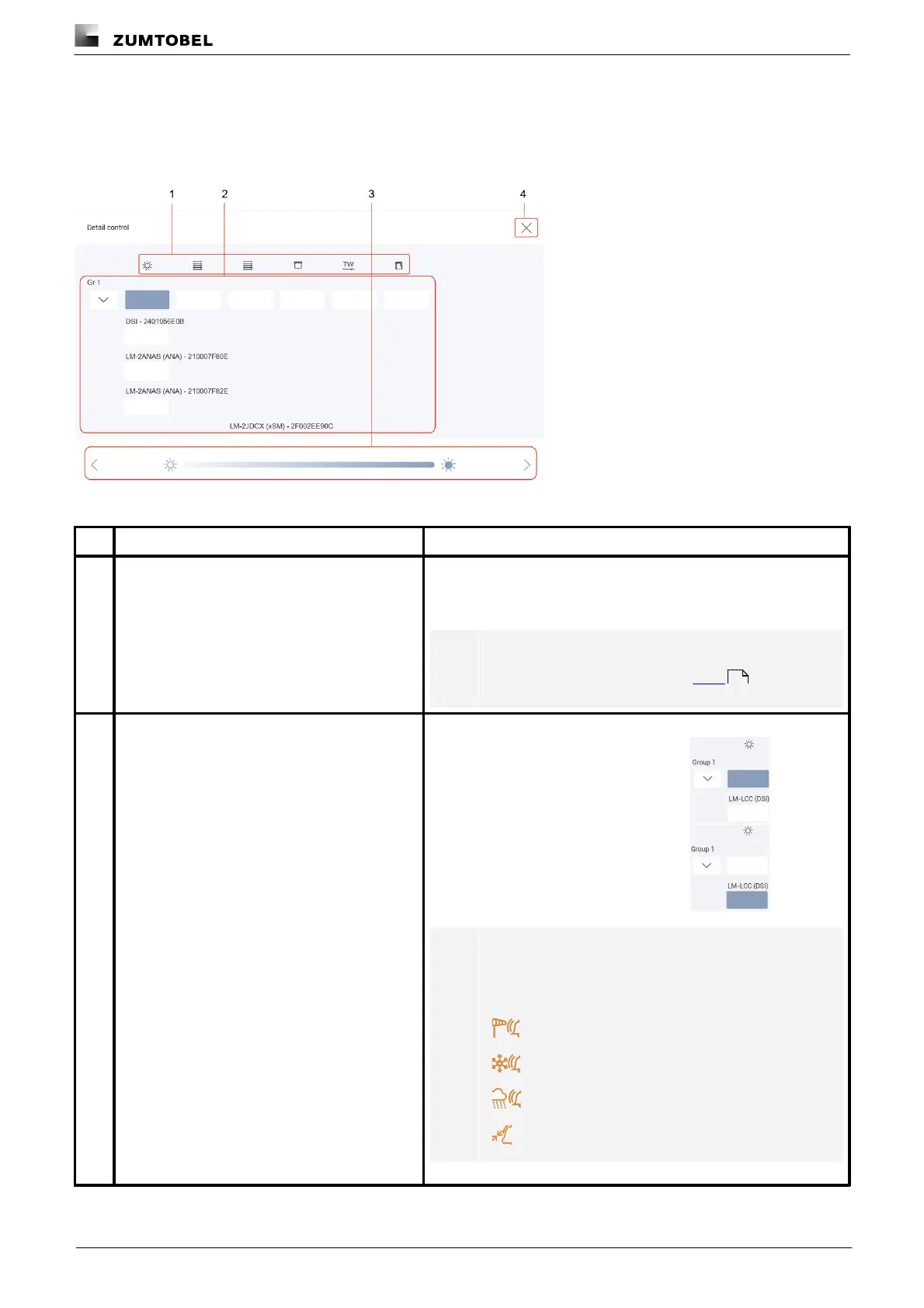
Detail control is a way of controlling devices either individually or in groups.
The following contains an overview of detail control.
Figure 5: “Detail control” view
Icons for setting options
A scene can comprise different settings, depending on the devices
installed (e.g. intensity, blind position, window position, colour). The
settings are represented with icons.
Note
For more information see Section Icons
Select level to which setting will apply (group-
wide or for an individual device)
The settings can be applied to various levels:
· for all devices in a group,
e.g. one intensity for all
luminaires in a group
· for an individual device, e.g.
a specific intensity for a
specific luminaire
Note
As long as a protective function is enabled, the
corresponding protective function icon is displayed on
the button:
General alarm protective function
178



 To Next Page