Interface description
LITECOM, Commissioning and maintenance instructions 17.0 | 04.2024 | en 23
6.4 App overview
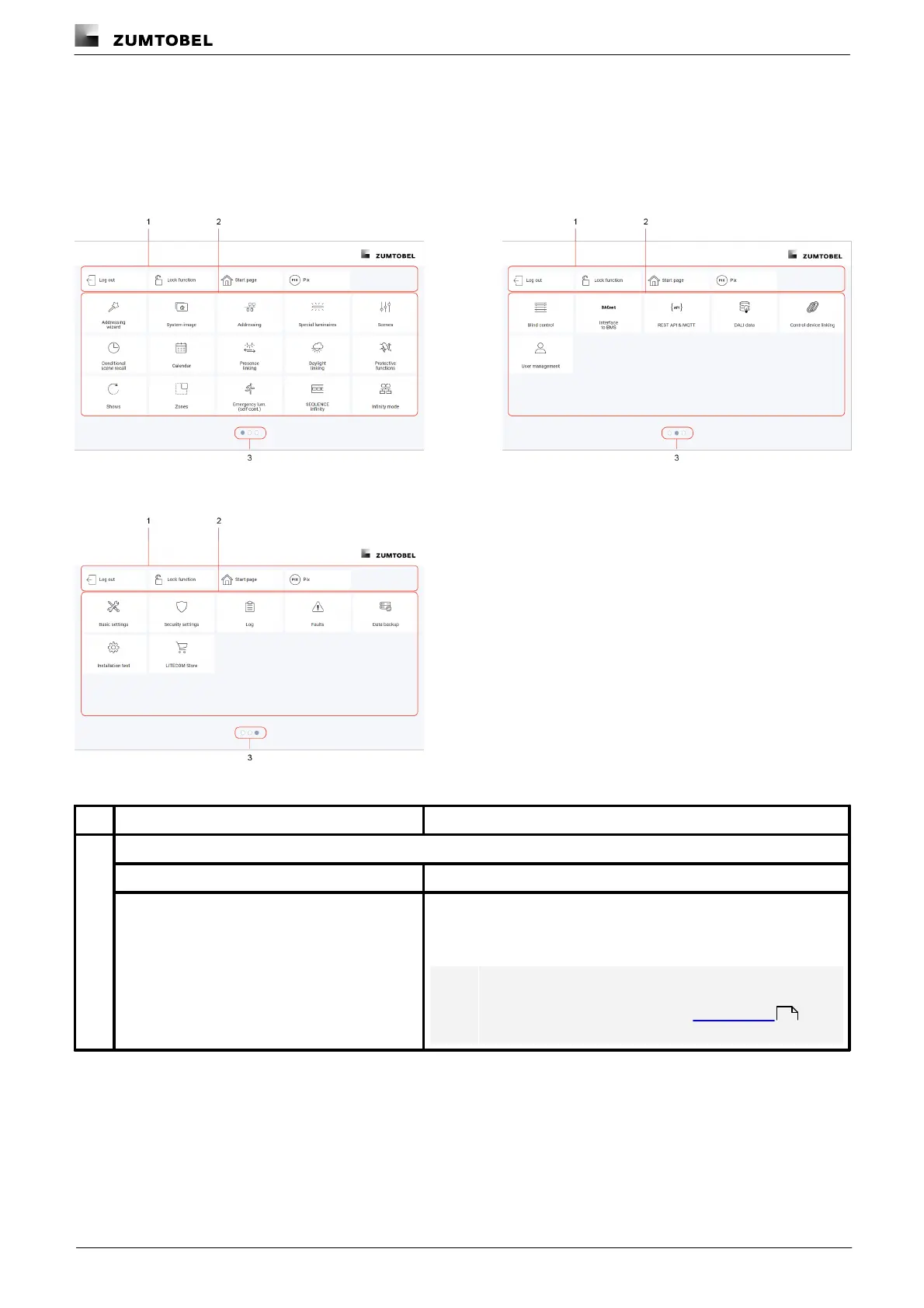
The app overview contains a list of the apps that can be used to commission, configure and service your
LITECOM CCD system. The app overview consists of three pages.
The following contains an overview of the functions in the app overview.
Figure 6: App overview page 1
Figure 7: App overview page 2
Figure 8: App overview page 3
The following apps and functions are always included in the header of each page of the app overview:
Tap Log out to log the administrator/user/touch panel user out.
The LITECOM system can be locked against inadvertent or
unauthorised operation by enabling the lock function. The lock
function must be set up separately for each display device.
Note
For more information see Section Lock function
160



 To Next Page