Licensing (LITECOM Store)
LITECOM, Commissioning and maintenance instructions 17.0 | 04.2024 | en 28
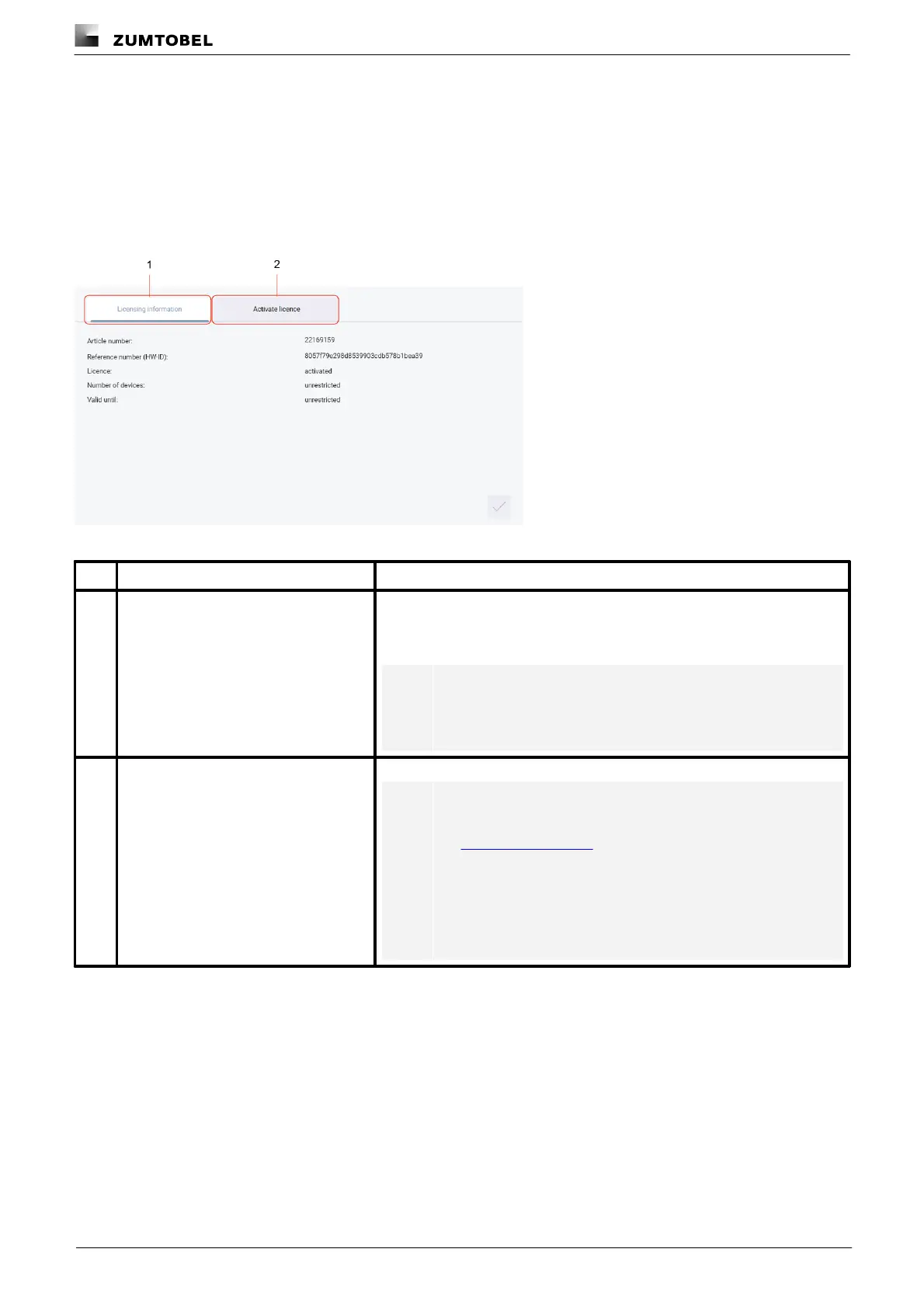
You have to activate the licence before you can use a licensed App.
The following steps are required:
· Step 1: request licence.
Path: App overview > LITECOM Store > Licensing information
· Step 2: activate licence.
Path: App overview > LITECOM Store > Activate licence
Figure 9: Licensing overview
This page provides information about your licence (article number of the app
and reference number). You will need this information to request a licence
from your sales partner.
You can also see whether the licence has been activated or not.
Note
If several licences have been activated, the number of enabled
devices will be added together.
You can activate the licence with a licence number here.
Note
· To recall the ordered licence numbers, go to the
litecom.zumtobel.com website and enter the reference
number (HW-ID) of the LITECOM CCD.
· Multiple licences can be activated.
· The licence number, number of activated devices and the
validity period are shown for each activated licence.
Table 14: Licensing overview



 To Next Page