Customize Your Pocket PC 5-3
Power Preference Settings
Tap
> Settings > System tab > Power.
View the power usage condition or perform the relevant power management
settings.
n
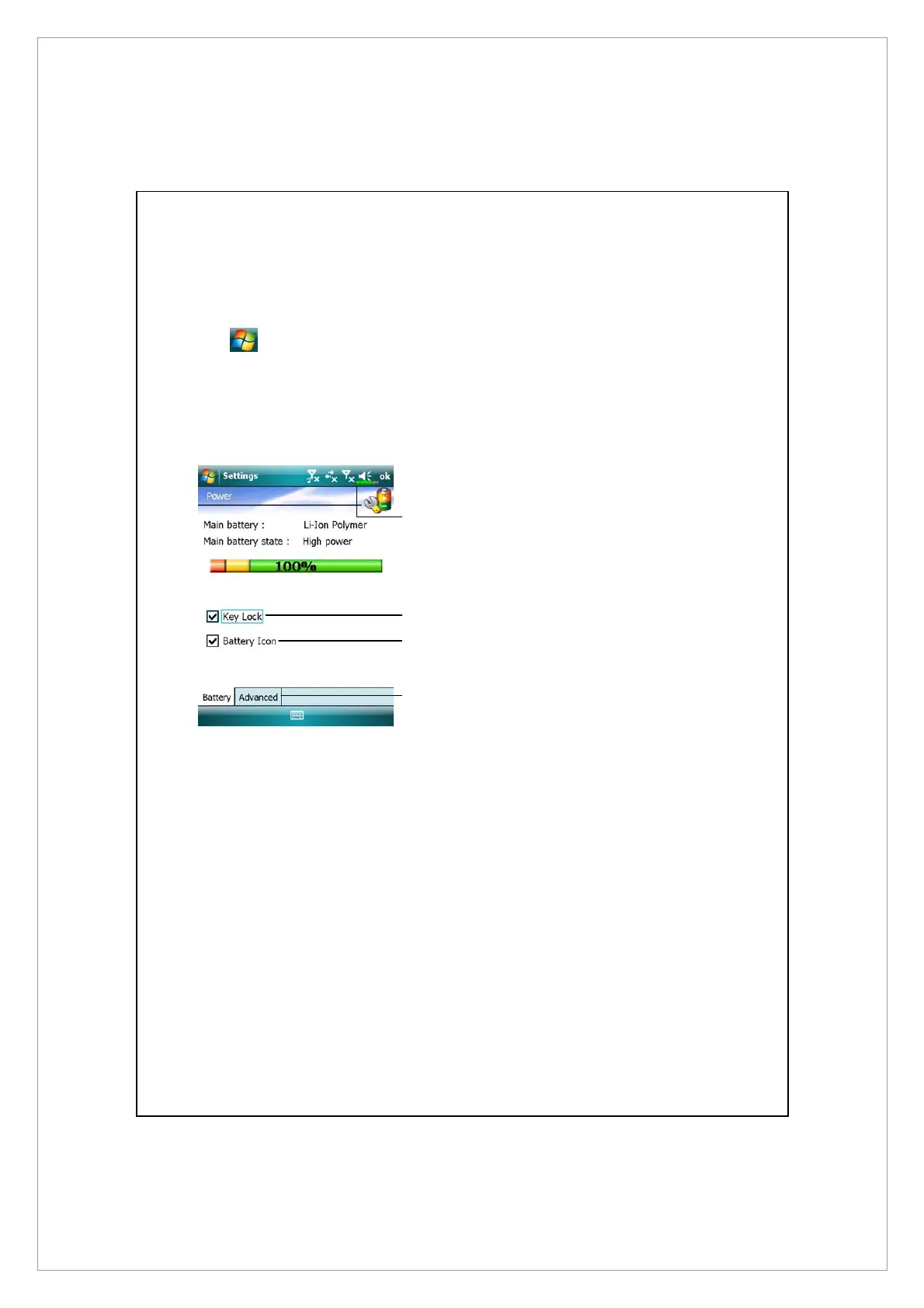
Power icon
o
Check this item, so that when
you accidentally press the
hardware buttons on the Pocket
PC, the Pocket PC will not exit
the sleep mode. This will prevent
unnecessary power consumption
if a button is being pressed
accidentally and not being
discovered in time.
p
Checking this item displays the
power icon on the upper right
side of the screen.
q
Advanced tab: Set the Pocket PC
to turn off automatically after a
period of inactivity.
o
p
n
q



 To Next Page