Connections 7-5
Starting GPRS Connection
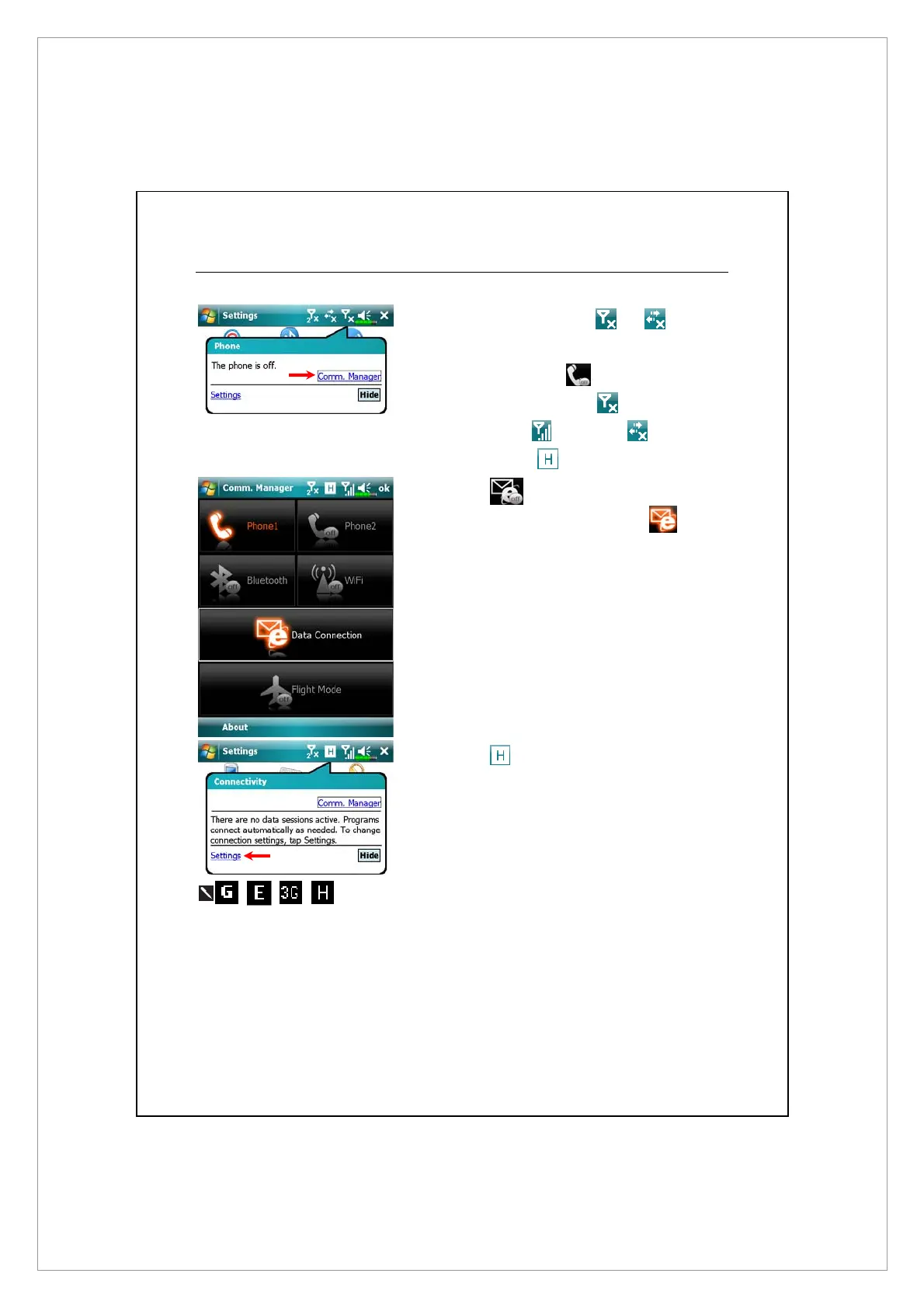
1. Turn on Phone: Tap
or icon at
the top of the screen and tap “Comm.
Manager.” Tap
and input your PIN
to enable GSM. The
icon will
change to
while the icon
changes to
.
2. Tap
in the Communication
Manager. When it becomes
, the
GPRS (Data) connection is available.
3. Tap
, then tap Settings to link to
Connections. You are ready to connect
GPRS.
represent the availibility of various data connection
services provided by SIM card you installed in SIM1 slot. They are shown
according to your monthly plans, telecom service provider, and network
distribution conditions or effective system coverage area. To make
modifications to your monthly plans, please contact your telecom service
provider.



 To Next Page