Connections 7-9
Setup the Bluetooth Connection
On the Communication Manager screen, tap and hold the
button, then
release to enter the Bluetooth manager.
Tap
> Settings > Connections tab > Bluetooth
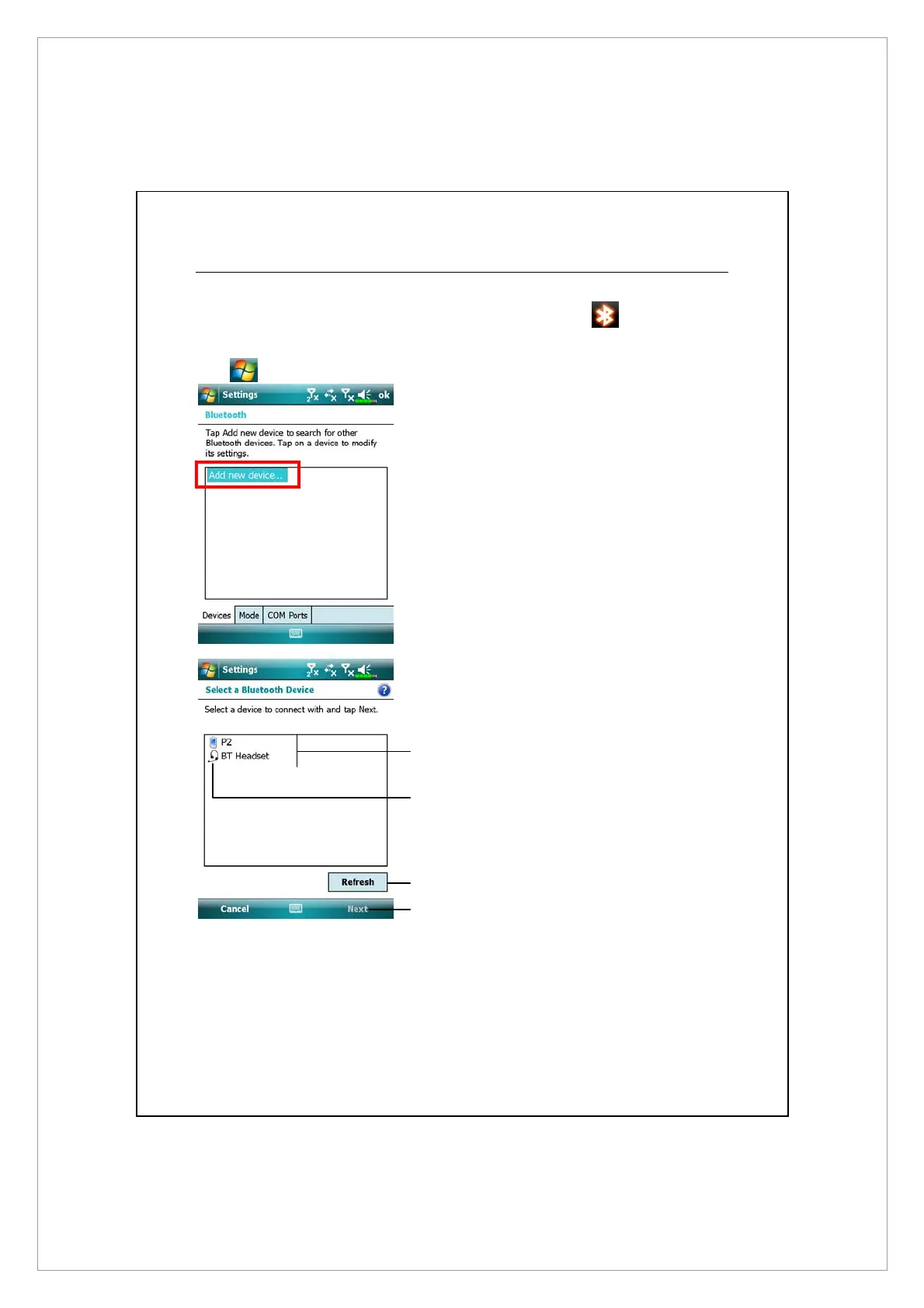
Tap Bluetooth and then Devices tab.
1. Select “Add new device” and the
system will begin to search for
nearby Bluetooth devices.
2. The search results will be similar
to the screen to the left. Select
the device to connect with the
list.
n
All Bluetooth devices found
nearby the system.
o
This icon indicates a Bluetooth
headset.
p
R
efresh button: Search again to
look for additional Bluetooth
devices to connect with.
q
Select any device to connect with,
and then tap Next to follow the
onscreen instructions.
o
p
q
n



 To Next Page