Using the Phone 4-17
Phone Application Programs
Caution
Before you can use the functions described in the Phone Group. Make sure that
the SIM card is properly installed in your Pocket PC and the Phone is already
turned on.
If your Pocket PC does not include this function, it means it is not supported and
you can skip this chapter.
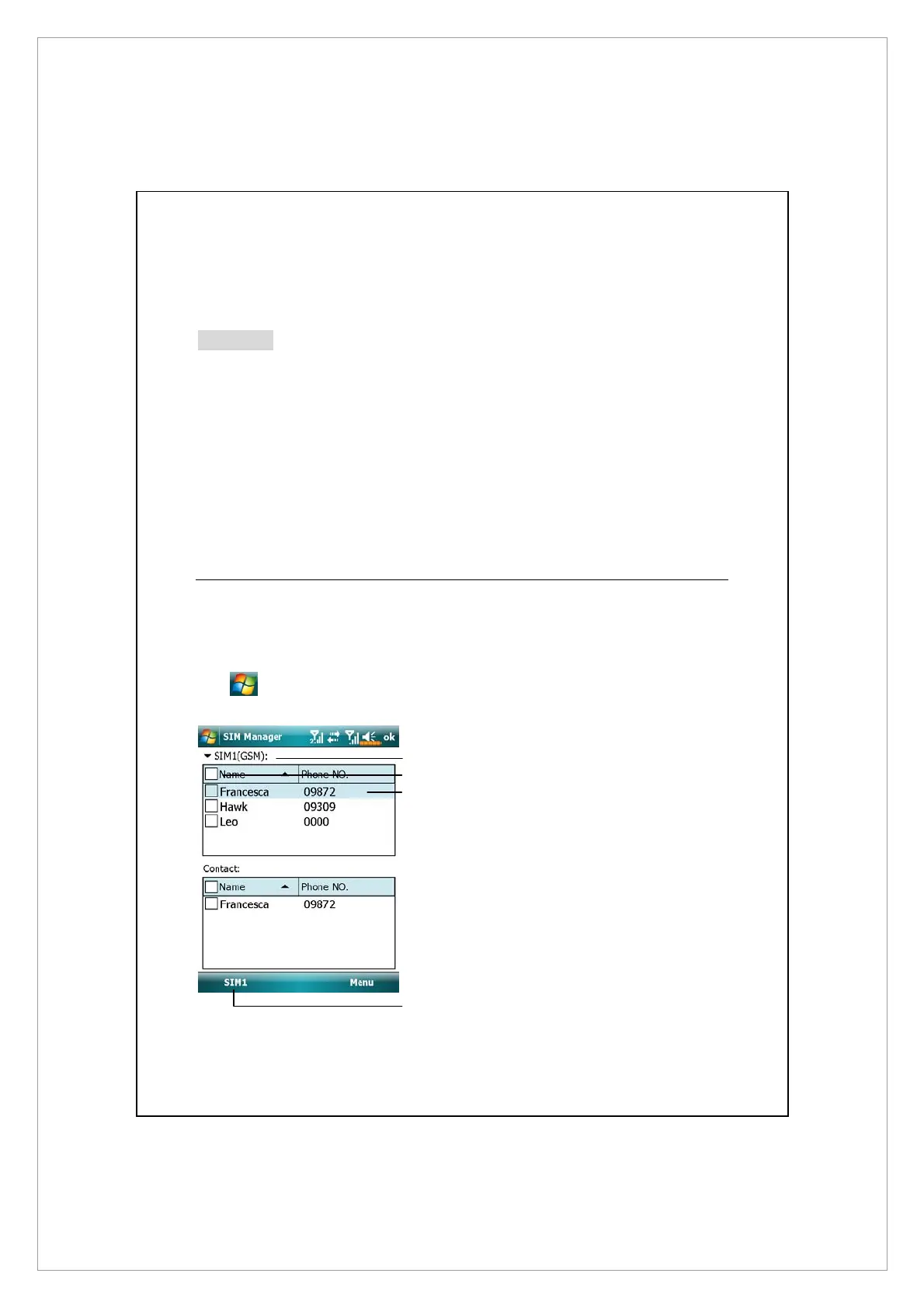
SIM Manager
You can use SIM Manager to manage contact entries stored on your SIM cards,
edit and copy contacts from SIM cards to your device, or vice versa.
Tap > Programs > Phone > SIM Manager.
n
Tap and hold to open a list to
choose between SIM1 and SIM2.
o
Check the box to select all
contact.
p
Contact entry
Tap and hold to bring up a menu
of contact options.
q
Tap to switch among various
display modes.
n
q
p
o



 To Next Page