2-3
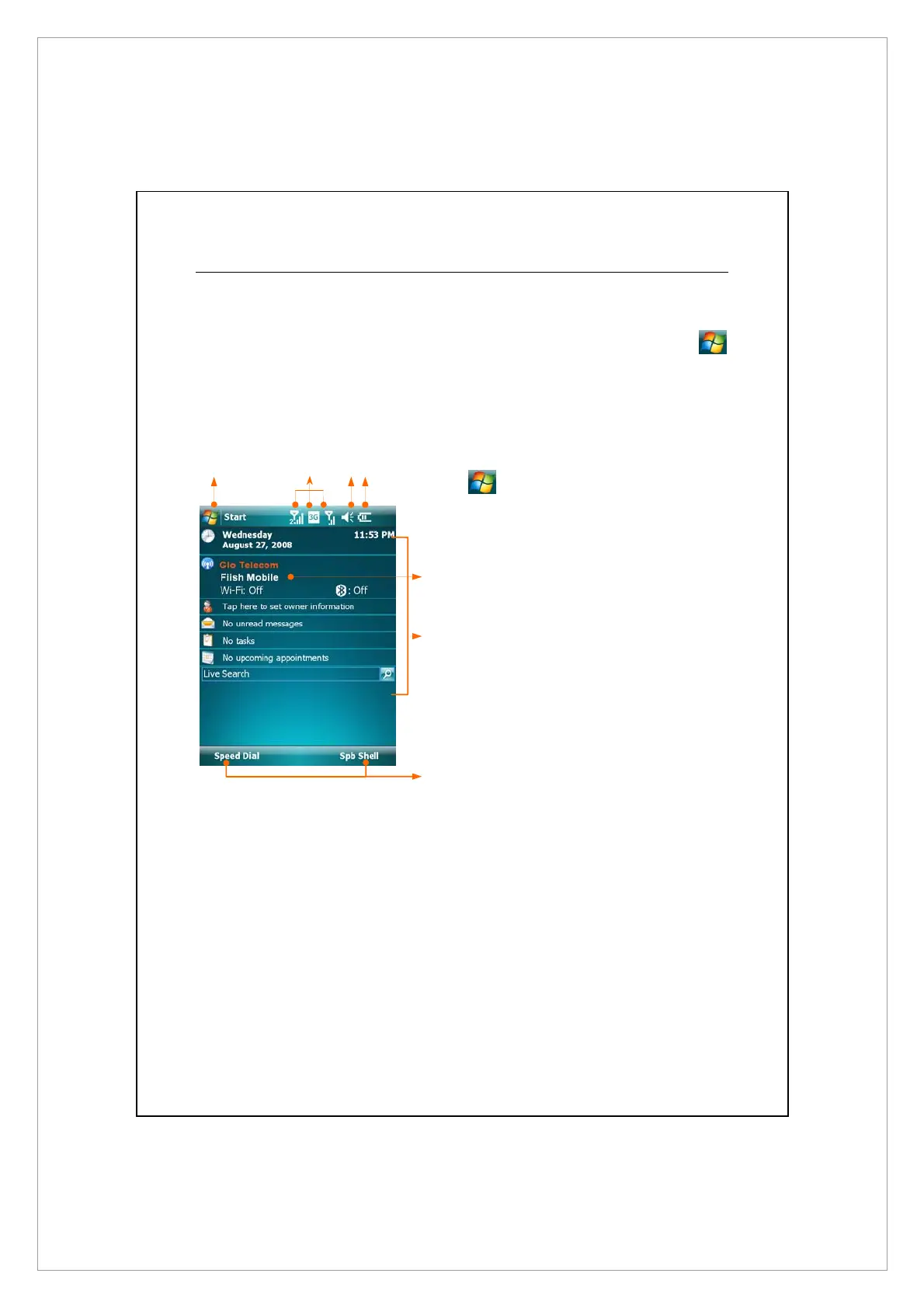
Today Screen
When you turn on your Pocket PC for the first time each day (or after 4 hours of
inactivity), you will see the Today screen. You can also display it by tapping
> Today. On the Today screen, you can see at a glance the important
information for the day.
n
Start.,tap to switch to a program.
o
Connection status icons, tap to view
the connection details.
Z
Speaker icon. For adjusting volume.
[
Current battery status.
\
C
ommunication Manager
Displays your dual phones staus. When
the name of service provider appears in
orange, this phone is currently selected
as the primary phone number when
you make a call.
]
Today screen. Displays important
information for the day. Tap on any
item to enter its relevant setup screen.
^
Tap to quick link to Speed Dial or Spb
Mobile Shell.
\
]
^
X
Y
Z[



 To Next Page