Multimedia 10-15
Album
Tap
> Programs > Multimedia > Album.
You can use Album to manage and view multimedia information such as
pictures, music, and videos.
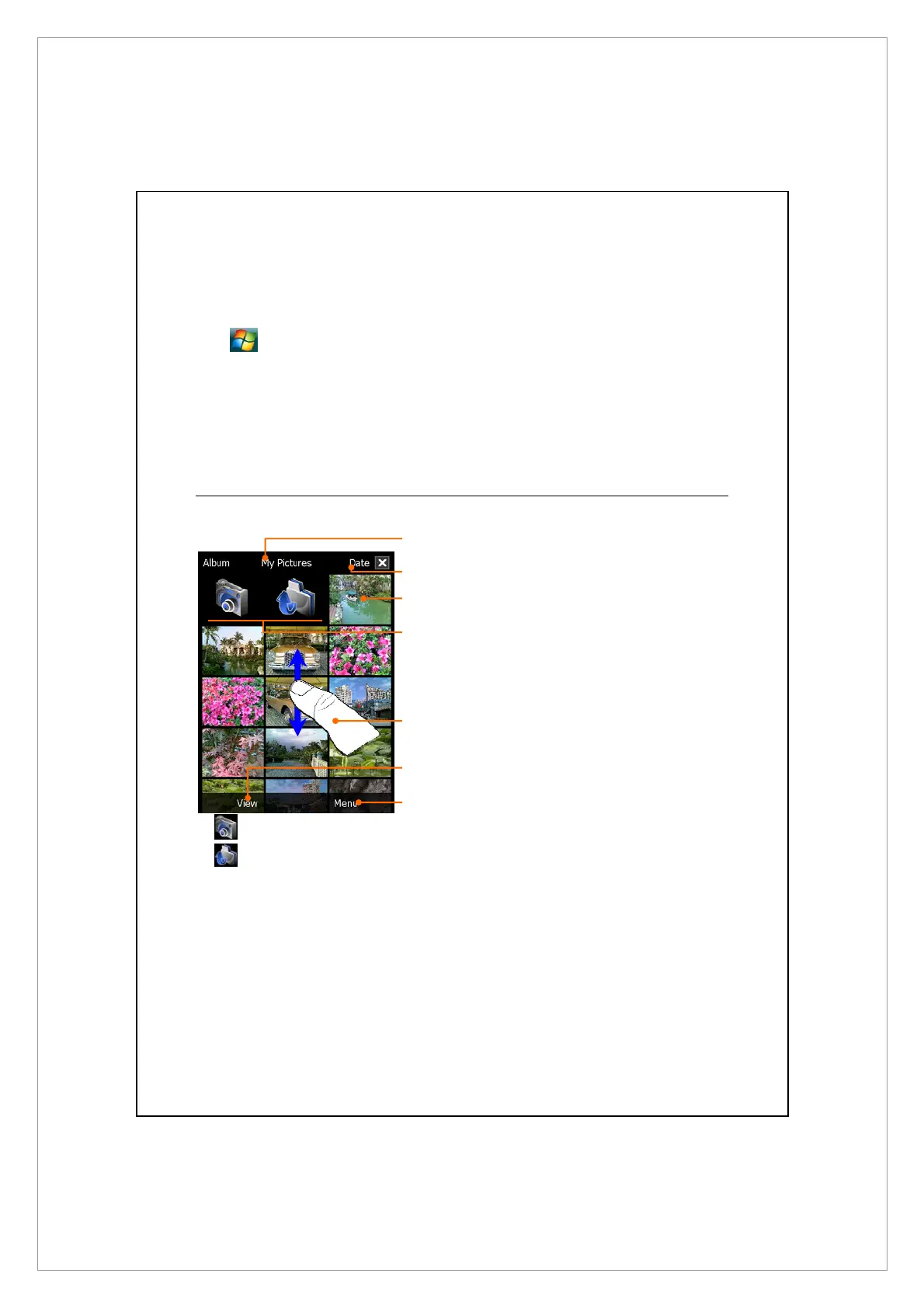
Preview Album Information
n
Display the folder name you are
browsing.
o
Select the sort order for the list.
p
Preview thumbnails, which are
arranged in the sort order you
set. Tap a thumbnail to see a
picture at full screen. Tap a
thumbnail to play music or video
file.
q
Link to Camera.
Tap to move to the upper directory. Then select the folder you
want to browse.
r
Flick to scroll up or down the list if the height of current page exceeds
the screen.
s
Select other types or start the slide show.
t
Provides the relevant menu.
For example, select Cut, Copy, Paste or Delete to manage the selected
file. Select Slideshow Settings to set the details.
n
s
t
o
p
q
r



 To Next Page