1-8
Battery
Using the Pocket PC for the First Time
If you are opening this product for the first time, the main battery and the
Pocket PC are packed separately inside the product package.
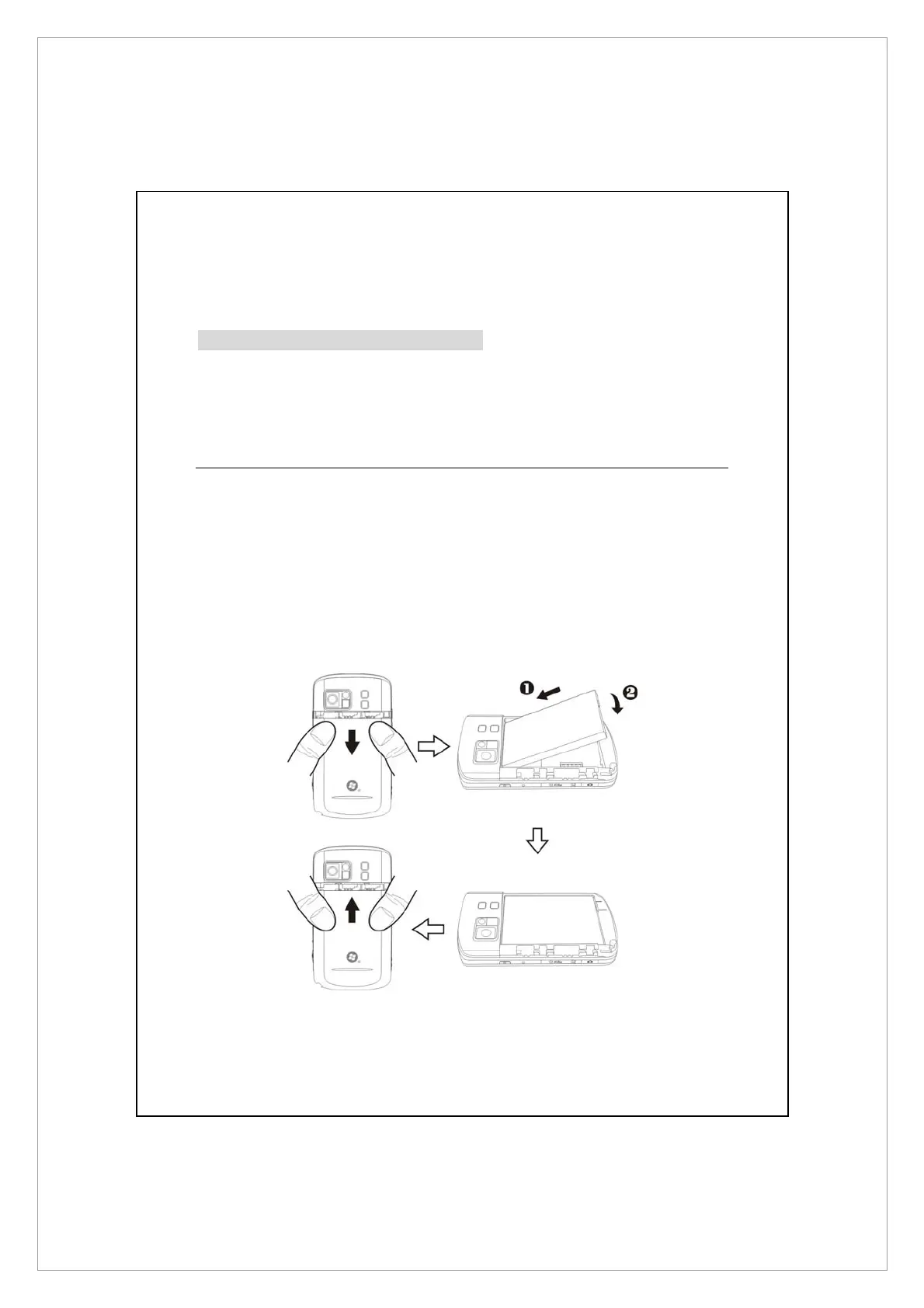
Installing the Battery
1. Turn over the Pocket PC and remove the back cover.
2. Place the battery in the back of Pocket PC. Make sure that the golden
contacts are aligned to the battery box.
3. Gently insert the battery until it clicks.
4. Replace the back cover.



 To Next Page