Emails and Messages 9-7
Multimedia Messages
Reading MMS Messages
Tap
> Messaging > Messages.
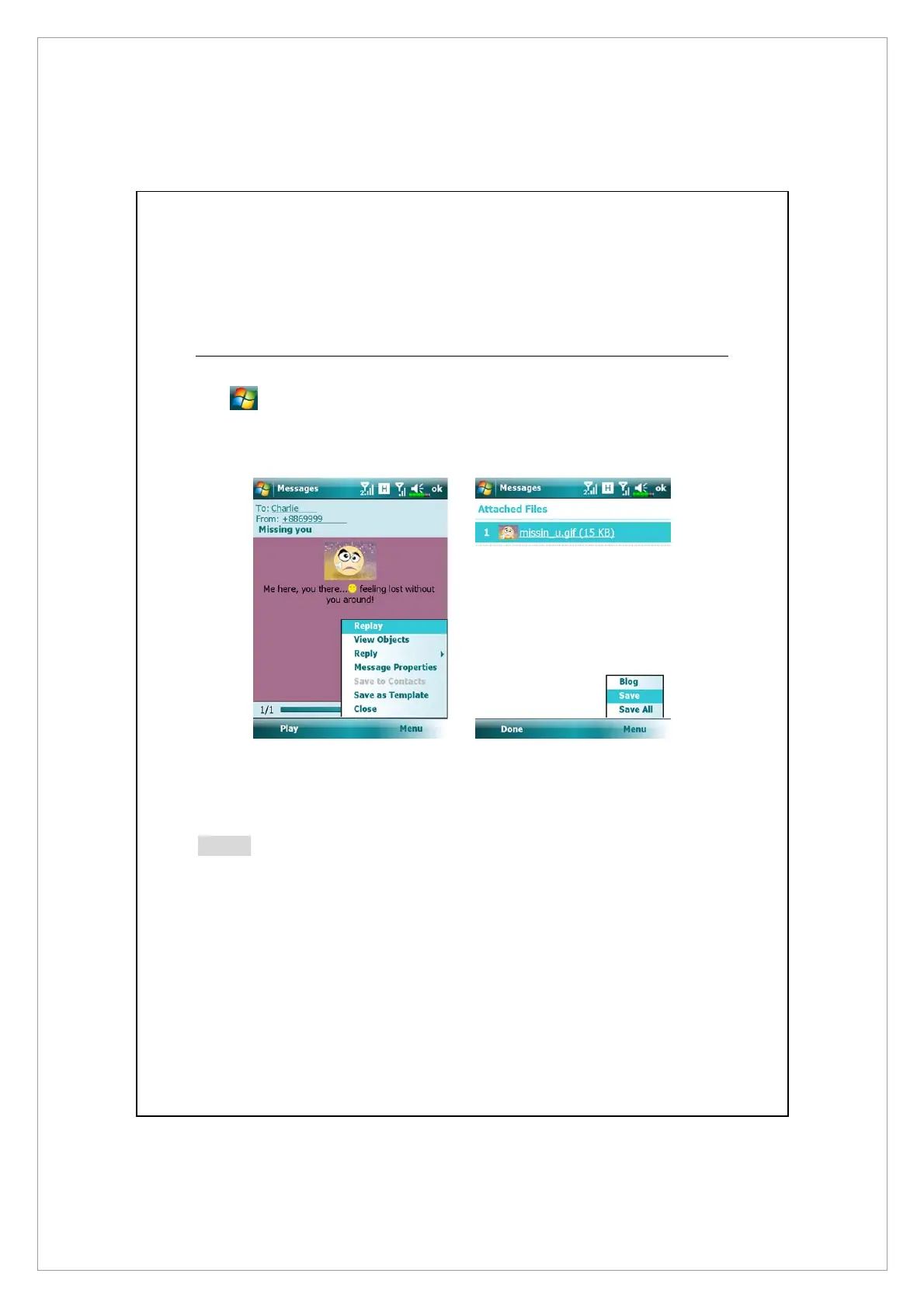
In Inbox, tap on a single MMS message to view it.
z Use the playback controls: Play, Pause or Resume to view the message.
z To save the objects attached to this MMS message:
1. Tap Menu > View Objects,
2. On object list, tap Menu > Save or Save All,
Note
z
If you reply to an MMS message from Inbox, this reply message will be
sent as an MMS message via SIM1 number.
z
If you want to send MMS message or E-mail via a certain number, please
always activate the SIM of that number in SIM1 slot.
z
To modify MMS settings such as Receiving Options or Sending Options, in
Inbox, tap Menu > MMS Settings. In these settings you may select to
request / send a delivery report, set the size or delivery time of a message.



 To Next Page