Using the Phone 4-11
Answering / Ignoring a Call
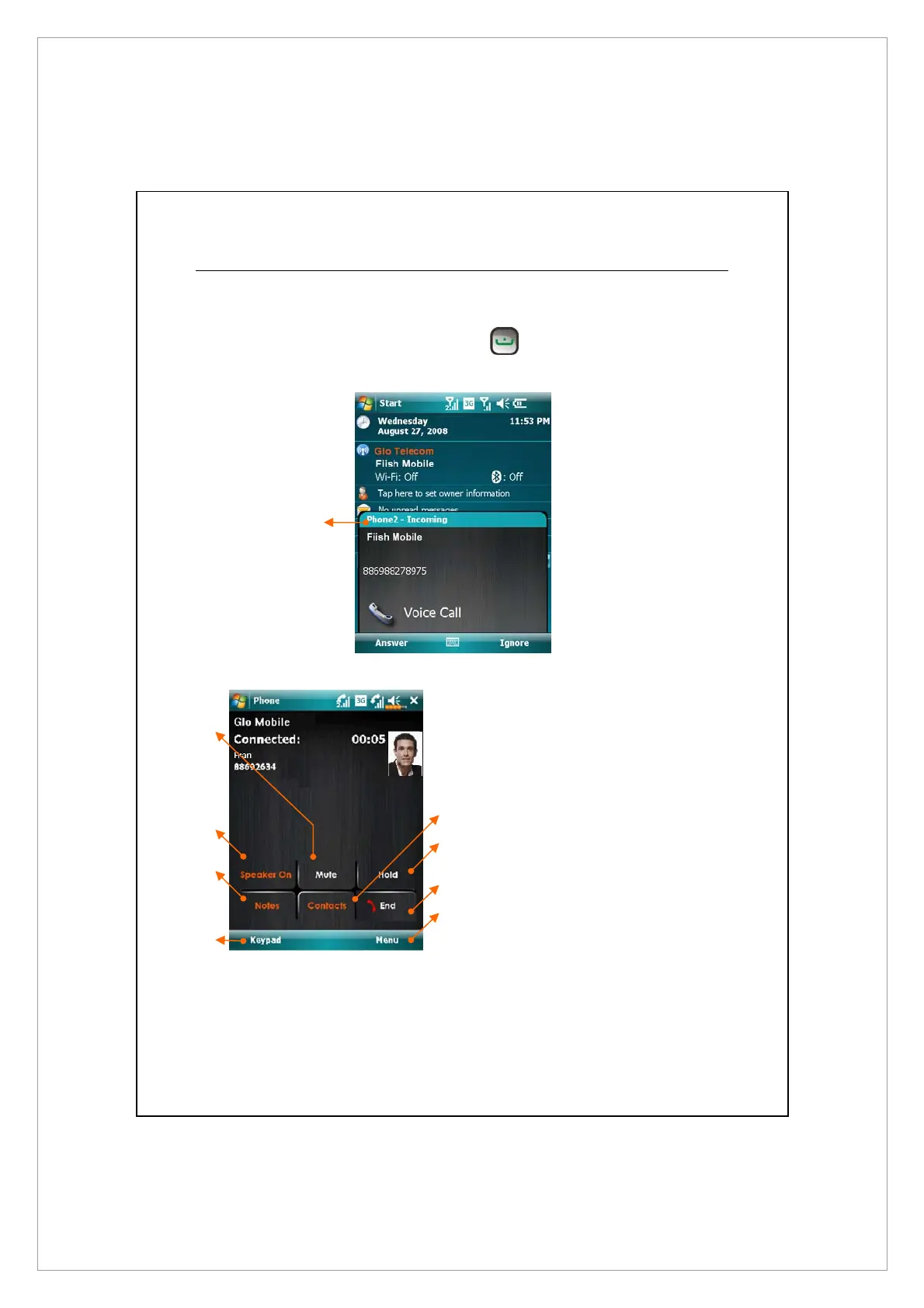
Upon receiving an incoming call, a window will pop up.
1. To answer this call, tap Answer or press
.
2. To ignore this call, tap Ignore.
During the call, you can tap buttons on screen to execute several functions
X
Mute the microphone
Y
Turn on/off the speaker
Z
Create a note for the call
[
Return to Phone screen
\
Go to Contacts
]
Hold the current call
^
End the current call
_
More phone options like setting up
a Conference call or switching to
Hand-free mode
The headline
shows which
phone on your
device is being
called.
X
Y
Z
[
\
]
^
_



 To Next Page