Voice Commander 13-5
Voice Commander Settings
There are two ways to run Voice Commander Settings:
Tap > Programs > Voice Commander > Voice Commander Settings.
Tap Menu > Settings while using Voice Commander.
Voice Commander Settings allows the user to personalize the Voice
Commander settings, add and remove contacts or applications within the
recognition range, record voice tags or play commands to prompt the user on
how to say the correct command.
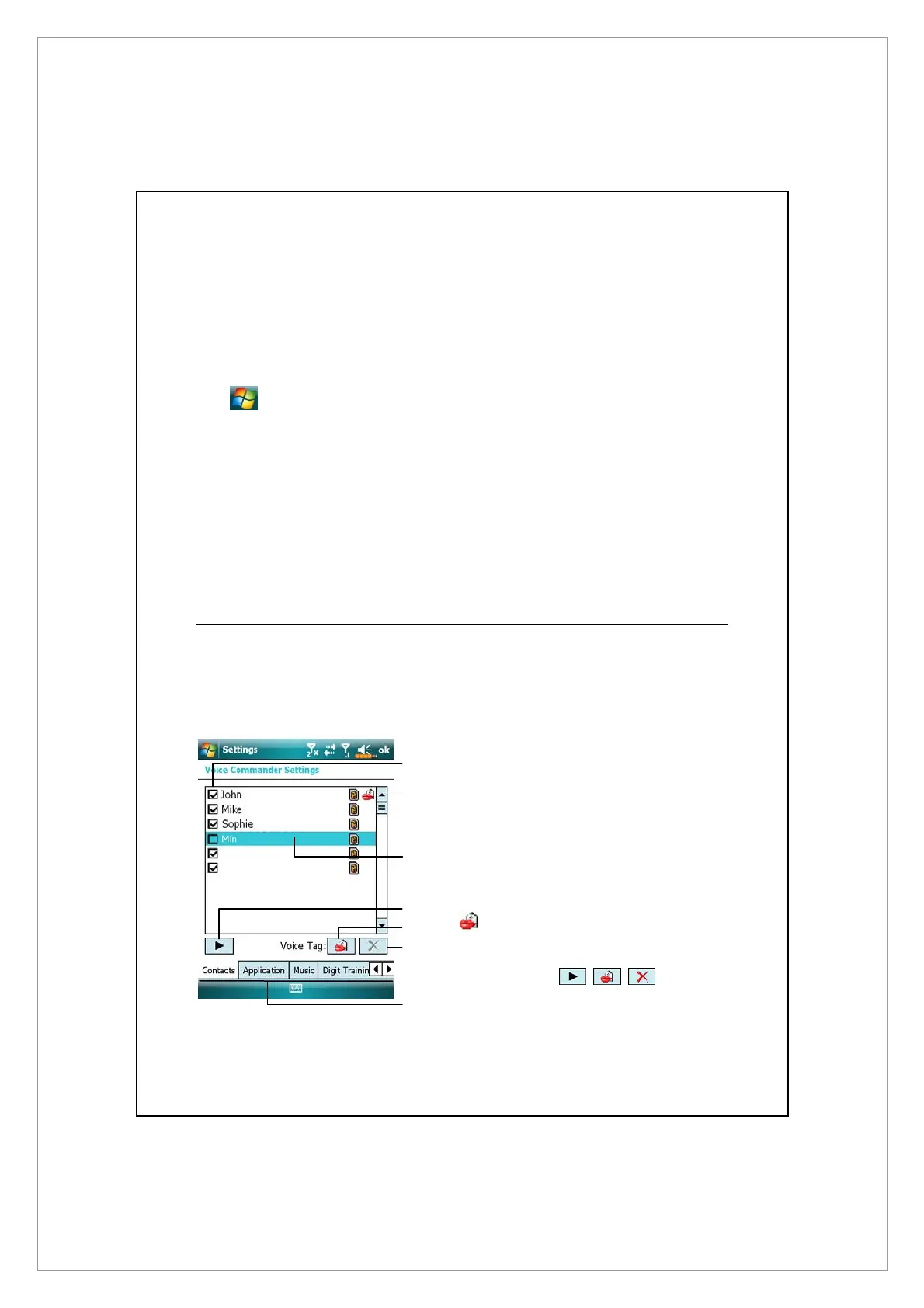
Contacts Settings Page
Tap Voice Commander Settings and then the Contacts tab. The setting page
will list all the names and their status (whether or not it is selected, with or
without voice tag) in Contacts.
n
Check box function
If a contact is checked, it can be
identified normally. If unchecked,
this indicates that it is not within
the recognizable range. Please
create a voice tag.
o
Lips icon: Voice tag is built.
p
Tap a contact name to highlight it
for using with
buttons.
n
p
o
q
r
s
t



 To Next Page