Multimedia 10-7
Common Tools for Camera
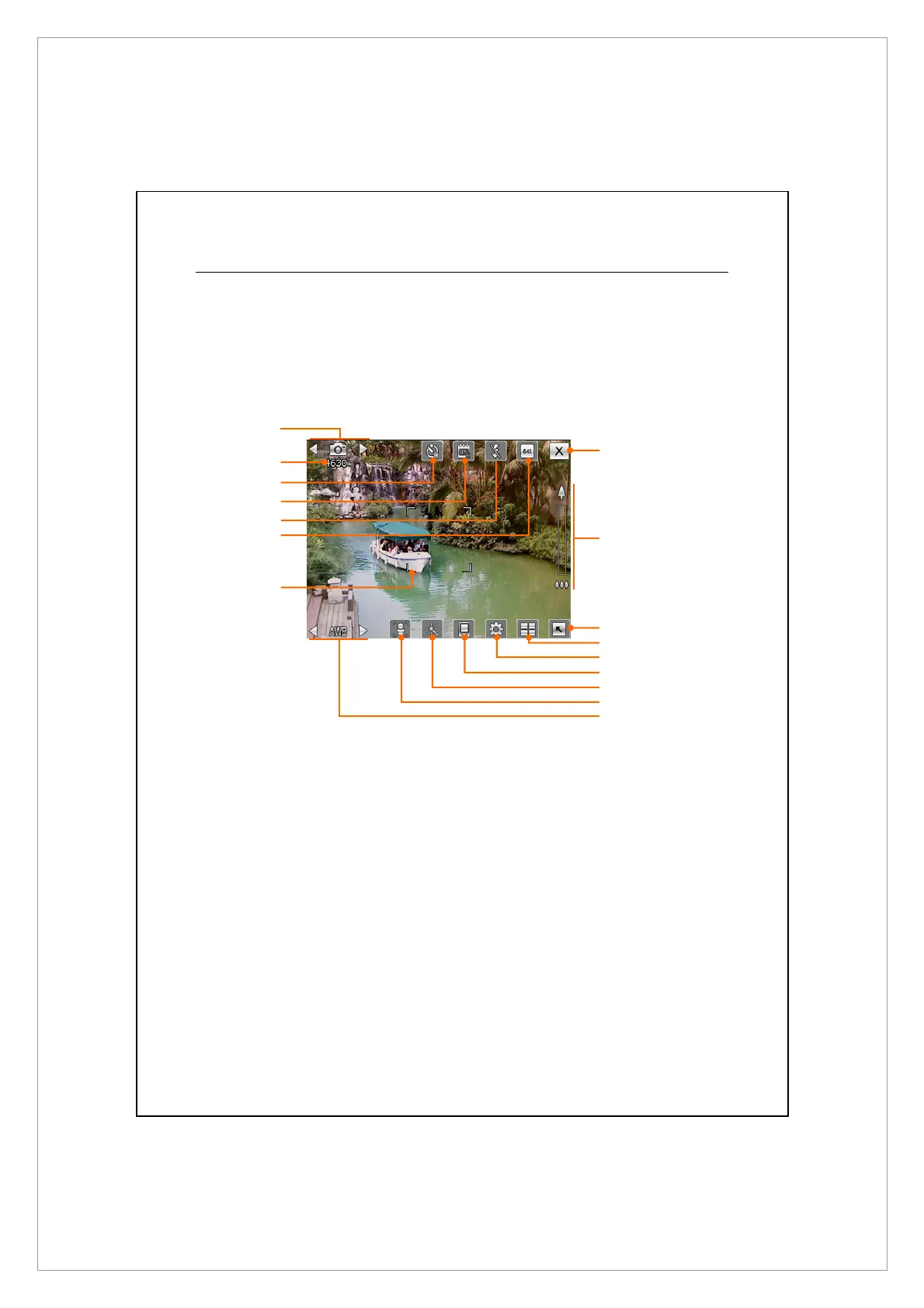
The Camera can be used to take pictures or videos. This chapter will introduce
the common tools for camera and icons on the screen. The previous chapter
introduces hardware hotkeys on the Pocket PC that can also control some of the
tool icons shown on the screen.
1. Switch to other camera or camcorder modes
2. Remaining shots
3. Timer for “self-timer”
4. Display or hide the date
5. Activate or disable the flash
6. Select the resolution, higher resolutions lead to larger picture files
7. Auto focus frame
8. Quit Camera
9. Digital zoom
10. Display or hide detailed information
11. Link to Album for browsing and managing files
12. Open the camera setup screen
13. Select the storage location
14. Select the special effect
15. Select front or rear camera lens
16. Select the environment lighting
8
1
9
2
4
6
7
10
11
12
13
14
16
3
5
15



 To Next Page