Connections 7-3
Setting the GPRS Connection
To connect to the Internet or use MMS service, please make sure you have
installed SIM card in SIM1 slot and activated Phone1.
Tap
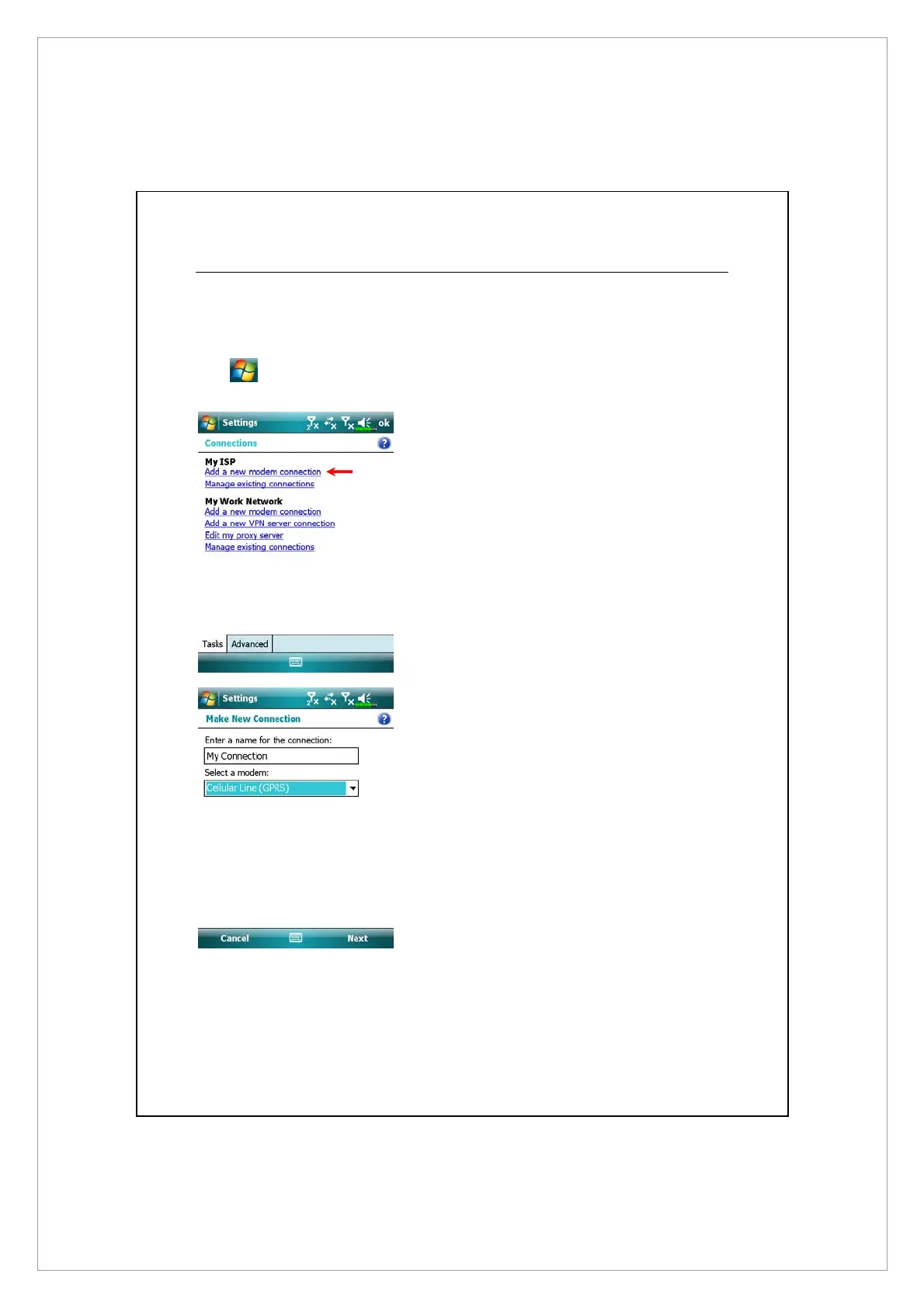
> Settings > Connections tab > Connections > Tasks tab.
1. As shown in the screen on the left
tap “Add a new modem
connection.”
2. Enter the “Make New
Connection” screen as shown in
the screen on the left.
n
Input a new connection name for
convenience in making
connections in the future.
o
Select “Cellular Line (GPRS).”
p
Lastly tap Next.



 To Next Page