7-2
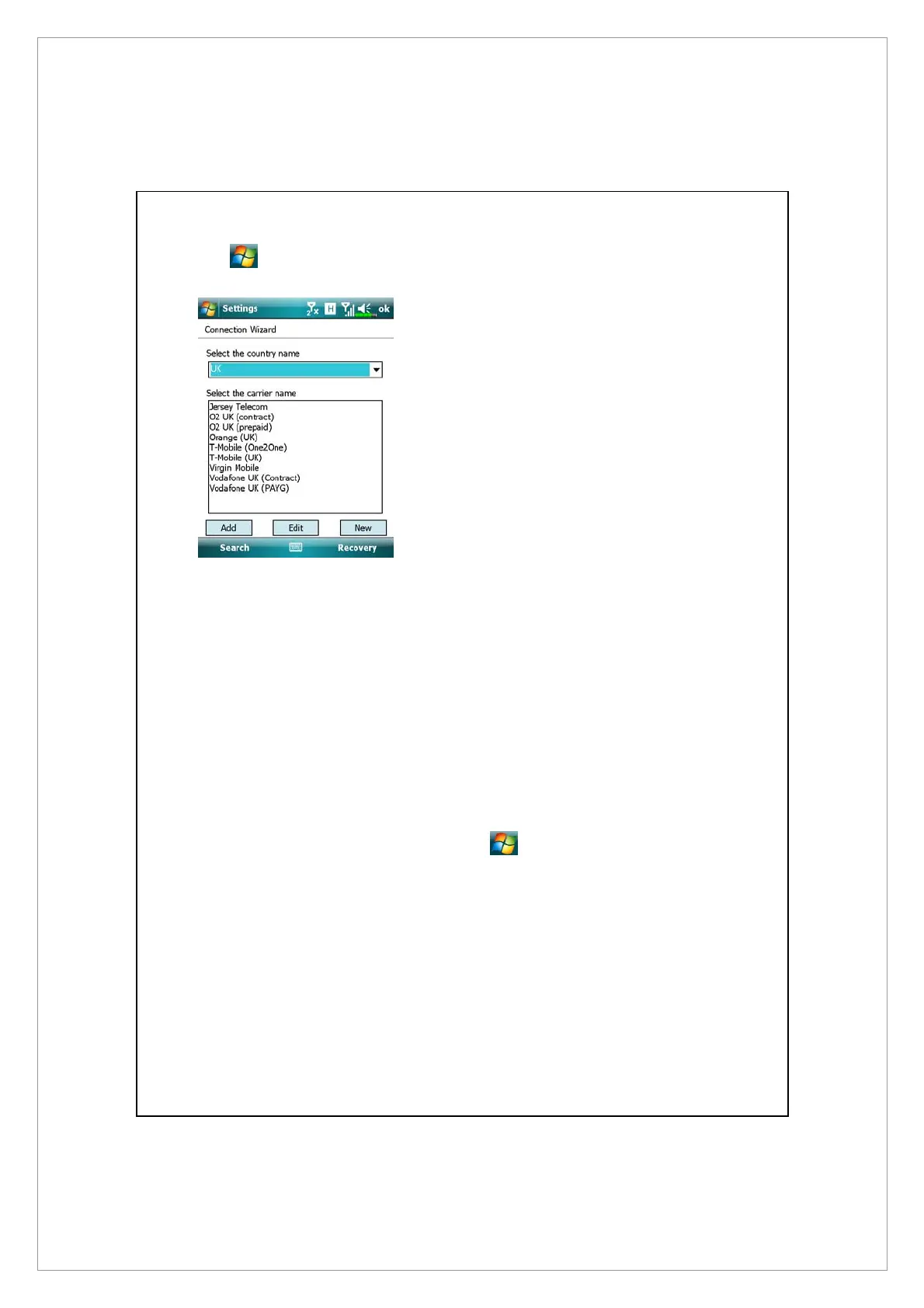
Tap > Settings > Connections tab > Connection Wizard.
1. Select the country name from the
list.
2. Select the carrier name from the
list.
3. According to actual requirements,
select the carrier name, and then
tap Add button or Edit button. Or
use the New button to add the
new network connection.
4. Search button: Detect the
currently available
telecommunication service. If it is
found, use the Add button to add
the highlighted selection. If it is
not found, the “New network”
screen will be shown; please
manually setup the network.
5. Recovery button: Restore to the
original setup value.
6. Tap
> Settings >
Connections tab > Connections,
and then “Manage existing
connections,” the list will show
the newly added network name.



 To Next Page