9-20
Working with Contacts
If you already use Windows Live™ Messenger on your desktop computer, your
contacts will show up on your Pocket PC without being added again.
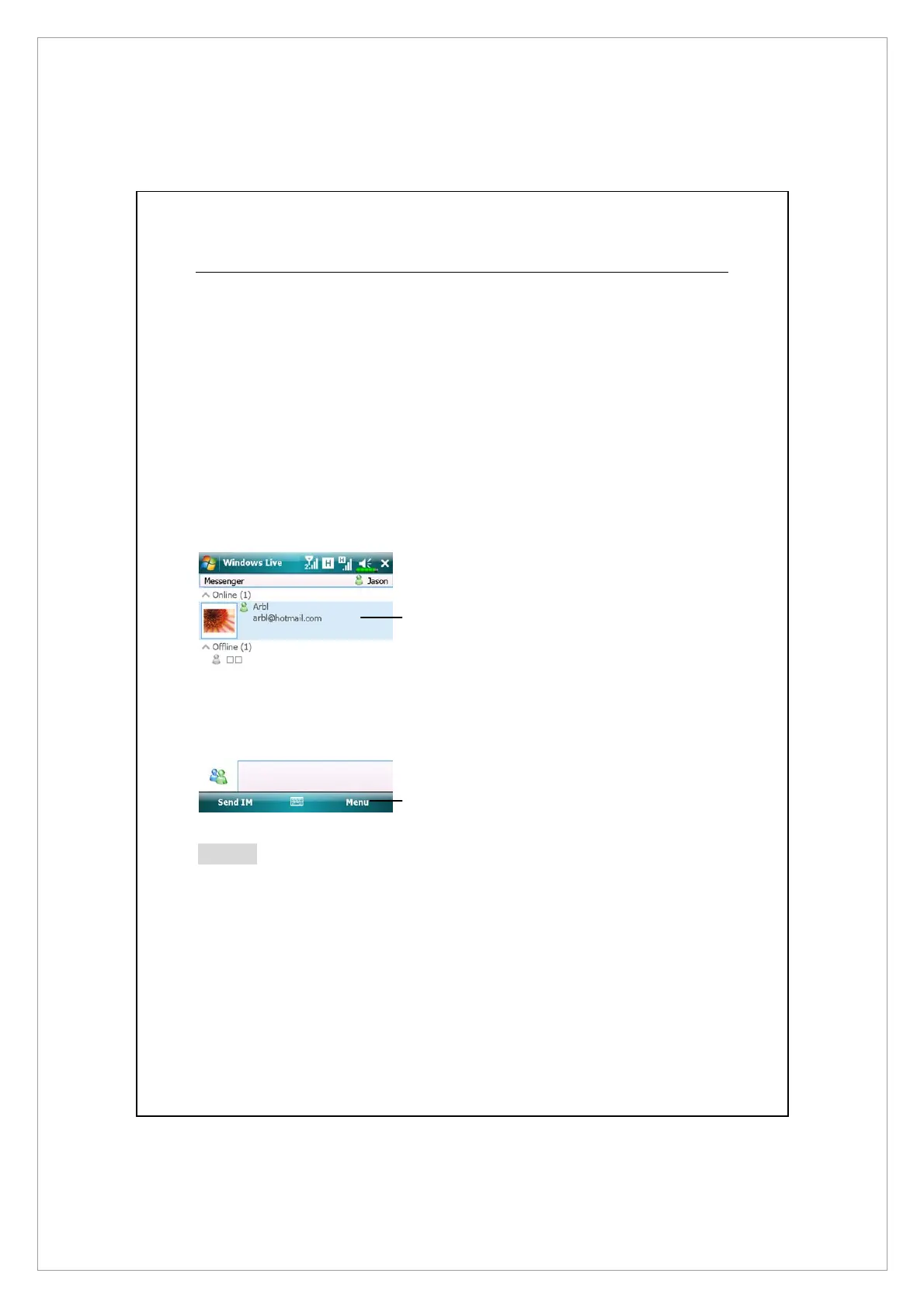
The Windows Live™ Messenger window shows all of your messenger contacts
at a glance, divided into Online and Offline categories, or sorted by groups.
From this view, while connected, you can chat, send an e-mail, block the
contact from chatting with you, or delete contacts from your list using the
pop-up menu.
n
Tap a contact to start a chat.
o
Provides the relevant menu.
For example, select Add new
contact to create a new MSN
contact. Or select Sign out to quit
from Windows Live™ Messenger.
Notes
To see others online without being seen, tap Menu, Change status, and then
select Appear Offline.
If you block a contact, you will appear offline but will remain on the blocked
contact’s list. To unblock a contact, tap Menu, Contact options, and then
Unblock contact.
n
o



 To Next Page