Maintaining the Pocket PC 12-11
Manage Memory
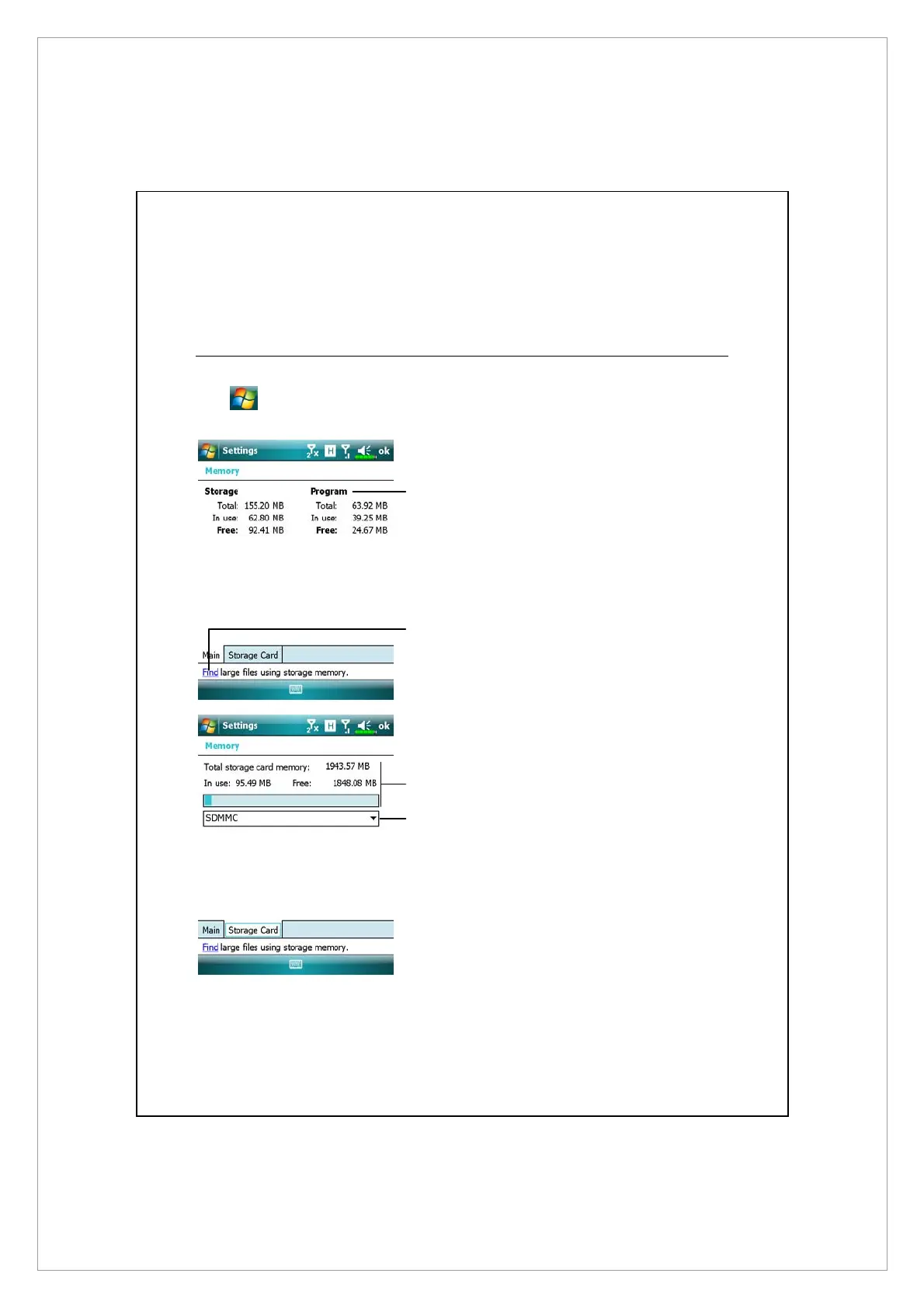
View Memory Status
Tap
> Settings > System tab > Memory.
Á
Tap the Main tab.
n
The status of Storage and
Program memory.
o
Find: Quick link to the Search
program.
Á
Tap the Storage Card tab.
n
Current storage card memory
status.
o
Tap to select the built-in or
external storage card.
n
o
n
o



 To Next Page