11-24
Streaming Player
Tap
> Programs > Streaming Player.
Some audio and movie files that cannot be played back from Microsoft
Windows Media Player, for example RTSP, HTTP… types of files, will be
automatically switched to Streaming Player by the system.
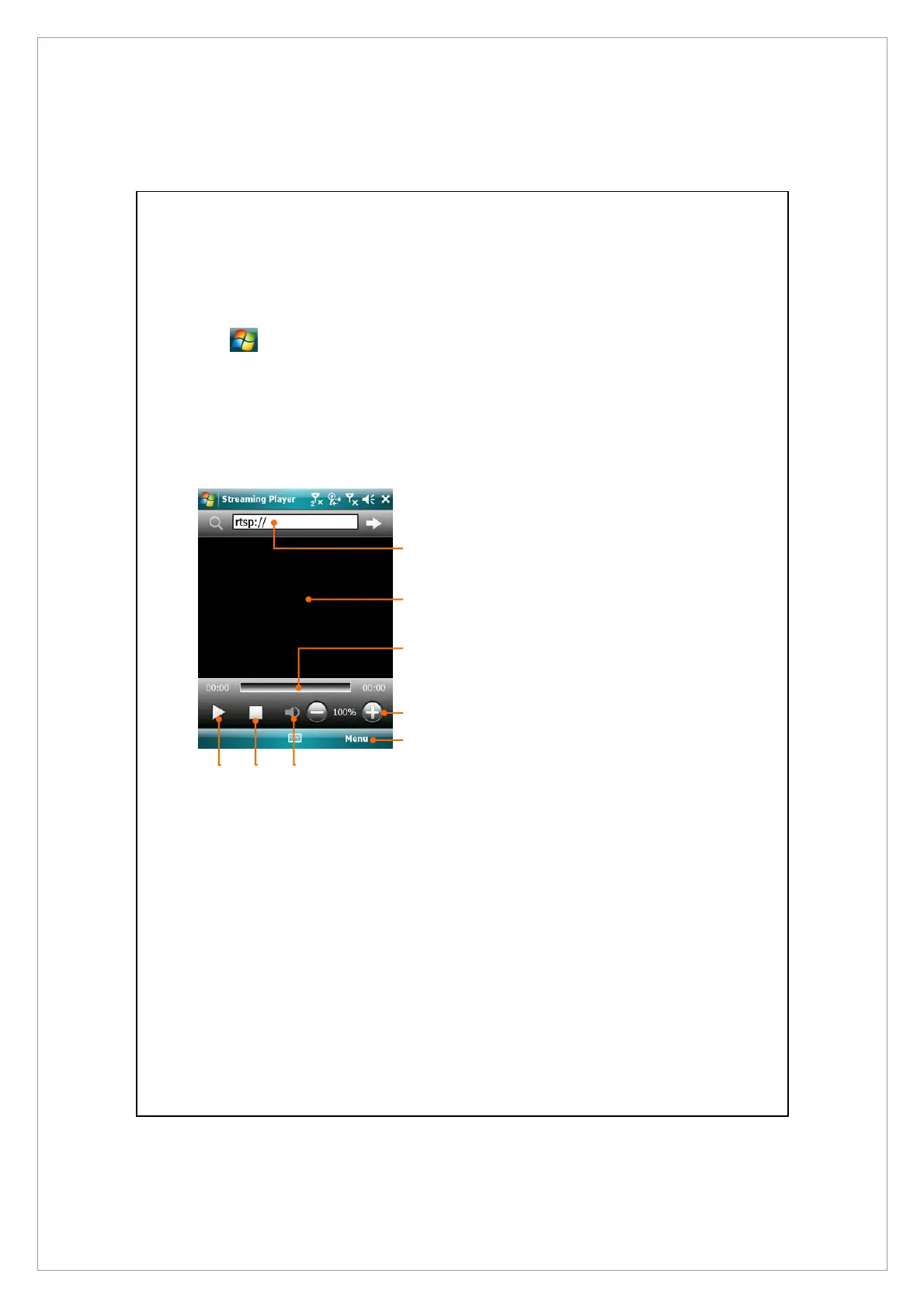
n
Automatically launch the
Streaming Player for playback
when using Internet Explorer to
run media files not supported by
Windows Media. Tap in to enter
the website address and media
file name.
o
View the video. Tapping in this
area during playback will enable
full-screen video content.
Tapping the screen again will
return to the normal display
mode.
p
Indicates the current position in
the track.
q
Adjust volume level.
r
Provides the relevant menu.
s
Mute or enable sound.
t
Stop.
u
Play or pause.
n
r
u
t s
q
p
o



 To Next Page