11-8
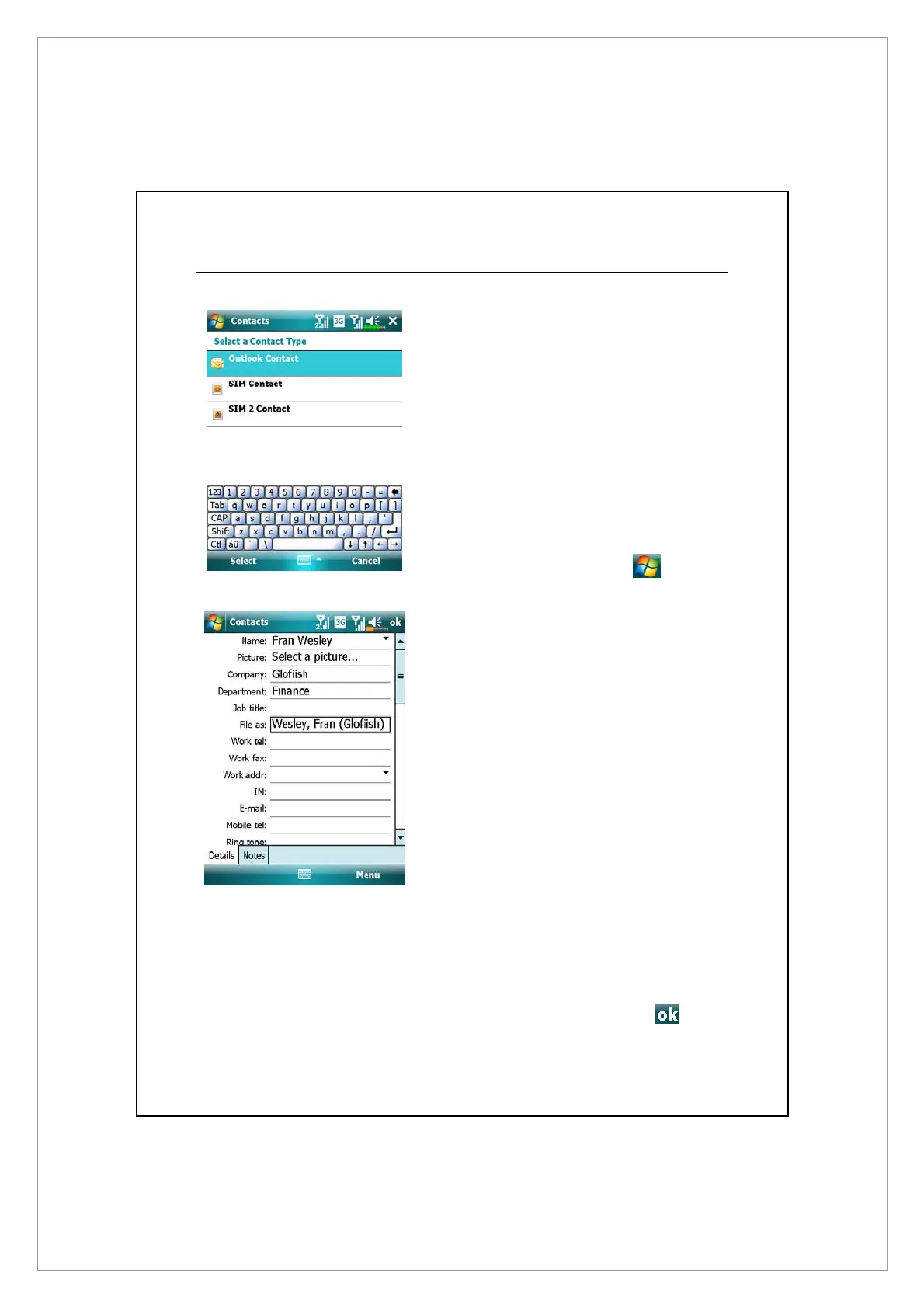
Creating a Contact
1. On Contacts screen, tap New, and then
select a contact type.
z
To create a contact on your device,
select Outlook Contact, hereafter you
can manage this contact even if the SIM
card is absent.
z
To create a contact on either SIM1 or
SIM2 card, select SIM Contact or SIM2
Contact. To manage your contact
entries, you can also go to
>
Programs > Phone > SIM Manager.
2. Use the input panel to enter a name
and other contact information. You
will need to scroll down to see all
available fields.
3. To assign the contact to a category,
scroll to and tap Categories and select
a category from the list. In the contact
list, you can display contacts by
category.
4. To add notes, tap the Notes tab. You
can enter text, draw, or create a
recording. For more information on
creating notes, see “Notes: Capturing
Thoughts and Ideas” section.
5. When editing is finished, tap
to
return to the contact list.



 To Next Page