11-26
Browse the Internet
Refer to “Connecting to the Internet” section to connect the Pocket PC to the
Internet and start browsing websites.
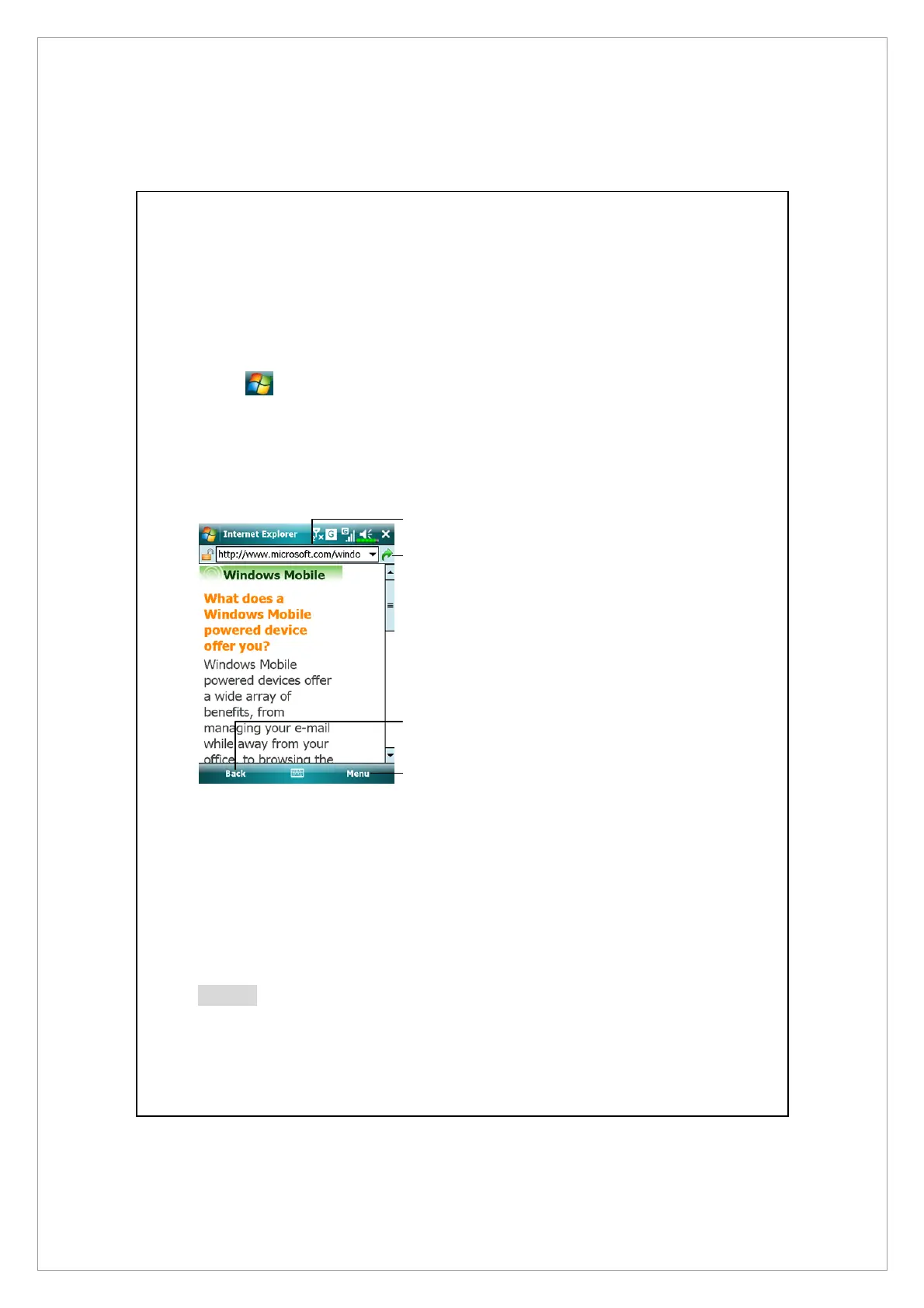
1. Tap > Internet Explorer.
2. Input the site address into the address bar at the top of the screen and
connect to this site.
3. Use the scroll bar at the right side or bottom of the screen, or press the up or
down button on the Pocket PC to view the contents of the entire website.
n
Input address here
o
Tap to launch
p
Back button
q
Provides the relevant menu, such
as Favorites, Add to Favorites,
Home, and Refresh.
Aside from keying in the address directly, you can also connect to websites
using the following methods.
z
Tap the Favorites button, and then tap the favorite you want to view.
z
In the address bar, tap the arrow
▼
to choose from previously entered
addresses.
Notes
To add a favorite link while using the Pocket PC, go to the page you want to
add, tap and hold on the page, and tap Add to Favorites.
p
o
n
q



 To Next Page