2-4
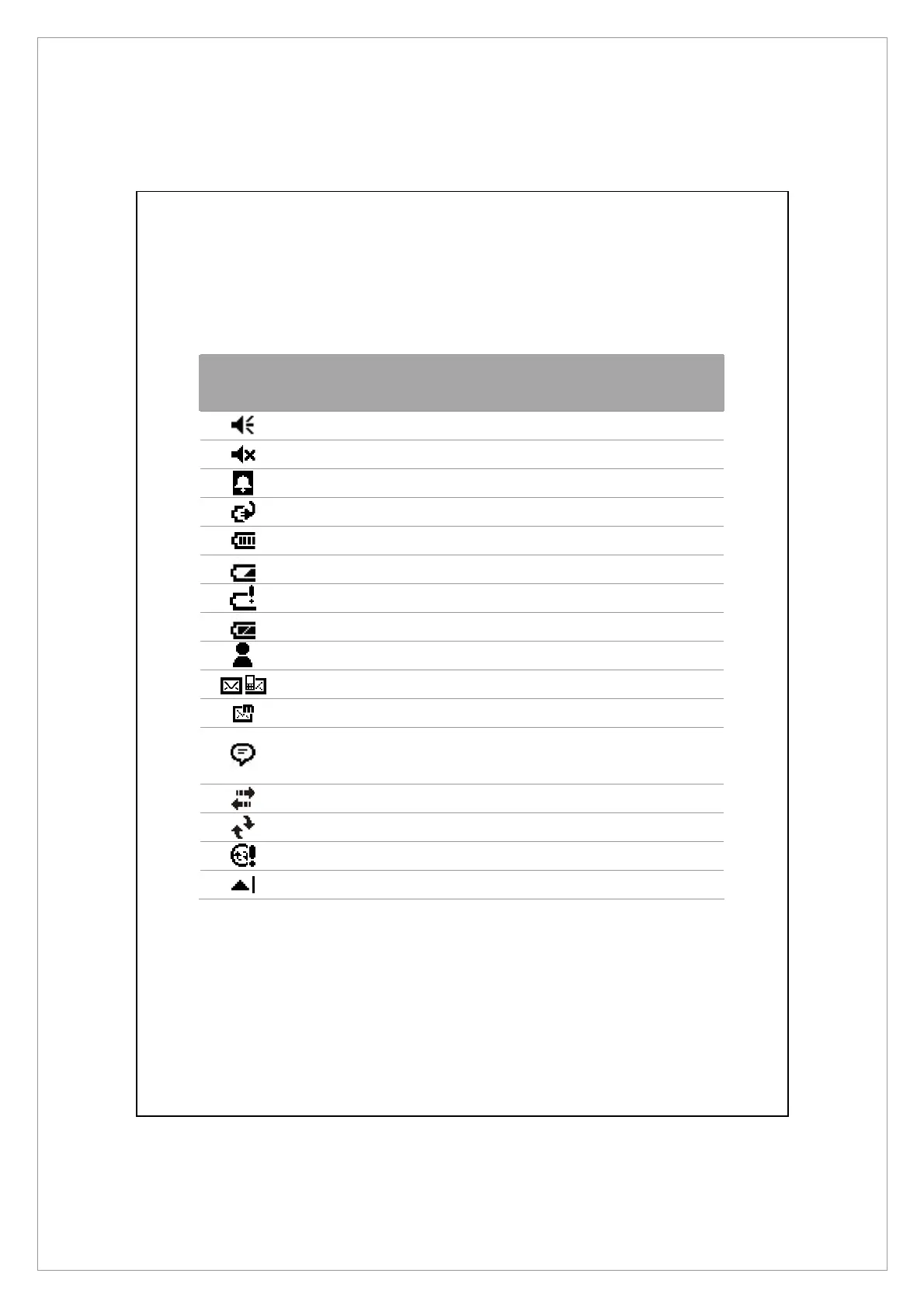
The following table lists the icons that you may see on the Navigation Bar.
Kindly refer to the “Meaning” column for explanation or tap on the icon to
access the instant message.
Icon
Meaning
(Located on the Navigation Bar at the top of the screen)
Speaker is on
Ringer off
Pending alarm
Battery charging
Battery level
Low battery
Battery power is very low
Battery is fully charged
New instant message
New e-mail or text message (SMS)
New MMS mail
If there is not enough space on the screen to display all
notification icons, tap this icon to view all icons.
Active connection to computer
Synchronizing
Sync error
PowerPoint slide show



 To Next Page