7-10
Note
Pair for Bluetooth headset: When the system asks for the password,
please refer to the instructions provided with your purchased
Bluetooth headset.
Pair for PC or Pocket PC: When the system asks for the password,
please make sure that the identical password is entered to both
devices.
3. Your Pocket PC connected with
these devices will be able to
transfer data, receive calls on a
Bluetooth headset, and other
applications.
n
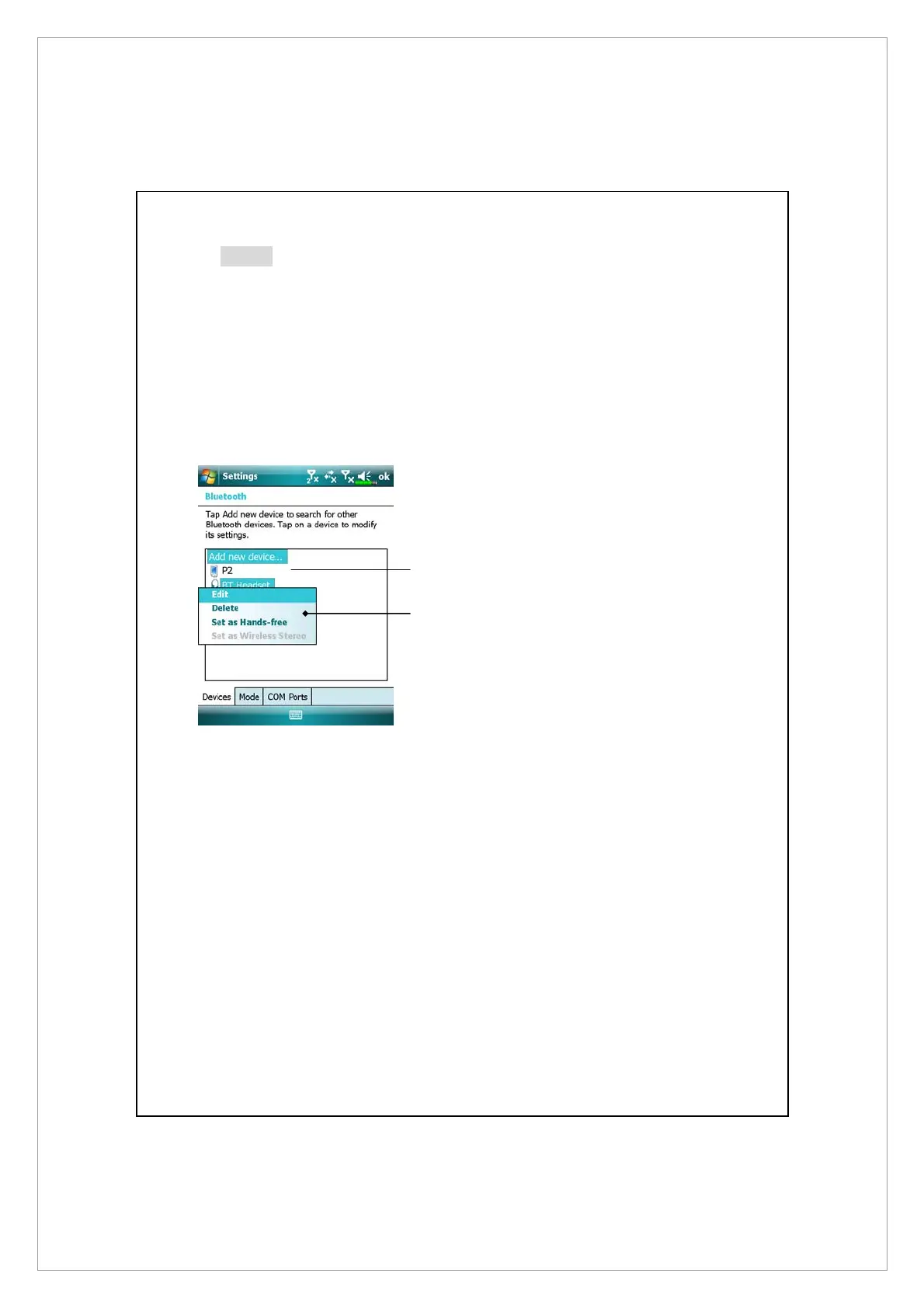
Successfully connected devices
will be shown as on the screen to
the left.
o
Tap and hold a device, for
example the Bluetooth headset,
then select Set Hands-free to be
able to use the Bluetooth
headset to receive calls.
n
o



 To Next Page