8-8
The above is applicable to an office environment that requires a Proxy
setup.
For others that close the proxy connection, please do not check the
box named “This network connects to the Internet” and skip the
following procedures.
3. Enter the name into the “Proxy server” field.
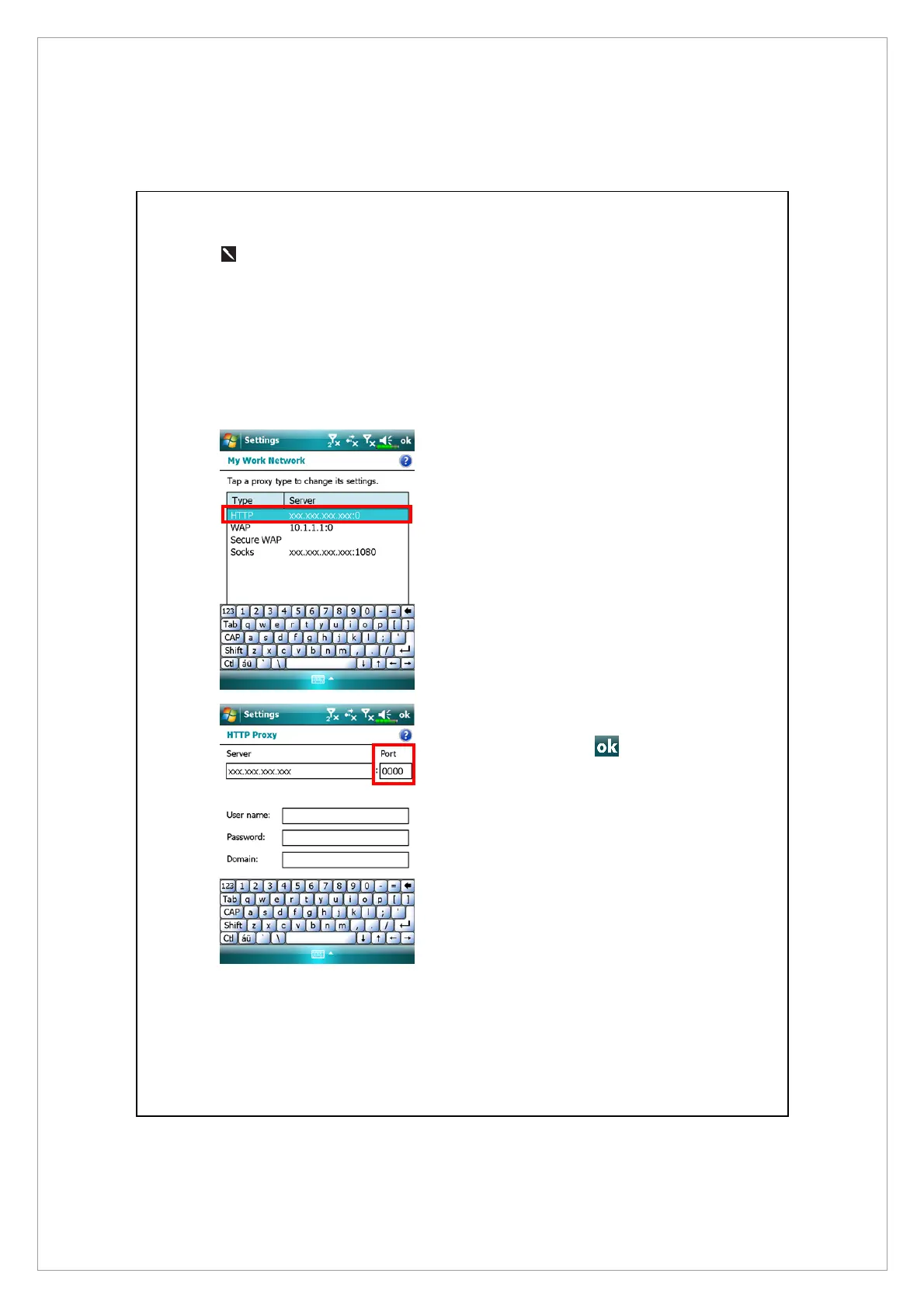
4. Select the Advanced button and enter the advanced settings screen.
5. You can modify the settings by
tapping the HTTP type.
6. Enter the number into the “Port”
field. Finally, tap
to save and
exit.



 To Next Page