12-4
Á
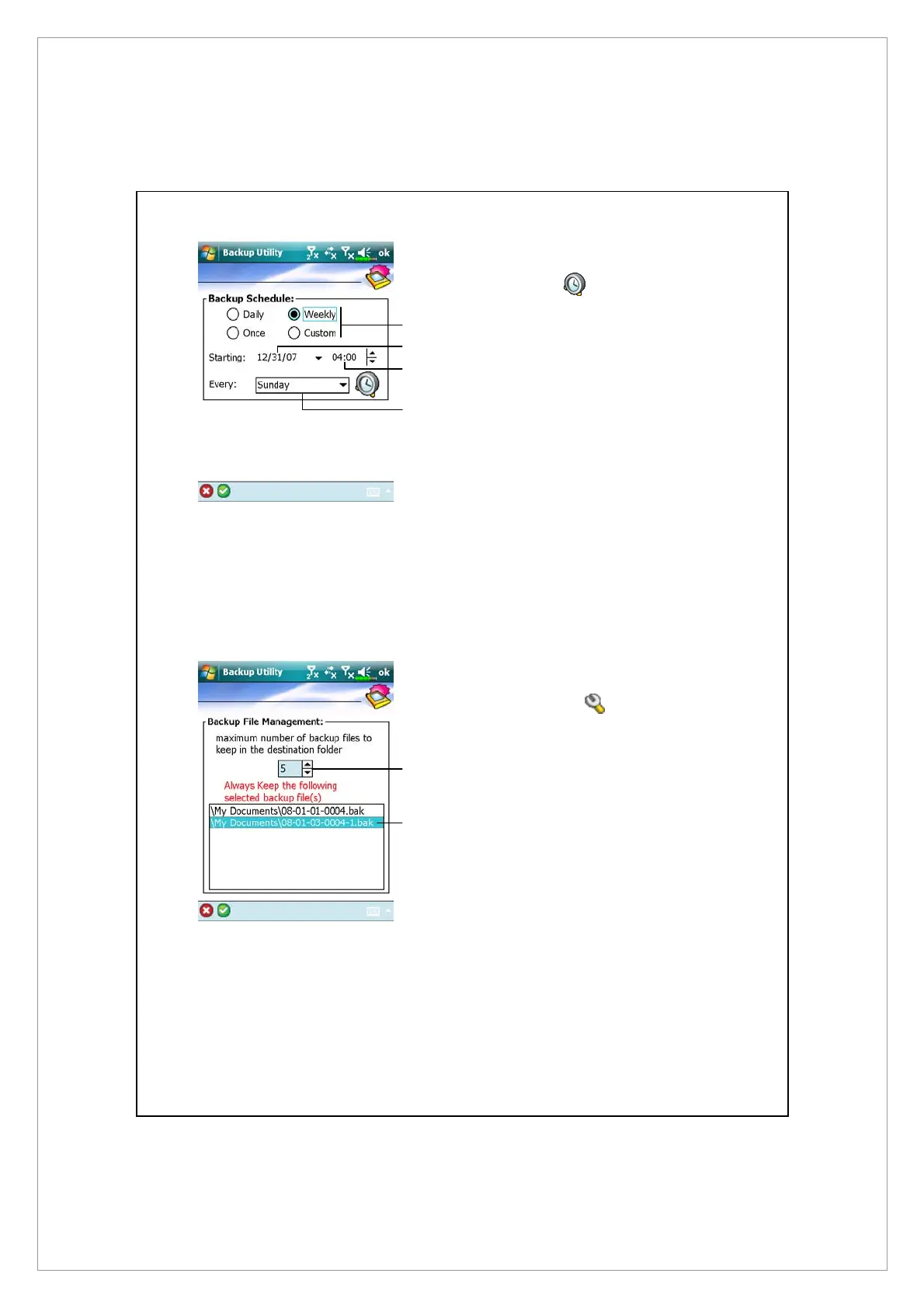
If you checked “Auto backup on
schedule,” tap
to enter the
screen shown on the left.
n
Backup frequency.
o
Tap the date button on the right
of “Starting” to set the starting
date.
p
Tap the time button on the right
of “Starting” to set the starting
time.
q
If you have selected “Weekly,”
tap the function button on the
right of “Every” to set the day of
the week to backup.
Á
If you selected “Manage old
backup files,” tap
to enter
the screen shown on the left.
n
Tap the arrowhead to set the
number of files.
o
Tap the files to be retained.
n
n
p
q
o
o



 To Next Page