Voice Commander 13-11
n
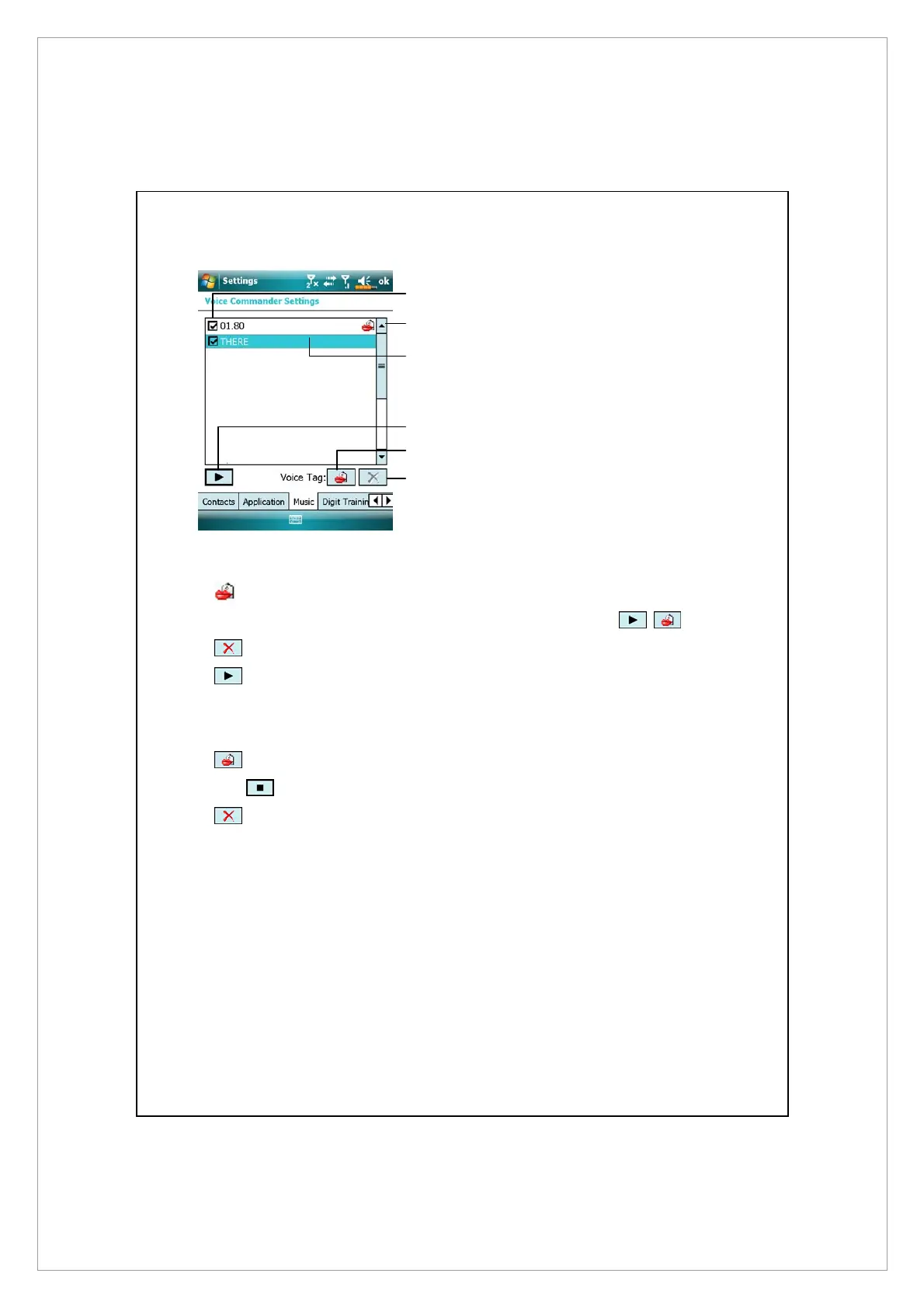
Check box function
If the music file name is checked,
it can be identified normally. If
unchecked, this indicates that it is
not within the recognizable
range.
If the check box is gray and
cannot be checked, this indicates
that the item is unrecognizable.
Build a voice tag to add a gray
item into the recognizable range.
o
Lips icon: Voice tag is built.
p
Tapped music file name is highlighted and can be used with
functions.
q
Play button: Play the recorded voice tag for this music file name
and hear how it is pronounced.
During the recording, tap
r
Build button: Record the voice tag for this music file name again.
Tap
Cancel button to cancel recording.
s
Delete button: If there is a Lips icon, the voice tag for this music
file name can be deleted and restored to the default system voice.
n
o
q
r
s
p



 To Next Page