4-14
X
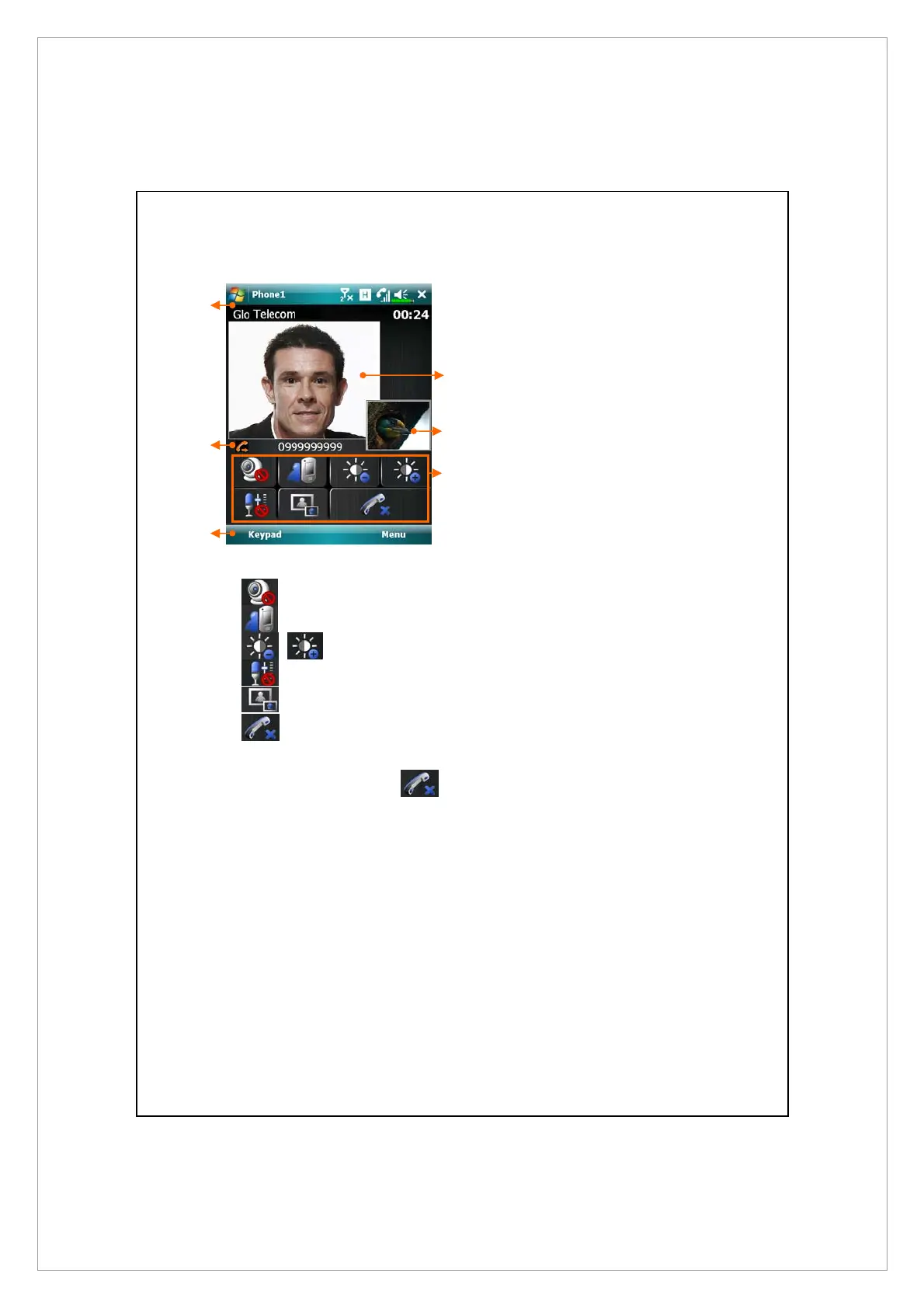
Carrier name and talk time
Y
Incoming / Outgoing call number
Z
Return to voice call keypad
[
Video screen of your contact
\
Video screen of yourself
]
Video call control panel:
Stop sending your video
Switch to front/rear camera lens
Video brightness
Mute / Unmute microphone
Chang the layout of both party’s screen
End the video call
4. To end the call, simply tap
on the Video Call main menu.
X
Y
[
\
]
Z



 To Next Page