RIP User Tools
•
C–7
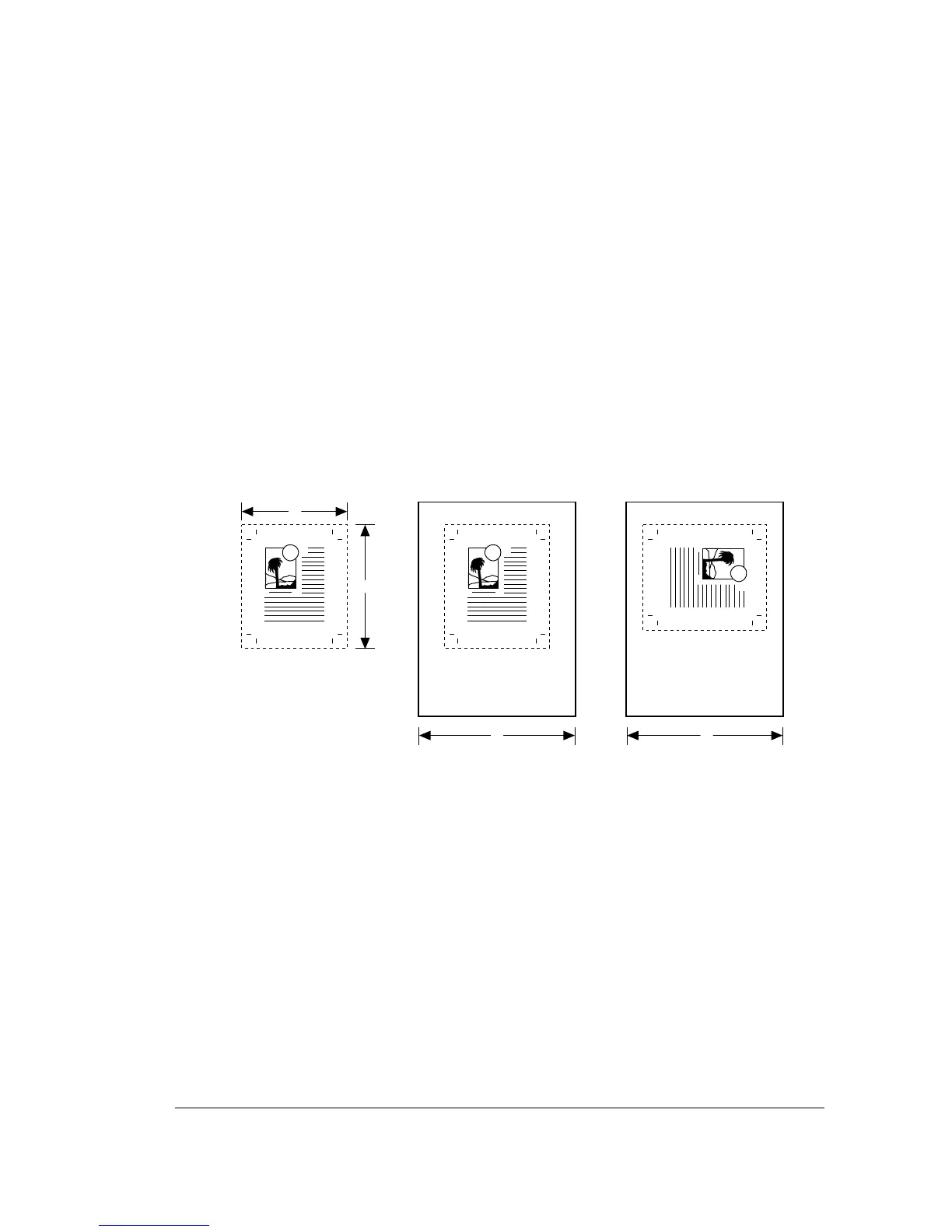
Media Optimization
When media optimization is active, the imagesetter compares the cur-
rent media width and the dimensions of the next job to be imaged and
rotates the image 90 degrees if that would use media more efficiently.
For example:
• Media optimization is active.
• The imagesetter is loaded with 12" (305 mm) media.
• The next job is 8" wide and 10" deep (203mm by 254 mm).
• The job is rotated 90 degrees when imaged.
Use SET_M_O.ON to enable media optimization. Use SET_M_O.OFF to
disable the function.
Figure B.1. Media optimization.
A. Hypothetical image.
➀
—Width, 8" (203 mm).
➀
—Depth, 10" (254 mm).
B. As imaged media with media optimization off.
➂
—12" (305 mm)
C. As imaged with optimization on.
➂
—12" (305 mm)



 To Next Page