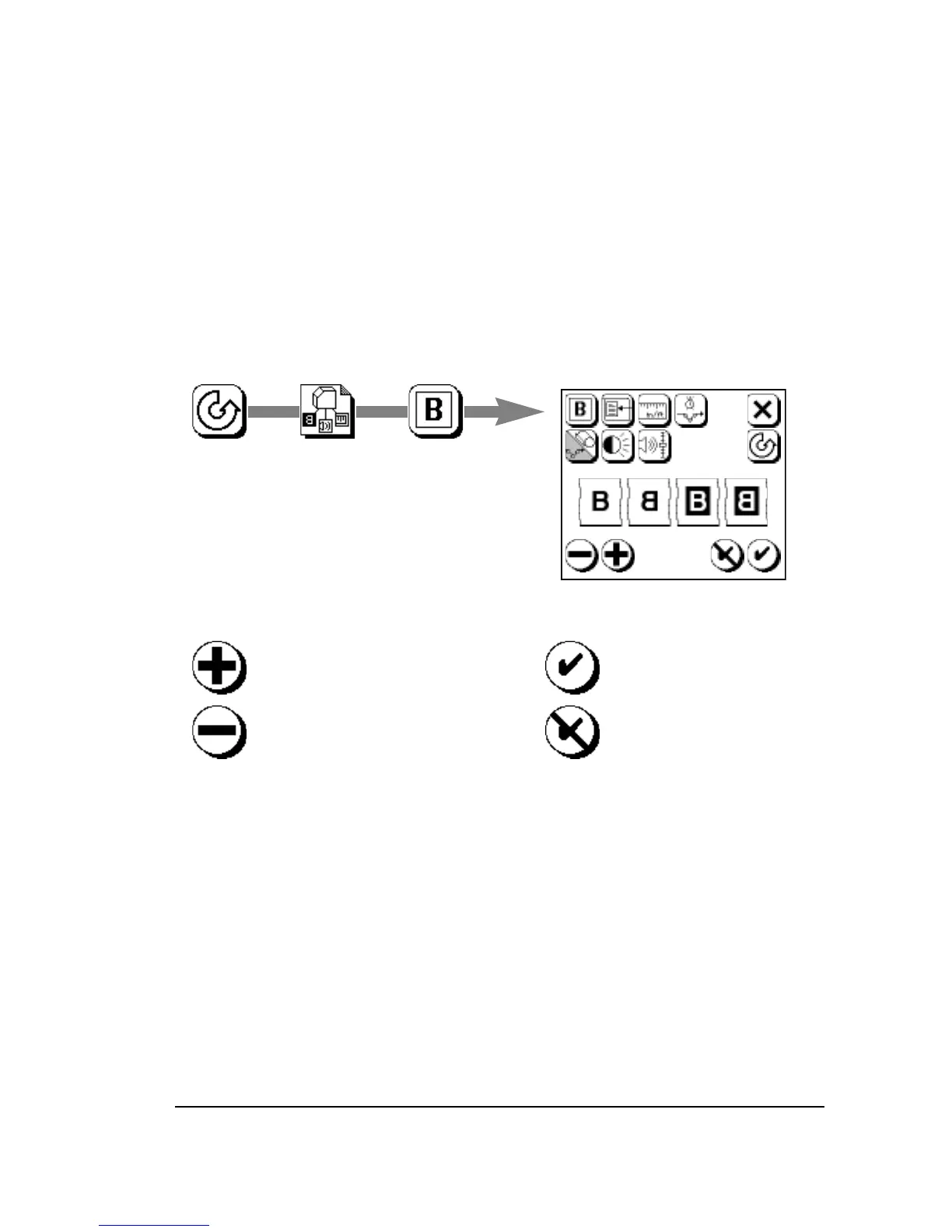
To Set a Parameter
• Press the icon that represents the parameter you need to change.
• Select the desired setting. Use Plus or Minus.
• Confirm your selection. Press Accept to keep or Cancel to discard
changes.
In some cases, you select from limited choices. This example shows
how to set the imaging mode in the Configuration Screen.
1. Press Pause, Configuration, Select Image Mode.
Press Accept to change
the image mode, or…
…press Cancel to discard.
2. Select the image mode: 3. Accept or Cancel:
Press Plus or Minus to select
image mode.
Choices (left to right):
Right reading positive
Wrong reading positive
Right reading negative
Wrong reading negative.



 To Next Page