EasyManua.ls Logo

AGFA SelectSet Avantra - Removing Supply Cassettes

AGFA SelectSet Avantra
214 pages
Print Icon
To Next Page IconTo Next Page
To Previous Page IconTo Previous Page
Loading...
Removing Supply Cassettes
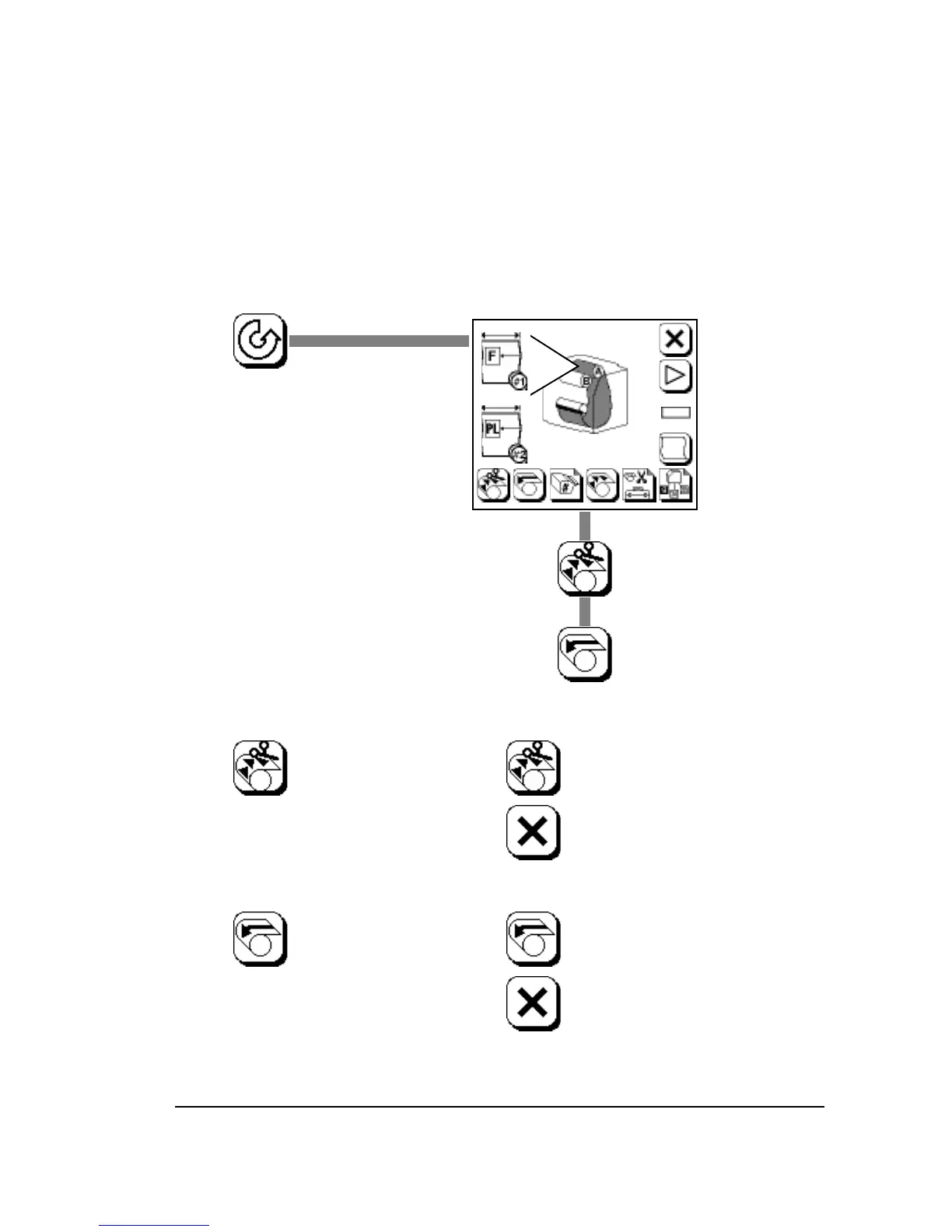
Step 1. Unload the media supply.
If there is media in the take-up cassette, the imagesetter au-
tomatically does a feed and cut when you unload a media
supply. In this case, you need to remove the take-up cassette
before you can load another supply cassette.

Press once and the icon
flashes.
To Unload:
To Feed and Cut:
Feed and Cut
Unload
Press once and the icon
flashes.
Press again to complete
the feed and cut or…
…press Abort to cancel.
Press again to complete
unloading or…
…press Abort to cancel.
Media Operations
4–9

Table of Contents

Related product manuals