Set Up the Processor Option
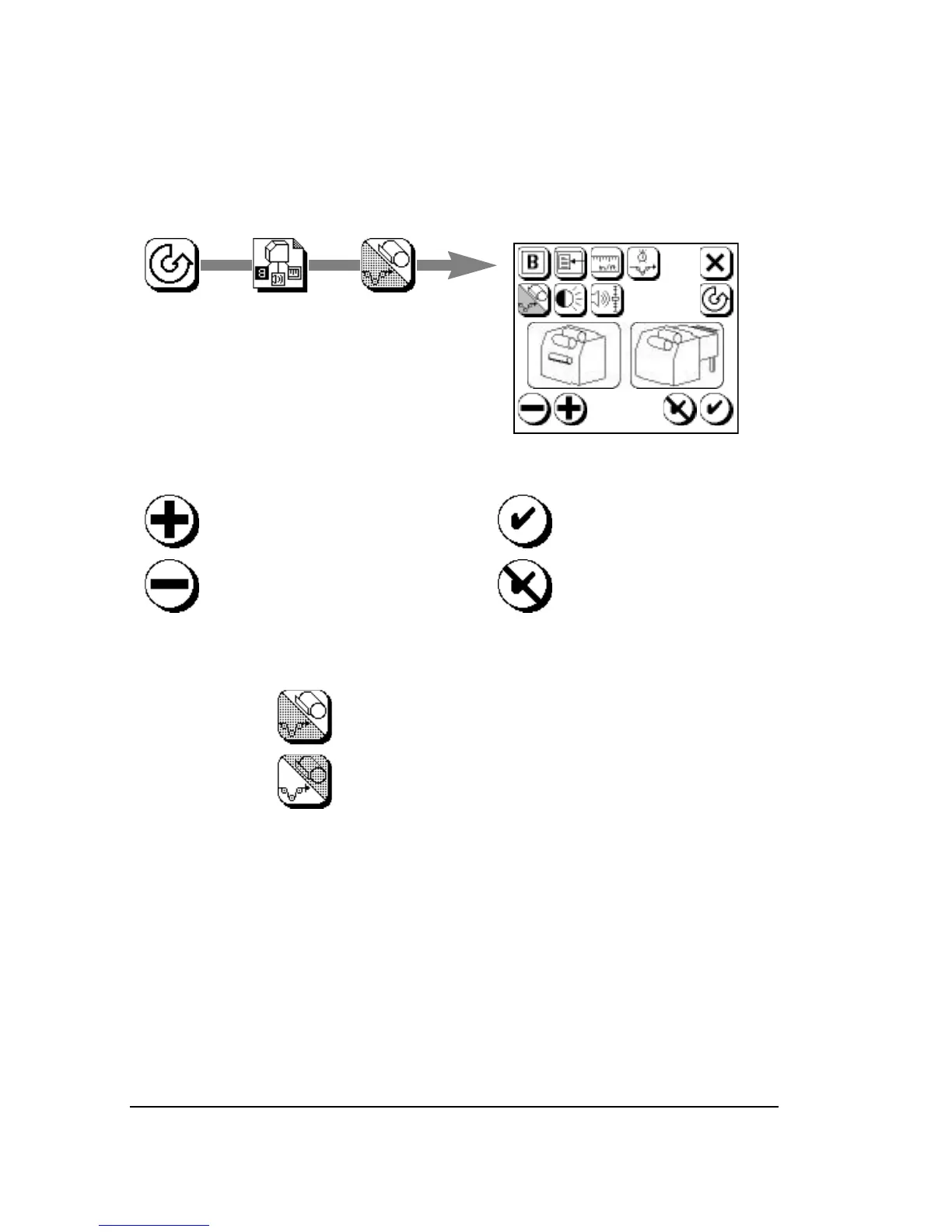
Follow this procedure to set up the imagesetter to use the OLP.
Note: Make sure that you remove the take-up cas-
sette and that the bridge is completely lowered into
its operating position.
1. Press Pause, Configuration, Output Mode.
Press Accept to change
the output mode, or…
…press Cancel to discard.
2. Select the output mode: 3. Accept or Cancel:
Press Plus or Minus to select out-
put mode.
Choices:
Take-up cassette (left)
OLP (right)
The button shows the current output mode.
Take-up cassette selected.
OLP selected.
8–4
•
SelectSet Avantra User Guide



 To Next Page