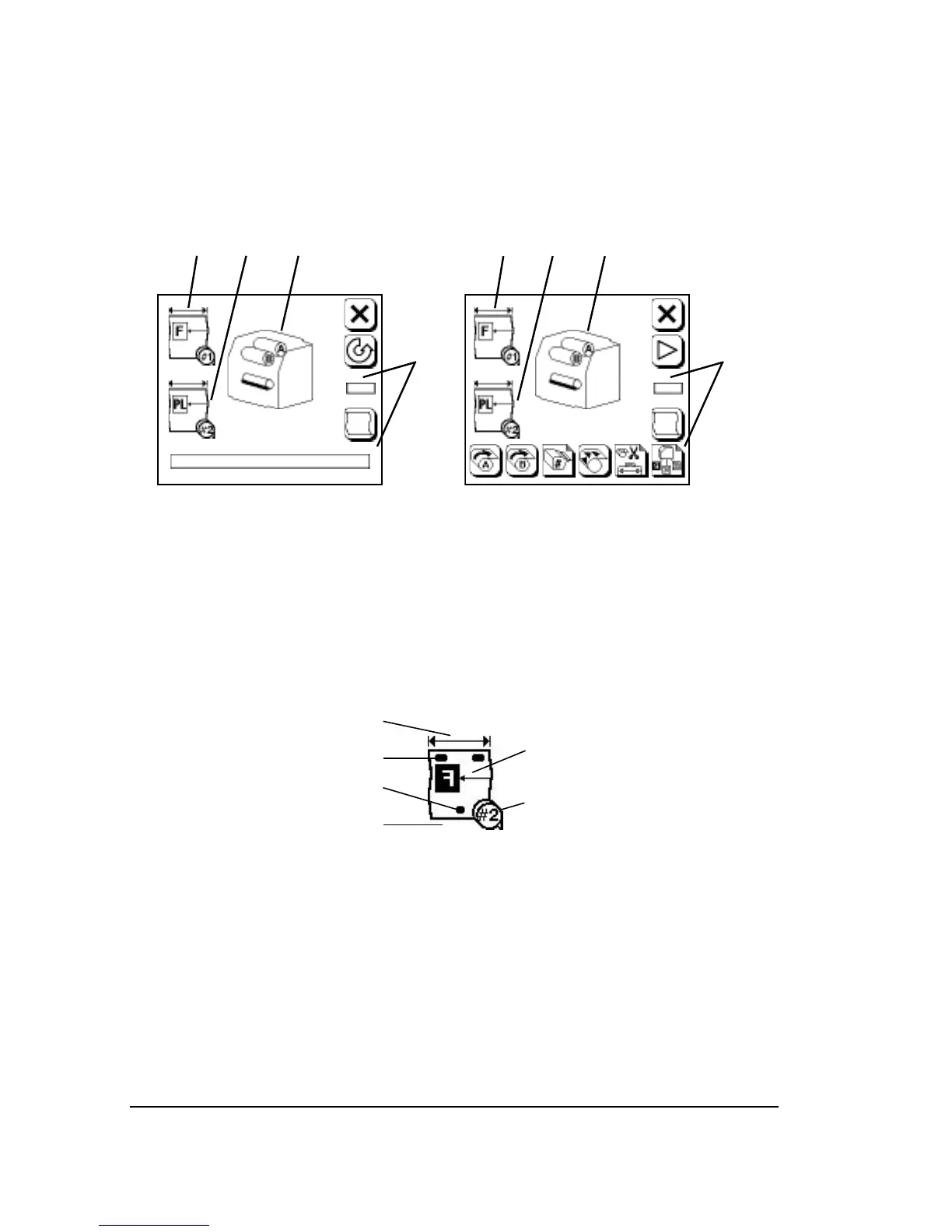
Run and Pause Status Icons
This section describes status icons that appear in the Run Screen and
the Pause Screen.
Figure 3.3. The Run Screen (left) and the Pause Screen (right).
➀
—Media status, supply A.
➁
—Media status, supply B (appears only with DualSupply Option).
➂
—Engine status.
➃
—Job status.
Media Status
Figure 3.4. The media status display.
➀
—Media width.
➁
—Top punch.
➂
—Bottom punch.
➃
—Media remaining.
➄
—Media type, alignment mode, imaging mode.
➅
—Cassette number.



 To Next Page